
How Automation Can Help Your Business
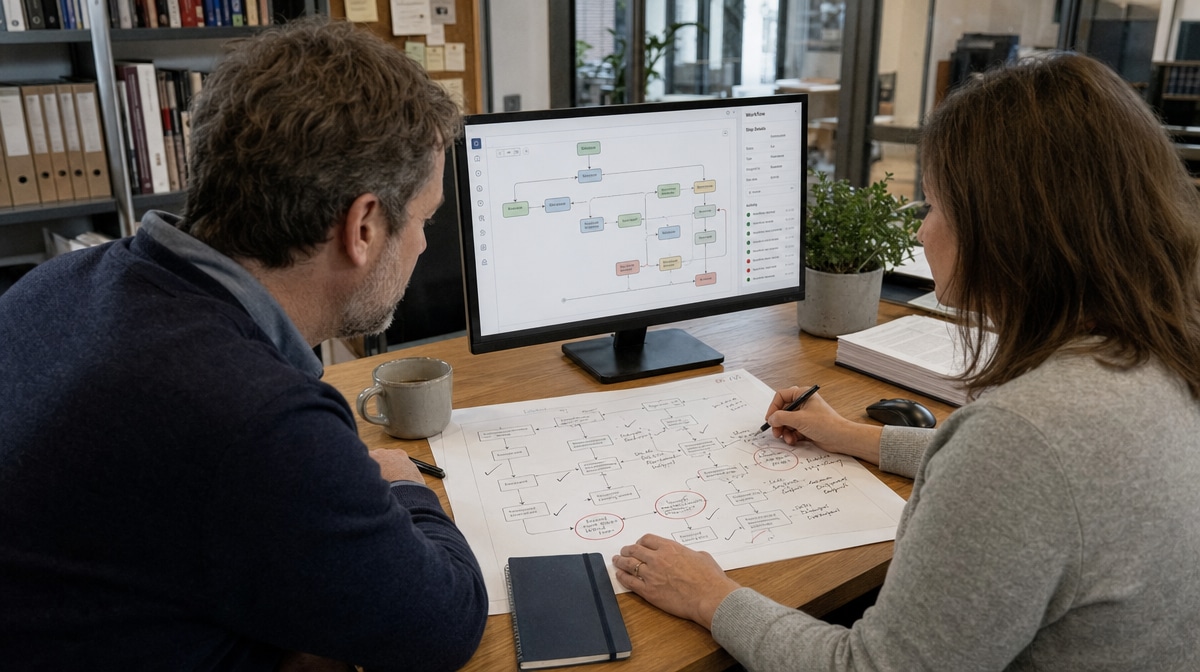
Automation works best when the work is repeatable, the rules are clear, and the exceptions have somewhere to go. If a process stops the moment a customer, employee, or transaction falls outside the standard path, is it truly automated, or merely unattended?
As companies redesign their internal business operations, automation can help a business save time, improve consistency, adjust as conditions change, and guard against potential crises. The strongest operating model does not choose between software and people. It combines automation with human expertise, judgment, creativity, and accountability.
What Is Business Automation?
Business automation is the use of software, rules, integrations, and machines to complete or coordinate work with limited manual effort. It can move information between systems, trigger routine tasks, schedule communications, calculate results, route approvals, and record what happened. A well-designed automated process also identifies exceptions and sends them to the right person.
Modern, technology-driven automation has been developing for decades. Software applications have gradually moved beyond a few specialized sectors and into nearly every area of business. The coronavirus pandemic accelerated that dependency when quarantines and remote work disrupted long-established business processes. Departments that had used minimal technology suddenly depended on digital workflows to keep operating.
That experience offered a durable lesson. Automation is not only a labor-saving device. It can make work visible, repeatable, measurable, and available across locations. However, the business still needs people who understand why the process exists, which risks matter, and when the normal rule should not apply.

Where Can Automation Help Your Business?
Automation can help wherever employees perform high-volume, rules-based work. The best candidates have stable inputs, clear decision rules, frequent repetition, and an outcome that can be checked. Start with one defined process instead of buying software first. Map the steps, name the owner, identify the exceptions, and decide which result will show whether the change worked.
Digital Marketing Automation
Digital marketing offers familiar examples. Email, social media, and other activities can use automation for scheduling, audience routing, follow-up sequences, lead assignment, and reporting. These capabilities can increase productivity and reduce the risk that a routine handoff is forgotten.
The human role remains important. Marketers still decide the position, audience, offer, tone, and response to an unusual market signal. Automation can deliver a message on schedule, but it cannot determine whether the message reflects a changing customer need without reliable inputs and human judgment.
Human Resources Automation
Human resources teams can automate recurring administrative work. Current examples include onboarding and offboarding employees, claiming expenses, setting up schedules, overseeing time management, processing payroll inputs, and managing employee benefits. These workflows became especially useful when remote work made paper forms and in-person handoffs difficult.
A useful HR workflow routes standard tasks automatically while giving employees and managers a clear path for questions, corrections, accommodations, and sensitive issues. It can also support automated policy management by distributing current policies, recording acknowledgments, and triggering scheduled reviews. The system handles the repeatable steps; HR professionals remain responsible for context, fairness, privacy, and employee trust.
Finance and Payroll Automation
Accounting provides a clear example of automation and human activity remaining essential at the same time. Paychecks can be deposited in bank accounts, earnings can be tallied, taxes can be calculated, transactions can be matched, and reports can be prepared with much less manual entry. Current earned wage access services can also let employees view and draw eligible earned pay before a scheduled payday.
The Bureau of Labor Statistics outlook for accountants and auditors notes that automation may make routine tasks more efficient while advisory and analytical duties become more prominent. That is the practical opportunity. Automate entry and calculation where controls allow it, then direct professional attention toward anomalies, analysis, compliance, cash decisions, and advice.
Accountants, auditors, analysts, and financial experts remain responsible for reviewing the output and explaining what it means. Their activities include investigating unusual balances, testing controls, correcting accounts and earnings records, and deciding whether a result is reasonable before the business relies on it.
Operations and Policy Workflows
Operations teams can automate work orders, inventory alerts, approval routing, customer notifications, document reviews, and recurring compliance checks. Policy and procedure workflows can assign owners, request revisions, maintain versions, and notify employees when an approved document changes. The process becomes easier to monitor because each step leaves a record.
Automation does not repair a poorly defined process by itself. If responsibilities are unclear, inputs are unreliable, or employees use conflicting procedures, software may simply reproduce the confusion faster. Document the current process, remove unnecessary steps, establish controls, and define a measurable result before automating it.
Prioritize candidates by volume, delay, error risk, and the amount of employee attention consumed. A weekly report that takes four hours to assemble may offer a clearer first win than a complex customer decision that happens twice a year. Also consider the cost of failure. High-consequence work may benefit from automated checks and alerts while still requiring a person to approve the final action.
Why Does the Human Touch Still Matter?
The broad adoption of software, machine learning, and AI solutions has also shown where automation reaches its limits. Customers and employees bring incomplete information, conflicting goals, emotions, and unusual circumstances into a process. A system can apply a rule consistently, but a person must decide whether the rule fits the situation and accept responsibility for the result.

Human Judgment in Sales
Sales shows why the human touch remains important. When traveling sales professionals were grounded during the pandemic, many continued appointments through video chats and phone calls. Technology kept the connection available, and automation supported scheduling, reminders, notes, and follow-up. A human sales associate still had to listen, interpret priorities, answer an unexpected objection, and earn confidence on the other end of the connection.
Human Judgment in HR and Management
The same principle applies in human resources and management. Software can collect a request, check required fields, and route it to the correct queue. HR representatives are still needed for creative activities such as updating procedure manuals and for responsibilities such as resolving employee issues and requests. These activities require context, communication, and judgment that cannot be reduced to a simple status field.
Human Oversight of Automated Decisions
Oversight should be designed into the workflow, not added after a failure. Define which decisions the system can make, which require approval, who reviews exceptions, how errors are corrected, and when the process must stop. NIST guidance on human-AI roles and oversight emphasizes that organizations should clearly define responsibilities for people who use, interact with, or manage automated systems.
That definition prevents two common mistakes. Employees should not assume the system is always correct, and managers should not assign a nominal human reviewer who lacks the information or authority to challenge it. Effective oversight gives a qualified person access to the inputs, the decision rule, the exception history, and the ability to pause or override the workflow.
How Do Automation and Human Expertise Work Together?
Both automation and human expertise are business necessities. The value appears when leaders stop comparing the two and combine them instead. Automation handles predictable volume and preserves an audit trail. People define the objective, interpret uncertainty, improve the process, and manage the consequences.

Design a Human-in-the-Loop Process
Begin by separating normal work from exception work. A normal transaction follows documented rules and can proceed automatically. An exception may involve missing data, a value outside tolerance, a conflict between records, a regulatory concern, or a customer request that requires discretion. Route each exception to a named role with a response time and escalation path.
This structure is especially important in payroll and finance. Automation can mitigate compliance risks, improve accuracy, reduce costs, and save time. Yet it does not make an accountant irrelevant. Overhauling and automating finances is an important part of modern business, but you can set it, and you cannot forget it. Reconciliations, approvals, access reviews, regulatory changes, and unusual transactions still require monitoring and guidance over longer periods.
Measure Both Speed and Quality
Measure more than hours saved. Track processing time, error rates, exception volume, rework, customer outcomes, missed deadlines, control failures, and employee effort. A faster workflow is not an improvement if it creates more corrections or hides a growing queue of unresolved exceptions.
Review the measures with the people who perform and receive the work. They can explain whether an exception reflects a rare edge case, a poor rule, missing training, weak data, or a changing business requirement. Their feedback turns automation into a managed process rather than a one-time software project.
Maintain Policies, Controls, and Training
Every automated workflow needs an owner, written procedures, access controls, change records, and a review schedule. Employees should know what the system does, what it does not do, how to report a problem, and when to use the manual fallback. Cross-training protects the process when the usual reviewer is unavailable.
Ownership should cover the entire life of the workflow. Someone must approve changes to rules, permissions, integrations, and data sources. Someone must also confirm that completed transactions are retained for the required period and that rejected or failed transactions can be investigated. Clear ownership keeps a technical configuration connected to operational responsibility.
As the company changes, update the rules and documentation. A new product, location, regulation, vendor, or staffing model can turn yesterday’s normal transaction into today’s exception. Regular review keeps the automated process aligned with the business purpose it is meant to serve.
How Can Automation Help Future-Proof Your Business?
Automation can make a business more resilient by reducing dependence on memory, a single location, or a single employee. Documented workflows can continue across remote and office environments, while dashboards and records help managers see stalled work and shifting demand. That visibility supports faster response when a crisis or operational change occurs.

At the same time, human creativity, vision, professional training, wisdom, experience, and innovation remain essential. People recognize when conditions have changed, redesign policies and procedures, communicate with customers and employees, and decide what tradeoffs the business should accept.
True synergy comes when both solutions work side by side. Automation provides speed, consistency, records, and scale. Human expertise provides purpose, context, accountability, and improvement. Together they can create a business that runs efficiently, supports remote-friendly work, learns from exceptions, and is better prepared for disruption without pretending that every crisis can be predicted.
Frequently Asked Questions
What Is Business Automation?
Business automation uses software, rules, integrations, or machines to complete and coordinate repeatable work with limited manual effort. Effective automation also routes exceptions to a qualified person.
How Can Automation Help a Small Business?
Automation can save time, improve accuracy, reduce missed handoffs, support remote work, and create a clearer record of each process. Small businesses should begin with a stable, repetitive workflow and a measurable result.
Which Business Functions Can Be Automated?
Marketing, HR, payroll, accounting, operations, policy management, and customer communications all contain repeatable tasks that can be automated. The best candidates have clear rules, reliable inputs, and defined exception paths.
Why Is Human Oversight Important in Automated Processes?
Human oversight is necessary when a process involves judgment, relationships, unusual circumstances, compliance risk, or consequences the system cannot evaluate. Reviewers need the information and authority to question, correct, pause, or override the workflow.
How Should a Business Decide What to Automate?
Map the current process, identify repetitive rules-based steps, remove unnecessary work, define controls and exceptions, and choose a measurable outcome. Automate a bounded process first, then review quality, speed, errors, and employee feedback before expanding it.














