
Why is it Important to Upgrade the Technology in Your Business?
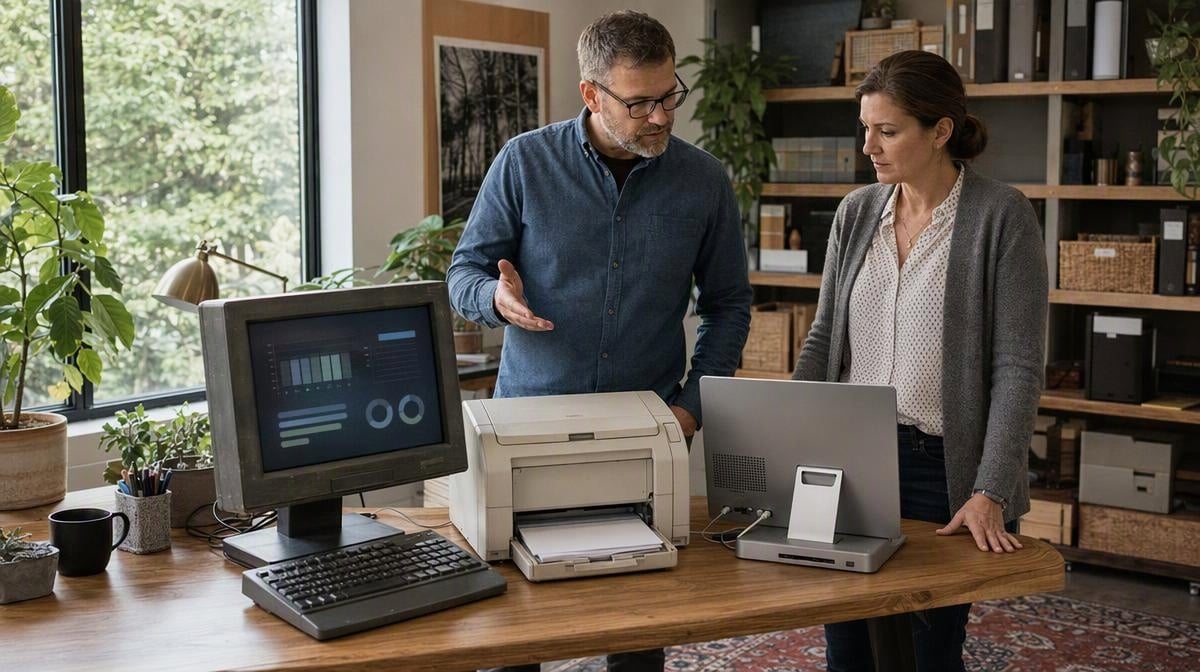
Slow computers, recurring printer repairs, unreliable HVAC controls, and display problems can quietly consume hours that a small or medium-sized business cannot spare. Using information technology in business can support productivity and a competitive edge, but only when the technology fits the work and removes a real constraint.
It is important to upgrade the technology in your business when existing equipment creates enough downtime, repair cost, compatibility trouble, support risk, employee friction, or energy waste to obstruct business goals. The signs below help you diagnose that point, and the scorecard provides a practical way to decide what to address first.
Signs You Need to Upgrade the Technology in Your Business
Age alone does not make a technology asset obsolete. A dependable computer, printer, cable, display, or HVAC system can remain useful for years. The stronger case for change appears when performance, reliability, support, or operating cost no longer meets the requirements of the work.
Equipment needs also vary by sector. Finance and insurance, transportation and warehousing, utilities, education, arts, and accommodation and food businesses may set different requirements for speed, durability, color accuracy, uptime, or environmental control. The decision is whether the equipment functionality supports goals to be achieved or surpassed, not whether another industry is spending more.
Lower Performance Abilities
Begin with the task that is falling behind. Measure startup time, processing time, failed jobs, network interruptions, print errors, or another result employees can observe. That baseline separates a real bottleneck from a general feeling that equipment is old. It also helps you decide whether maintenance, configuration, training, or an upgrade is the appropriate response. A related review of how technology can improve business efficiency can help connect the equipment decision to a business process.
Computer and video cables remain a useful diagnostic example. Fuzzy pictures, shooting-star artifacts, odd colors, pixelation, or an unreliable remote can indicate a cable, port, display, graphics card, or configuration problem. Test a known-good cable and port before replacing the larger system. If you work in graphics or another field where picture clarity and true-to-life hue matter, document the defect and its effect on the finished work. OSHA notes that monitor choice and placement should account for viewing distance, angle, time, and clarity.
Repairs Are Getting Costly
When printers, computers, or HVAC systems require repeated repair, compare more than the next service invoice. The familiar 50% rule, replacing an asset when a repair approaches half the price of new equipment, can be a screening heuristic, but it is not a universal decision rule. Equipment has a natural lifespan, and frequent repairs may cost more than they appear to when employees also lose working time.

A life-cycle cost comparison includes the equipment price, installation, energy, maintenance, repair or replacement, and disposal costs. Add the cost of downtime, migration, training, warranty coverage, remaining support, and residual value for your business. This is one of the practical uses of cost accounting information. An IT asset lifecycle inventory can keep the same decision from becoming an emergency every few years.
Employees Are Complaining About Business Technology
Employees work well with equipment that completes the job correctly in the expected time frame. Listen when staff report computers with damaged graphics cards, inadequate memory, screens that are too small for the task, unreliable printers, or programs that stall. Then convert the complaints into evidence: how often does the problem occur, which process is affected, how many minutes are lost, and what work must be repeated?
That record is especially helpful when remote and in-house teams depend on the same workflow. Standard equipment requirements, supported applications, and a consistent troubleshooting path can help achieve consistency in remote and in-house processes. The goal is not to purchase newer technology because it looks modern. The goal is to remove measurable friction that interferes with deadlines, accuracy, comfort, or customer service.
Compatibility, Support, or Security Is Creating Risk
A working device can still become a liability when it cannot run required software, connect to supported equipment, receive security updates, or integrate with a critical process. CISA guidance recommends following vendor patch and upgrade guidance and avoiding end-of-life or unsupported software. Apply that principle in proportion to the asset and the data or process it supports. Confirm the vendor’s support status and replacement requirements rather than assuming that every old device is unsafe.
Embracing Sustainability
Energy use, supplies, repairability, and disposal can change the economics of office technology. ENERGY STAR business guidance covers qualifying office equipment, computers, data center equipment, and HVAC products. Compare qualifying models within the product category you actually need, then estimate savings from your own hours of use and local energy cost.
Replacement also creates material waste, so do not treat a new purchase as automatically sustainable. Reuse, donation, repair, and responsible recycling belong in the same decision. The EPA recommends using certified electronics recyclers for business equipment that cannot be reused or donated.
How Should You Decide What Technology to Upgrade First?
Score one asset at a time across six factors. A single yellow or red result does not make the purchase decision for you. The pattern shows where to investigate, plan, or act, while the lifecycle-cost review tests whether replacement is financially sensible.
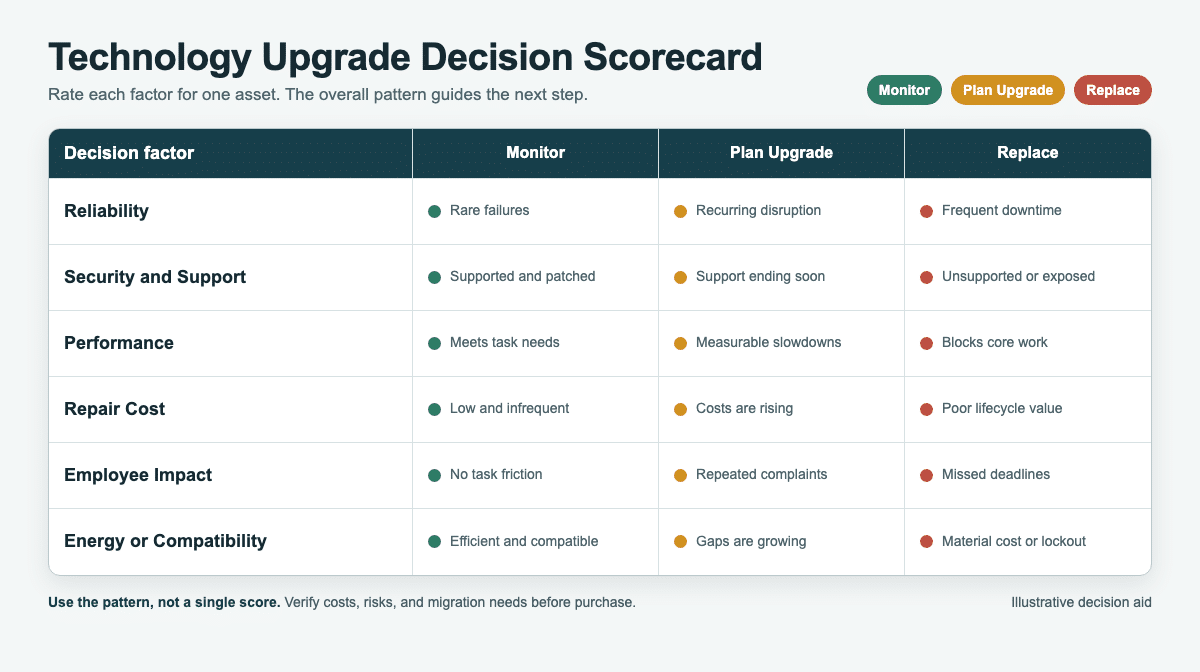
| Decision factor | Monitor | Plan upgrade | Replace |
|---|---|---|---|
| Reliability | Rare failures | Recurring disruption | Frequent downtime |
| Security and support | Supported and patched | Support ending soon | Unsupported or exposed |
| Performance | Meets task needs | Measurable slowdowns | Blocks core work |
| Repair cost | Low and infrequent | Costs are rising | Poor lifecycle value |
| Employee impact | No task friction | Repeated complaints | Missed deadlines |
| Energy or compatibility | Efficient and compatible | Gaps are growing | Material cost or lockout |
Illustrative example: an aging office computer may still start every morning, but it scores red for support because it cannot receive required updates, yellow for performance because programs are slow, and yellow for employee impact because staff repeatedly wait for jobs to finish. That pattern supports a planned upgrade. By contrast, one inexpensive printer repair with no recurring downtime may remain a monitor decision.
Upgrade the Technology in Your Business
Budgets are tight for small businesses, particularly when it comes to technology. Start with the asset that creates the greatest combination of business interruption, cost, support risk, and employee friction. Confirm the baseline, compare repair with replacement, and identify the specific outcome the change must improve. That keeps major and minor equipment changes connected to the life of your business rather than to a purchasing trend.
Plan the transition before the purchase. Back up data, check software and peripheral compatibility, document settings, schedule migration, and train the people who will use the new equipment. Pilot the change with one team or one device when practical. After rollout, compare the same startup times, job times, failures, and support requests you measured before. This is how you determine whether information technology is changing business in the way you intended.
Businesses squander time when employees wait for computers to start up and programs to accomplish what they need. Concentrating on technology assets does not mean replacing everything at once. It means identifying material that functions poorly, costs too much to fix, is no longer supported, or prevents staff from meeting deadlines, then making a measured and sustainable choice.
Frequently Asked Questions
How do you know when to upgrade business technology?
Upgrade when measured downtime, repair cost, support risk, compatibility limits, employee friction, or energy use materially interferes with business goals. Age alone is not enough.
Should you repair or replace business equipment?
Compare the full lifecycle cost of both choices, including downtime, maintenance, energy, support, migration, training, remaining useful life, and disposal. A repair percentage can start the review, but it should not decide the purchase by itself.
Which business technology should you upgrade first?
Prioritize the asset with the strongest combination of frequent failure, unsupported software, poor task performance, rising cost, employee impact, and compatibility or energy problems.
How can you upgrade technology without disrupting operations?
Back up data, confirm compatibility, document the current setup, schedule migration, train users, and pilot the change when practical. Keep a rollback plan for critical systems.
Does new technology always improve productivity?
No. Improvement depends on whether the upgrade removes the actual bottleneck, fits the process, works with existing systems, and is implemented with appropriate training and support.














