
How to Achieve Consistency In Remote and In-House Processes

Work does not become consistent simply because everyone uses the same software or attends the same meetings. A process is consistent when remote and in-house employees understand the same requirements, use the same current guidance, complete the same controls, and produce comparable results. If one group depends on hallway conversations while another depends on scattered messages, the organization has two processes whether leaders intended that outcome or not.
When creating business procedures for remote working, duplicate strong in-house practices where possible, but do not confuse identical mechanics with consistent performance. Some adaptation will be required. The practical goal is to achieve consistency in remote and in-house processes by defining shared outcomes, ownership, handoffs, access permissions, feedback channels, and fallback methods for every location.
What Is Consistency Across Remote and In-House Processes?
Consistency across remote and in-house processes means that employees follow the same approved standards and controls even when the way they complete a step differs by location. An office employee may ask a question in person while a remote employee uses a virtual meeting or written channel. Both should still receive the same answer, document the same decision, and complete the same required handoff.
This approach reflects the process discipline described in ISO’s quality-management systems guidance: define responsibilities, document important processes, monitor results, and improve the system when evidence shows a gap. Consistency does not require every employee to work in the same room. It requires one source of truth, clear ownership, controlled documents, repeatable checks, and comparable outcomes.
Achieving consistency in remote and in-house processes may involve introducing new software, applying hybrid workforce best practices, holding virtual meetings, or changing access permissions for guidance documents. Leaders should also decide how approvals, exceptions, urgent questions, and version changes will move through the process. The tool can change, but the responsibility and control should remain clear.
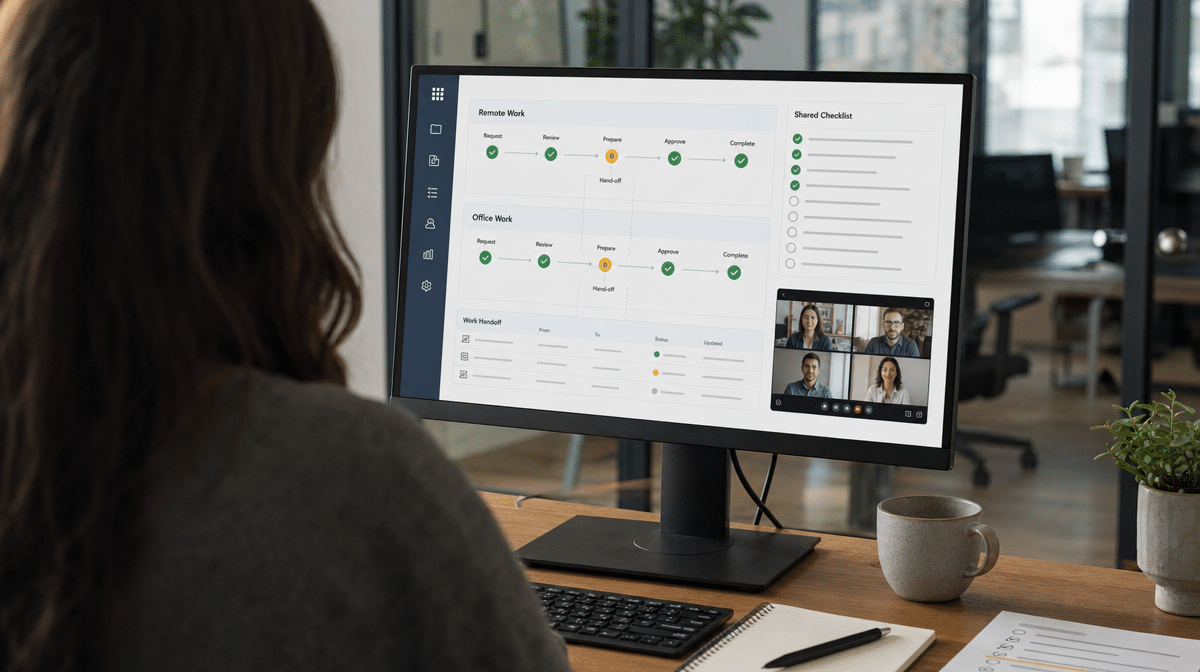
A useful test is to compare the process from each employee’s point of view. Can both groups locate the current procedure? Can they see who owns the next step? Do they know what evidence proves completion? Can a manager review performance without relying on physical presence? If the answers differ by location, the process needs clearer documentation or controls.
Document the process from trigger to completion. Identify the request or input that starts it, the person accountable for each decision, the sequence of required work, the expected output, and the record that proves the work was completed. Then note any approved remote variation. For example, an in-house signature may become a secure electronic approval, while a conversation at a desk may become a recorded decision in the shared system. This preserves in-house practices that add control without forcing remote employees to copy physical steps that no longer make sense.
Request Regular Feedback
When colleagues are remote working, leaders should request regular feedback on how the process is working for everyone. This is not a general satisfaction exercise. Ask where employees wait, repeat work, lose information, lack access, or use an informal workaround. Those observations show where written guidance and actual practice have separated.
Create a simple feedback cadence around the process. A team might review obstacles in a weekly operations meeting, collect exceptions in a shared log, and assign an owner to decide whether the procedure should change. Employees should know where to report a problem, when they can expect a response, and how an approved change will be communicated. Otherwise, regular feedback becomes a list of complaints rather than an improvement mechanism.
Remote work can introduce stressors and distractions that are less visible than problems in the office environment. These may affect health, productivity, employee wellbeing, response times, or concentration. Controls can still be put in place, but they should respond to the obstacles employees actually encounter. Surveying those obstacles regularly supports adapting the at-home working guidance as appropriate without lowering the standard expected from the process.
Give remote colleagues more than one way to contribute. Some employees will raise a problem during virtual meetings, while others will provide better detail through a short survey, an exception log, or a private conversation with a manager. Compare the feedback from remote and in-house employees instead of assuming one group represents everyone. A recurring obstacle in only one location is still a process risk, especially when it affects access, timing, health, or the quality of completed work.
Measure whether the feedback produces better results. Useful signals include fewer missed handoffs, shorter approval delays, lower rework, more complete records, and fewer questions about which procedure is current. A related guide on how to measure remote-work effectiveness can help connect employee observations with operating outcomes. The point is not to compare who appears busiest. It is to determine whether the process works consistently.
Consider Quality of Tools
There are many tools used to improve remote team productivity, but a tool only supports consistency when employees can access it reliably and understand its role. Start with the basics: a stable internet connection, secure access, a current device, clear permissions, and one approved place for procedures and records. Adding more applications will not repair an unclear process.
Broadband speeds and accessibility still vary by employee and location. A procedure that assumes uninterrupted video, large downloads, or constant access may fail for someone working with limited bandwidth. Inconsistent access can become challenging when leaders are asking colleagues to improvise, so procedures should allow colleagues to use an approved fallback. Test the process under realistic conditions. Important instructions should remain readable without a video call, required forms should not depend on one person’s local drive, and employees should have a defined way to report an access problem.
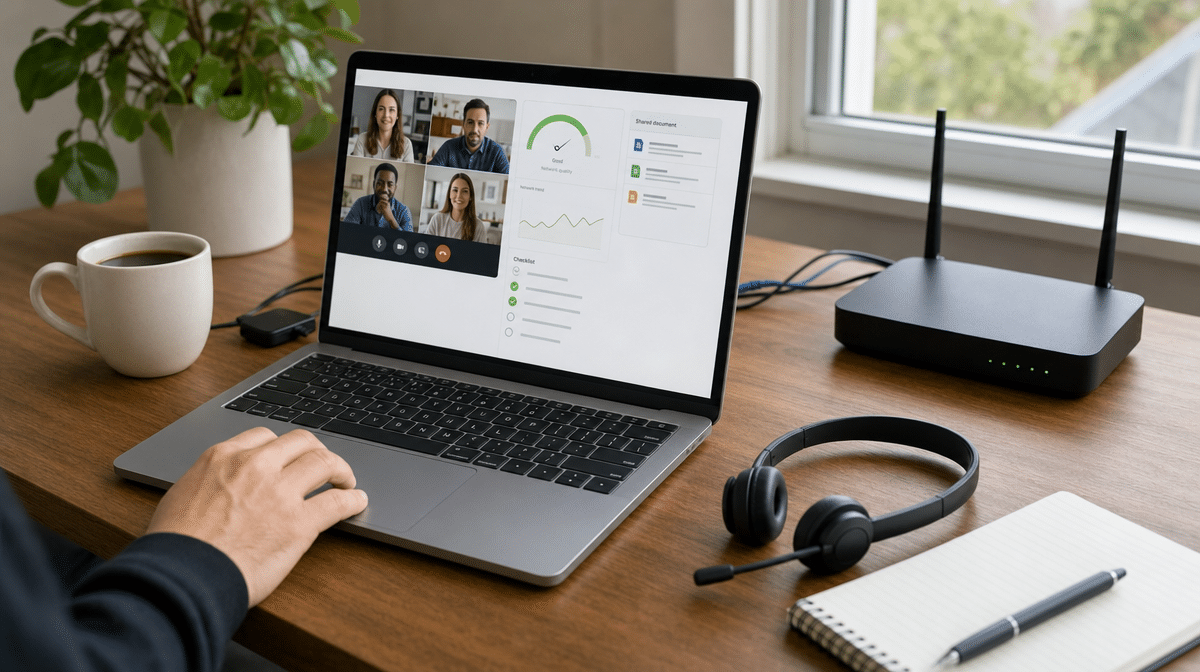
An alternative hub can help employees who temporarily lack suitable access at home. That hub might be another company location, an approved coworking space, or a secure office room with the required equipment. Procedures should explain when the alternative is available, who approves its use, and how work completed there returns to the same system of record used by everyone else.
Should one employee have no access to video because of slow broadband speeds, use an audio-only dial-in or low-bandwidth conferencing option. Telephone conferencing remains a practical continuity method when the main channel fails. The fallback belongs in the remote procedures before an outage occurs, along with contact details, decision authority, and the record that must be updated after the conversation.
Access permissions deserve the same attention as connectivity. Remote employees should not be blocked from current guidance, but broad access should not expose sensitive information. Use role-based permissions, keep document owners accountable for updates, and protect data while employees work remotely. When a procedure changes, archive the old version and make the effective version unmistakable.
Evaluate tool quality by reliability and process fit, not by the number of features. Before a procedure is released, ask employees in different locations to complete a realistic test. Confirm that links open, access permissions work, forms save correctly, notifications reach the right owner, and records remain available after the meeting ends. Include the fallback in the same test. If staff cannot continue when video, broadband, or one application is unavailable, the procedure is not yet resilient enough for consistent use.
Communicate Changes
Effectively leading a virtual team depends on a strong communication culture. Process changes must reach employees who are remote working and those who are in the office at the same time, through an approved channel that creates a record. A verbal announcement in one location is not enough.
Be explicit about the status of a change. Employees need to know whether a leader is requesting ideas for change, brainstorming suggestions, seeking approval, or directing a change that is already effective. Mixing these stages causes people to follow proposals as though they were final instructions, or to ignore approved requirements as though discussion were still open.
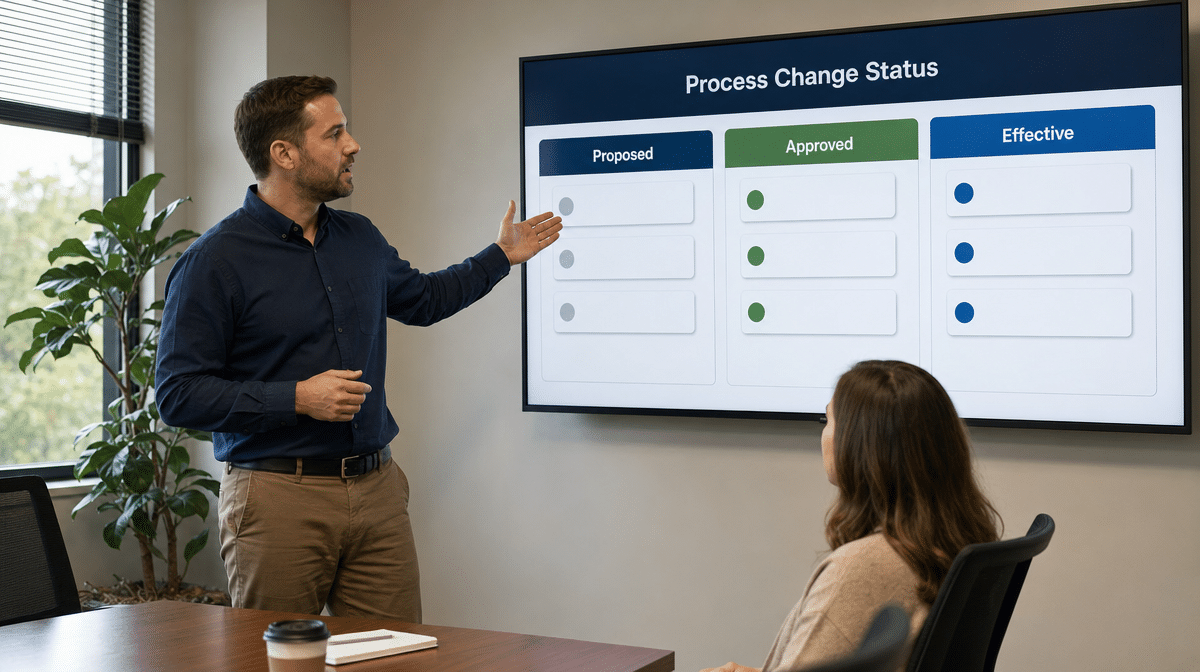
Each time a process changes for remote working, it may be confusing to employees who are not experiencing the problem that prompted the change. Include everyone in the discussion around why the change is needed, what will be different, when it takes effect, and where the current procedure lives. Gallup’s latest hybrid-work research reinforces the importance of communication, accountability, feedback opportunities, and trust across work locations.
Close the loop after implementation. Confirm that affected employees received the update, understand their responsibilities, and can use the revised tools or documents. Managers should review early exceptions and decide whether the procedure needs another adjustment. This prevents a well-intended change from creating a new remote-versus-office variation.
Use a simple change record for important procedures. Capture what changed, why it changed, who approved it, the effective date, and which guidance documents or training materials were updated. Retire conflicting copies so employees do not continue using an earlier version. For a material change, ask staff to demonstrate the new step or complete a short practice case. Confirmation is stronger than assuming that a message was read, and it gives leaders one more opportunity to find misunderstandings before they affect customers or colleagues.
How Can You Sustain Consistency In Remote and In-House Processes?
Regular internal business communication is key to remote working, but communication is strongest when it connects to documented ownership and controls. Keep one current procedure, give every employee appropriate access, define primary and fallback channels, review exceptions, and measure the outcomes that matter. These practices help employees work consistently without pretending every location has identical conditions.
Remote employees may feel isolated or encounter distractions that are not obvious to colleagues in the office. In-house employees may depend on informal knowledge that never reaches the remote team. Regular feedback, quality tools, clear access permissions, alternative hubs, telephone or low-bandwidth conferencing, and well-communicated changes reduce those gaps. The result is not uniformity for its own sake. It is a dependable process that produces the right outcome wherever the work occurs.
Frequently Asked Questions
What Is Consistency Across Remote and In-House Processes?
Consistency means employees follow the same approved standards, controls, responsibilities, and documentation requirements across work locations, even when the tools or communication method differ.
Should Remote and In-House Teams Follow the Same Procedure?
They should follow the same core procedure, outcomes, and controls. A documented variation is appropriate when location changes how a step must be completed, provided the responsibility and result remain clear.
How Can Managers Gather Useful Feedback From Remote Employees?
Use a regular feedback cadence and ask about delays, access problems, repeated work, unclear handoffs, workarounds, and employee wellbeing. Assign an owner to evaluate each recurring obstacle and communicate any approved procedure change.
What Tools Support Consistent Hybrid Processes?
Useful tools provide reliable access to current procedures, shared records, approvals, communication, and performance information. Organizations should also define low-bandwidth and alternative-location fallbacks when the primary tools are unavailable.
How Should Process Changes Be Communicated Across Work Locations?
State whether the change is proposed, under review, approved, or effective. Explain why it is needed, when it takes effect, who is responsible, and where employees can find the current procedure.














