
How Do You Train Remote Employees to Work More Effectively?

Remote and hybrid teams are now a permanent part of how companies operate. Plenty of businesses run without a brick-and-mortar office at all, and even the ones that kept their space have people logging in from kitchen tables and spare bedrooms. According to Pew Research Center, 75% of employed adults with jobs that can be done from home are working remotely at least some of the time. That reality puts a hard question in front of every manager who has ever trained a new hire in a conference room.
How do you train remote employees to work more effectively? The answer is not a better webcam. It is a documented process, and remote employee management lives or dies on whether that process exists before day one.
How to Effectively Train a Remote Workforce
Training a distributed workforce is a different job than training a room. Some employees have years of experience working remotely while others have never been onboarded through a screen. The companies that do this well stopped improvising a series of video calls and wrote the program down instead. You can do this for your business as well. Here are a few suggestions to effectively train your own remote workforce.
Show Instead of Tell

The internet is a visual world. Emojis, memes, gifs, and trillions of images grace all corners of the digital surroundings. If it is what your workforce is drawn to, then this form of information should be used to train them.
In other words, utilize a concept authors call on: show, don’t tell. Enhance text presentations with various image types. A live-action screen recording, a short walkthrough clip, or a whiteboard animation video tends to work to keep employees engaged far better than a wall of policy text. Companies like COGNITIVE specialize in the latter form of recording, and most teams can produce the first two themselves with a screen recorder and a microphone.
Record once, reuse for every hire after that. Plus, you can design these through various web applications and software packages. Make sure it is thoroughly viewed and edited long before it is presented to the workforce, because a confusing recording costs you the same time on every replay.
Onboarding New Hires
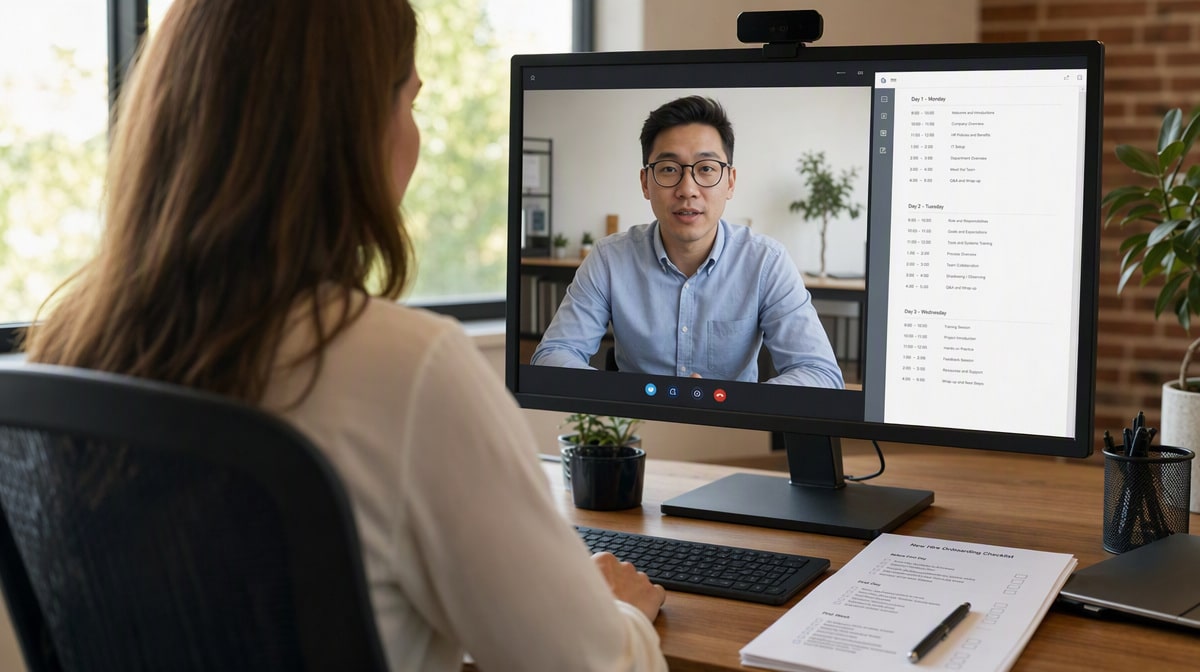
Watch the remote work trends and one thing stays constant: even though you may lack a physical structure to run your business, you shouldn’t eliminate previous best practices. One of these is orientation or onboarding new hires. Without a process to gradually introduce your workforce to your practices and policies, they’ll feel untethered to their co-workers.
Always make orientation a part of training. In a way, it is actually simpler to perform in a remote environment. There’s no need to give them a physical tour of their surroundings. The main thing to deal with is the company operations, tools, technology, and job responsibilities. Give each of those a slot on a schedule so nothing depends on somebody remembering to mention it. Our employee hiring procedure covers the paperwork side of the same week.
Week One Remote Onboarding Schedule
Use this as a starting template and adjust the owners to match your own org chart. The value is in the third column: each day ends in something the employee can demonstrate, not something they merely watched.
| Day | Focus | Who leads | Completed when |
|---|---|---|---|
| Day 1 | Accounts, secure remote access, MFA enrollment, equipment check | IT | Employee logs in to every core system unassisted |
| Day 2 | Orientation: company operations, policies, org chart, introductions | HR | Orientation module and quiz complete |
| Day 3 | Tools and technology walkthrough, recorded demos | Manager | Employee completes a guided task in each core tool |
| Day 4 | Job responsibilities, relevant procedures, security and PII handling | Manager | Employee restates responsibilities and passes the security quiz |
| Day 5 | First supervised task, questions, feedback session | Manager | Task delivered and reviewed live |
Ensure Easy Access
The pace of workplace technology change has not solved the dullest problem in remote training: access to the technology itself. If they are unable to log in to the training system for one reason or another it changes their attitude. Instead of being eager to learn, they become frustrated and fearful that they’re missing out on important information. Continued issues cause them to leave.
Thus, ensure your workforce has easy access to the training modules. Provide a link and the necessary credentials for quick logins, ideally through single sign-on so there is one password to forget rather than six. Furthermore, have service representatives ready to immediately resolve any potential issues. Never leave an employee hanging.
Ensure Secure Access
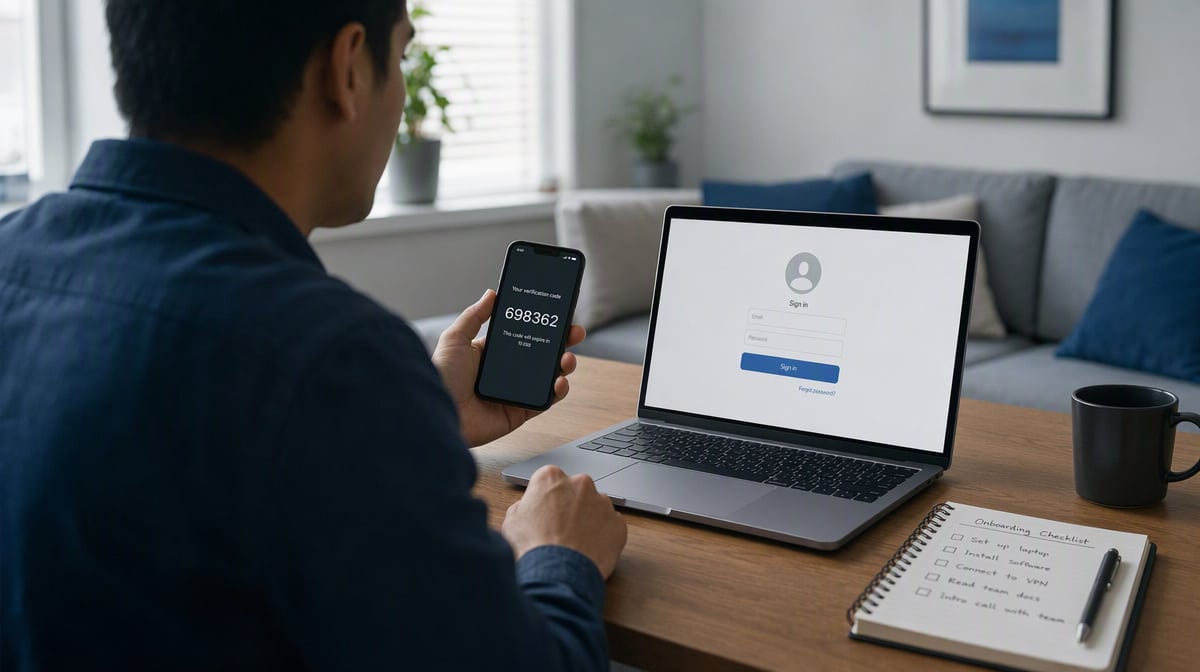
On top of easy access, your workforce also needs to feel secure during training. Important personally identifiable information (PII) is up for grabs by cybercriminals if the training portal isn’t firmly protected. NIST guidance on enterprise telework is blunt about the scope of the problem: every device that touches remote access, including personal ones an employee already owns, has to be secured against the threats you expect. Read the full guidance in NIST SP 800-46 before you write your own policy.
One way that business data protection holds up under remote conditions is a virtual private network (VPN). Once inside this environment, the employee’s traffic is carried over an encrypted tunnel instead of an open network. In turn, they have the power to safely peruse their training materials. Multi-factor authentication (MFA) also ensures secure access. It adds a secondary layer of authentication through a code sent through their smart device. Even if an unauthorized user steals a password, the second step still blocks the account. Cybercriminals have a hard time accessing this when they aren’t in physical possession of the device, which is why CISA tells every organization to switch it on.
Engage Your Employees
While it is true your workforce learns much from reading text or listening to audio narrations, it also gets distracted. Large amounts of information at once dulls their senses. Soon enough, your workforce becomes distracted. As a result, they miss important details. The secret is to engage employees with something they have to do, not just watch. Our business process examples show what that looks like written down.
Instead of lecture-type presentations, create training that engages the reader. Animation and other graphics help this. Incorporate quizzes that must be completed for them to move to the next part in the presentation. These encourage your workforce to focus on the material. Keep live blocks under 90 minutes; attention on a screen runs out long before a trainer’s material does.
Remain Online
Training your workforce doesn’t mean you send them presentation links and do something else. Abandoning both new and current workers shows them you don’t care. Therefore, if you’re willing to disappear, then what are the chances that the rest of the organization ignores them?
Thus, you must remain online during these training sessions. Be there to answer potential questions or resolve issues. When the presentation is complete, hold a meeting for further clarification and a discussion on what the employees saw. A standing half hour of open office hours each afternoon of week one does most of this work for you.
Effective Remote Workforce Training
The above recommendations to effectively train a remote workforce are just a start. There are other methods and remote team productivity tools that you’ll discover as you keep tweaking your presentations. Needless to say, don’t get frustrated if things don’t work out at first. The more you refine the virtual training sessions the better your workforce’s responses will be.
Frequently Asked Questions
How long should remote employee training last?
Spread training across a defined window rather than compressing it into a single day. A common pattern is a structured first week covering company operations, tools, technology, and job responsibilities, followed by lighter role-specific sessions over the next 30 days. Long unbroken sessions dull attention, so keep each live block under 90 minutes.
How do you measure whether remote training actually worked?
Track completion of each training module, quiz scores at each gate, and time to first independent task completion. Pair those numbers with a manager check-in at 30 and 90 days. Completion alone is not evidence of competence, so pair every module with an observable task the employee performs unsupervised.
Who should own remote training in a small business?
In a company without a dedicated learning team, ownership usually sits with HR for orientation and with the direct manager for role-specific content. Write the owner of each module into the procedure so nothing falls between the two. A documented procedure manual keeps the program running when the owner changes.
What should you do when a remote employee falls behind in training?
Find out first whether the cause is access or comprehension, because the fixes are different. An employee blocked by a login issue needs a service representative, not more coaching. If the material is the problem, schedule a live walkthrough and record it so the next person hits the same gap with a ready answer.














