7 Workflow Mapping Templates (And How To Apply Them)
A blank diagram can make a familiar process feel harder than it is. The team knows the work, but nobody agrees on where the map should begin, which details belong on the page, or whether the result should show steps, decisions, roles, suppliers, delays, or handoffs.
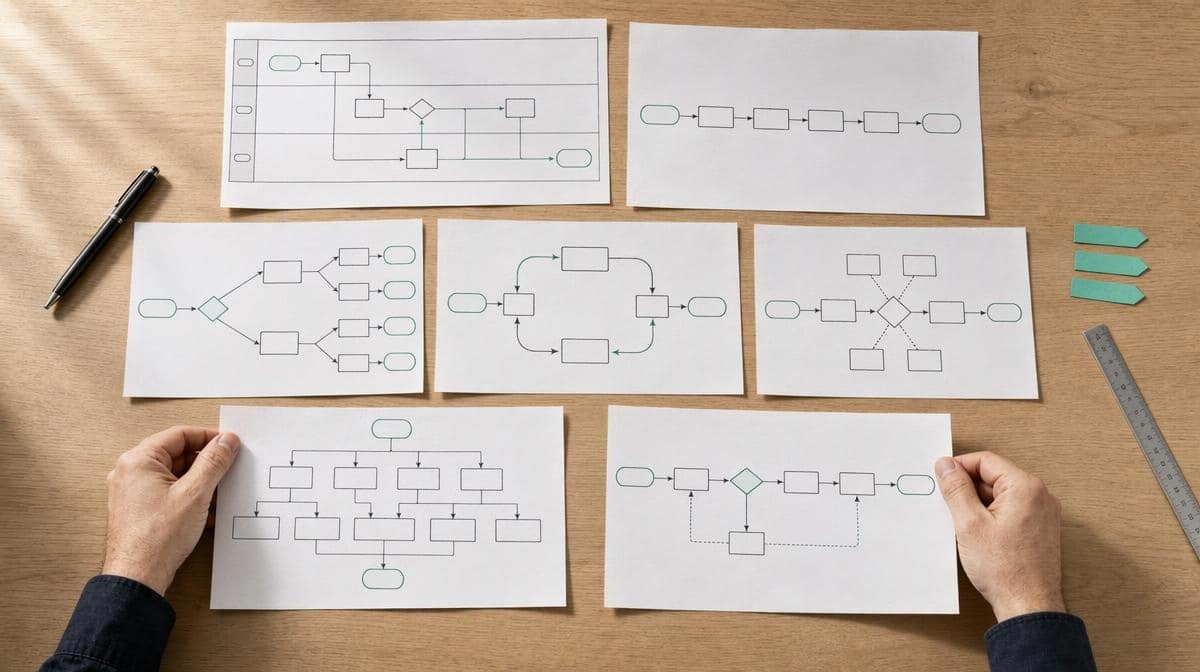
A workflow mapping template gives you a prebuilt structure for recording how work starts, moves, branches, changes owners, and reaches a finished output. This article includes seven editable patterns, guidance for selecting the right one, and a worked purchase-approval example. Download the workbook, choose one pattern, and replace the example rows with facts from your process.
Download the Seven Workflow Mapping Templates
The editable workbook includes a Start Here guide, one sheet for each template, and a completed purchase-approval example. The sheets are designed for Excel, but their row-based structure also makes them easy to recreate in another spreadsheet, an online whiteboard, or a process-mapping application.
Free editable workflow mapping template pack
Includes basic flow, decision flow, swimlane, SIPOC, current-state, future-state, and cross-functional handoff templates, plus a worked purchase-approval example.
Each sheet stores one node or handoff per row. That makes the file editable without requiring specialized diagram software. You can sort or filter the rows, add fields, and use the node IDs to redraw the same logic as shapes and connectors when a visual presentation is needed.
How Do You Choose the Right Workflow Mapping Template?
Choose the simplest template that answers your business question. A basic flow map is enough when the process is mostly sequential. A swimlane map is better when delays or errors happen as work moves between people. A current-state map is appropriate when the team needs evidence about how the work operates before proposing changes.
| Template | Use it when | Main question | Primary output |
|---|---|---|---|
| Basic flow | Work follows a mostly linear path | What happens from start to finish? | Ordered steps and outputs |
| Decision flow | Conditions select different paths | Which rule selects each branch? | Decision logic and return paths |
| Swimlane | Ownership and handoffs matter | Who performs or approves each step? | Activities grouped by role |
| SIPOC | You need a high-level boundary | Who supplies what, through which process, to whom? | Suppliers, inputs, phases, outputs, customers |
| Current state | You need an evidence-based baseline | What actually happens now? | Observed work, waiting, variation, evidence |
| Future state | You are designing a changed process | What should happen after improvement? | Proposed work, reason, measure, owner |
| Handoff map | Delays occur between teams or systems | What must be complete before the next owner accepts work? | Transfer rules and acceptance evidence |
If you are unsure where to begin, start with the basic flow and move to a more detailed pattern only when the first draft cannot answer the question. The guide to what a process map includes can help you decide which symbols and details are necessary.
Template 1: Basic Flow Map
A basic flow map shows a trigger, an ordered sequence of activities, and a finished output. Use it for a short process that has few branches and little ambiguity about who performs the work. Examples include opening the office, preparing a recurring report, confirming a shipment, or closing a customer request.
- Record: order, node ID, node type, activity, next node, owner, and evidence.
- Apply: write activities with a verb and object, such as “review request” or “create invoice.”
- Check: confirm that every step connects to a next step or a defined end.
- Avoid: mixing broad phases and tiny keystrokes in one map.
The node ID keeps the row-based template connected to the visual diagram. For example, B1 can point to B2 in the Next Node column. If you later draw the map online, label each shape with the same ID so reviewers can connect the diagram to its supporting notes.
Template 2: Decision Flow Map
A decision flow map adds questions and labeled branches to the basic sequence. Use it when a request may be accepted, rejected, returned, escalated, or routed to different work based on a defined condition. The question should be specific enough that two trained people reach the same branch with the same evidence.
- Record: the decision question, yes or pass destination, no or fail destination, owner, and rule.
- Apply: write the condition before drawing the branch, then label every outgoing path.
- Check: trace the unsuccessful path until it ends or returns to an earlier node.
- Avoid: using vague questions such as “Is it okay?” without acceptance criteria.
A branch should never disappear. If incomplete information returns to the requester, show the correction step and the node where the work reenters the process. This makes rework visible and prevents a clean-looking diagram from hiding the most common delay.
Template 3: Swimlane Map
A swimlane map groups steps by role, team, system, supplier, or customer. Use it when responsibility is as important as sequence. Each move from one lane to another is a handoff that may add waiting, require evidence, or create an opportunity for information to be lost.
- Record: node ID, lane, node type, activity, next node, handoff destination, and acceptance evidence.
- Apply: assign one accountable lane to each activity or decision.
- Check: ask what the receiving lane needs before accepting the work.
- Avoid: listing a department when only one role can make the decision.
Use swim lane process maps when a basic sequence fails to explain ownership. The map may reveal that the process has few activities but too many transfers between people, systems, or departments.
Template 4: SIPOC Map
SIPOC stands for suppliers, inputs, process, outputs, and customers. Use this high-level template before a detailed mapping session when the team needs to agree on the process boundary. Keep the process column to five to seven major phases so the sheet remains a scope tool rather than another detailed flowchart.
- Suppliers: people, teams, vendors, or systems that provide necessary inputs.
- Inputs: information, materials, requests, approvals, or records the process needs.
- Process: the major phases that transform inputs into outputs.
- Outputs: the products, services, decisions, records, or completed work produced.
- Customers: the people or processes that receive or depend on the output.
The customer may be internal. For example, payroll receives an approved time record from a manager, and purchasing receives an approved request from a budget owner. Naming that relationship makes requirements easier to define before the team argues about individual steps.
Template 5: Current-State Process Map
A current-state process map records how the work operates now. Use it when the team needs a baseline for improvement, training, risk review, or procedure alignment. Do not copy the written procedure and assume it describes the actual process. Observe work, review records, and capture important variations.
- Record: role, observed activity, next node, work time, wait time, system or record, issue, and evidence source.
- Apply: keep observed facts in the main columns and improvement ideas on a separate parking list.
- Check: trace routine cases and important exceptions from trigger to output.
- Avoid: redesigning the process while you are still trying to document it.
A dedicated current-state process map is useful when timing and evidence matter. Separate active work time from waiting so the team can see whether a five-minute task sits in a queue for two days.
Template 6: Future-State Process Map
A future-state map describes the intended process after a change. Use it only after the current condition and improvement objective are clear. The template connects each proposed activity to its reason, success measure, and implementation owner so the diagram becomes a design record rather than an attractive wish list.
- Record: proposed activity, next node, change from current state, reason, measure, and owner.
- Apply: preserve controls that prevent meaningful risk while removing avoidable delay or duplication.
- Check: walk routine and exception cases through the proposed design.
- Avoid: replacing a known problem with an untested assumption.
Keep the current-state and future-state sheets separate. The first protects the baseline. The second records the proposal. A short change log should explain why each step changed, who owns implementation, and which measure will show whether the new workflow works.
Template 7: Cross-Functional Handoff Map
A cross-functional handoff map concentrates on the moment work leaves one role or system and enters another. Use it when delays, defects, missing information, duplicate entry, or unclear ownership occur between teams. It can be used alone or beside a swimlane map.
- Record: sending role, work sent, receiving role, acceptance condition, return rule, transfer channel, expected time, and evidence.
- Apply: define what “ready” means before the receiving role accepts the work.
- Check: compare expected transfer time with timestamps from real cases.
- Avoid: treating “sent” as proof that the next owner received usable work.
The handoff template is especially useful for email, ticket, spreadsheet, and system-to-system transfers. It shows whether the work arrives through the correct channel, contains the required information, and creates a record that the next owner can find.
Worked Example: Purchase Approval Workflow Map
The workbook includes this hypothetical purchase-approval example. It is not a universal control design. Adapt the roles, thresholds, evidence, and approval rules to your organization, risk, accounting system, and purchasing policy.
| Node | Lane | Activity or decision | Pass path | Fail path | Evidence |
|---|---|---|---|---|---|
| P1 | Requester | Submit purchase request | P2 | Not applicable | Request form |
| P2 | Purchasing | Is the request complete? | P3 | P7: correct information | Completeness check |
| P3 | Budget owner | Is budget available? | P4 | P8: revise timing, scope, or funding | Budget record |
| P4 | Approver | Is approval granted? | P5 | P9: close or revise request | Approval record |
| P5 | Purchasing | Issue purchase order | P6 | Not applicable | Purchase order |
| P6 | Receiver | Confirm receipt and close request | End | Not applicable | Receipt record |
The example combines decision and swimlane patterns because the business question concerns both approval logic and ownership. The return path from P2 to P7 exposes rework caused by missing information. The budget and approval decisions remain separate because they answer different questions and may require different evidence.
To adapt the example, replace the lane names, define the required request fields, add the applicable approval threshold, and identify the record that proves each decision. If receipt confirmation happens in another system, add a system lane and show how the purchase order, receipt, and invoice are connected.
How Do You Build and Review a Workflow Map?
Begin with a business question and a boundary, not with shapes. ASQ recommends defining the process scope and boundaries before arranging activities in sequence and reviewing the draft with people involved in the work. That sequence keeps the map focused and gives performers a chance to correct missing steps, branches, and exceptions.
- Define the task. State the problem, customer, output, and decision the map must support.
- Set the boundaries. Name the trigger, finished output, included paths, and exclusions.
- Choose the template. Select the simplest pattern that can answer the question.
- Gather evidence. Review procedures, forms, records, timestamps, system data, and representative cases.
- List the nodes. Record one activity or decision per row and assign a stable node ID.
- Connect the paths. Fill the next-node and branch columns before drawing shapes.
- Add ownership and evidence. Record who performs the work and what proves completion.
- Review with performers. Walk routine and exception cases through the draft.
- Resolve or record variation. Show legitimate alternate paths and capture unanswered questions.
- Publish the controlled version. Add the process owner, version, review date, and related procedure or policy.
The same row-based structure works whether you build workflow diagrams and rendered process maps in a spreadsheet, whiteboard, or specialized application. The online diagram is the visual view. The workbook can remain the supporting record for rules, evidence, ownership, measures, and open questions.
ISO says the ISO 9000 family emphasizes customer focus, leadership, the process approach, and continual improvement. A workflow map can support that process approach by showing how inputs become outputs and where responsibilities and measures belong. The map itself does not establish conformity with a standard.
What Workflow Mapping Mistakes Should You Avoid?
- Starting without a question. A map that tries to show everything becomes hard to review and difficult to use.
- Choosing a complex notation too early. Add detail only when the simpler pattern cannot answer the question.
- Mapping the written procedure instead of the work. Treat documents as evidence of the intended process until observation confirms practice.
- Hiding return paths. Rejected, incomplete, or failed work still goes somewhere.
- Leaving decisions unlabeled. Every branch should state the condition that selects it.
- Confusing sent with accepted. A handoff is complete only when the receiving role has usable work and evidence.
- Mixing current and future states. Preserve the baseline before adding proposed changes.
- Stopping after the workshop. Verify the draft against real cases, then maintain the controlled version.
Review the broader list of common process mapping mistakes before approving the final diagram. The most useful map is not the most elaborate one. It is the simplest accurate model that helps people perform, review, or improve the work.
Frequently Asked Questions
What Is the Difference Between a Workflow Map and a Process Map?
A workflow map usually emphasizes how tasks, decisions, and handoffs move between people or systems. A process map may show the same flow or take a broader view of suppliers, inputs, outputs, customers, controls, and measures. In practice, the terms often overlap, so choose the structure that answers the business question.
Can You Build a Workflow Map in Excel?
Yes. Use one row per activity, decision, or handoff, assign each row a node ID, and connect it through next-node and branch columns. Excel is useful for editing and review. You can then recreate the same logic with shapes and connectors when a visual diagram is needed.
Which Workflow Mapping Template Should You Use First?
Start with a basic flow map when the process is short and mostly sequential. Use a decision map when rules create branches, a swimlane map when ownership matters, or a current-state map when you need evidence about actual work. Add complexity only when it helps answer the question.
Bizmanualz Process Mapping Resources