
The Complete Guide To the Virtual Onboarding Process

A new employee can walk into a physical office and learn a great deal without asking. They see when people arrive, how coworkers communicate, where managers spend their attention, and whom to approach when a task stalls. A remote employee starts without most of those signals.
That is why a virtual onboarding process cannot be a video call followed by a folder of links. It must deliberately provide the access, relationships, context, practice, feedback, and informal guidance that an office often supplies by accident.
A strong process begins before the first day and continues until the employee can perform independently, make sound decisions, and participate confidently in the team. This guide explains how to design that process, assign ownership, avoid common gaps, and measure whether remote onboarding is actually working.
What Is a Virtual Onboarding Process?
A virtual onboarding process is the structured sequence used to welcome, equip, train, connect, and support a new employee when some or all onboarding activities happen online. It translates the purpose of in-person onboarding into planned digital experiences, assigned tasks, documented expectations, and scheduled human contact.
The process includes more than orientation. Orientation introduces the company, policies, benefits, and basic administration. Onboarding carries the employee from accepted offer through early performance, team integration, role competence, and a defined transition into normal management routines.
An effective online onboarding process has a clear trigger, owner, sequence, expected evidence, and completion condition. These are the same work elements that make any business process manageable. Without them, remote onboarding becomes a collection of good intentions that depends too heavily on one manager’s memory.
Virtual Onboarding Is a Shared Operating Process
Human resources may coordinate the process, but HR cannot deliver it alone. Information technology provides access and equipment. Payroll and benefits handle required records. The hiring manager defines performance expectations. Teammates explain working norms and supply practical context. The new employee completes tasks, asks questions, and provides feedback.
Design the process around those handoffs. Every important activity should name an owner, due date, recipient, and proof of completion. A task such as “set up the employee” is too vague. “IT confirms laptop delivery and tests account access two business days before the start date” can be managed.
Why Does Virtual Onboarding Need More Structure?
Remote work removes many informal recovery mechanisms. In an office, a missing account can be noticed when a new hire is standing beside a locked computer. A confused employee can hear how a teammate handles a customer question. A manager can see that someone has spent an hour searching for the right document.
Online, those problems can remain invisible. A new employee may wait silently for access, attend meetings without understanding the context, or complete training without knowing how it applies to real work. As remote work becomes a normal operating model, organizations need explicit systems for the information that used to travel through proximity.
Structure Reduces Avoidable Waiting
Predefined tasks expose dependencies before they delay the employee. Equipment must arrive before a security test. System permissions must exist before job training. A manager’s goals must be clear before the employee can prioritize work. Sequencing these dependencies prevents a polished first-day welcome from being followed by three days of inactivity.
Structure Creates Consistency Without Removing Judgment
A standard process does not mean every employee receives identical training. It means every employee receives the required foundation and that role-specific decisions happen deliberately. A salesperson, accountant, warehouse coordinator, and software developer need different practice, but all need access, policies, expectations, relationships, feedback, and a safe way to ask for help.
What Are the Stages of a Virtual Onboarding Process?
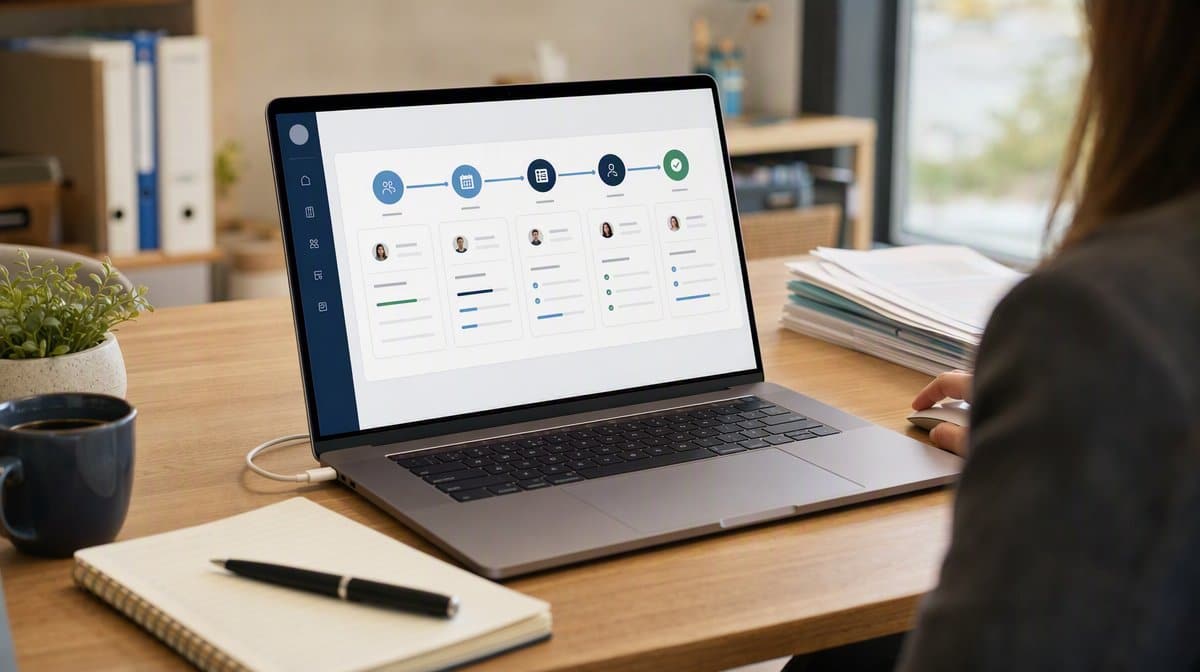
The strongest virtual programs treat onboarding as a progression rather than a single event. SHRM’s guide to establishing a virtual onboarding program emphasizes planning the program, selecting delivery methods, assigning responsibilities, and maintaining communication across the experience. A practical process can be organized into five stages.
1. Preboarding: Prepare Before the Start Date
Preboarding begins when the offer is accepted. Confirm personal information through a secure method, explain what the employee should expect, order equipment, create accounts, assign licenses, prepare required documents, and send a concise first-week schedule. Tell the employee when packages will arrive and whom to contact if something is missing.
The hiring manager should send a personal welcome that names the role’s purpose, immediate priorities, and first meeting. Avoid overwhelming the employee with policy files before the first day. Complete only the tasks that genuinely benefit from early action and make their due dates clear.
2. First Day: Create Clarity and Belonging
Begin with a live welcome and a simple map of the day. Confirm that the employee can access email, communication tools, password management, the learning system, and essential work applications. Introduce the company purpose, the team, and the role before diving into detailed procedures.
Keep the schedule humane. Several hours of uninterrupted video makes information harder to retain and gives the new hire no time to organize questions. Alternate live sessions with reading, setup, short practice, and breaks. End the day with a manager check-in that resolves access problems and confirms the plan for tomorrow.
3. First Week: Build Context and Relationships
The first week should answer four questions: What outcomes does the role own? How does work move through the team? Which standards govern decisions? Who can help with different kinds of problems? Provide a role scorecard, examples of good work, process walkthroughs, and short introductions with the people the employee will depend on.
Assign one meaningful but contained task that produces a real output. Practice exposes misunderstandings faster than passive training. Review the result promptly and explain both what was correct and how the team evaluates quality.
4. First Month: Move From Observation to Contribution
During the first month, increase responsibility in planned steps. The employee should handle representative work with support, attend recurring operating meetings, use the team’s documentation, and begin making routine decisions. Managers should schedule regular one-to-one meetings and give specific feedback tied to agreed outcomes.
Use a thirty-day review to assess access, training, relationships, workload, role clarity, and early performance. The review is not a test the employee either passes or fails. It is a process checkpoint that identifies what the organization still needs to provide.
5. Sixty to Ninety Days: Confirm Independence
Later onboarding should confirm that the employee can perform core work, locate current information, use escalation paths, and explain how the role contributes to team goals. Review performance evidence, development needs, unresolved access, and relationships that still need strengthening.
Close onboarding with an explicit transition into normal performance management. Document any continuing development actions and assign them to the appropriate plan. Completion should mean the required foundation exists, not that learning has ended.
Who Owns Each Part of Remote Employee Onboarding?
Ownership fails when everyone assumes HR is handling everything. Build a responsibility matrix that separates coordination from delivery. HR owns the standard, calendar, records, policy orientation, and process measurement. The hiring manager owns role clarity, priorities, feedback, and performance integration.
- Human resources: process governance, employment records, required policy acknowledgments, benefits orientation, and employee experience.
- Hiring manager: role outcomes, first assignments, working expectations, coaching, feedback, and performance checkpoints.
- Information technology: equipment, identity, permissions, security configuration, troubleshooting, and access evidence.
- Payroll and benefits: enrollment, pay setup, required forms, deadlines, and questions involving personal records.
- Buddy or peer guide: informal norms, practical questions, introductions, and day-to-day navigation.
- New employee: task completion, questions, practice, feedback, and prompt reporting of blockers.
Each owner needs a clear service expectation. For example, IT may resolve first-week access blockers within a defined time, while managers may review practice work within one business day. Those standards protect the employee from being passed between departments.
What Are Virtual Onboarding Best Practices?
Virtual onboarding best practices combine operational reliability with deliberate human contact. The goal is not to recreate an office on a screen. It is to give the employee the information, access, relationships, feedback, and practice needed to succeed in a distributed environment.

Design From Outcomes Backward
Define what the employee should know, do, decide, and demonstrate at each milestone. Then select the smallest set of activities that produces those outcomes. This prevents the program from becoming a content library with no connection to performance.
Use One Visible Onboarding Plan
Give the employee and owners one current view of tasks, meetings, resources, due dates, and status. Avoid splitting the plan across email, chat, calendar notes, documents, and several task systems. A single view helps the new hire prepare and makes missed handoffs visible.
Mix Synchronous and Asynchronous Learning
Use live sessions for discussion, relationship building, judgment, questions, and feedback. Use documents, demonstrations, recordings, and guided practice for information the employee should revisit. A well-designed video onboarding process can reduce repetition, but every recording needs context, a clear purpose, and a way to apply what was learned.
Create Several Safe Routes for Questions
A new employee may hesitate to interrupt a manager online. Provide a buddy for informal questions, a clear support path for technical issues, office hours for shared questions, and scheduled manager check-ins. Explain which channel fits which problem so the employee does not have to guess.
Make Culture Observable
Do not describe culture only with values. Show how the team makes decisions, prepares for meetings, documents work, disagrees, escalates risk, communicates availability, and recognizes good performance. Give examples of ordinary behavior that demonstrate the standards.
Protect Focus and Reduce Video Fatigue
Limit long video blocks, build breaks into the schedule, and avoid inviting the employee to every meeting simply for exposure. Select meetings that teach a process, relationship, or decision. Provide a short explanation of why each meeting matters and what the employee should notice.
How Do You Build a Virtual Onboarding Checklist?
Start with the stages and owners, then list the evidence required to move forward. Keep universal tasks in a standard template and add a role-specific layer for systems, knowledge, practice, relationships, and performance. Review the checklist with someone who recently joined remotely because current employees often forget which steps were confusing at the beginning.
Preboarding Checklist
- Confirm start date, work location, time zone, schedule, and shipping address through approved systems.
- Order and track equipment, accessories, and any required physical materials.
- Create identity, email, communication, learning, and role-specific accounts.
- Assign permissions according to the role and least-privilege requirements.
- Send the first-week schedule, contact details, setup instructions, and technical support path.
- Assign the manager, HR coordinator, IT owner, and peer guide.
First-Week Checklist
- Verify equipment, security controls, and essential application access.
- Complete required employment, payroll, benefits, and policy activities.
- Explain the company, customers, team purpose, role outcomes, and decision boundaries.
- Introduce critical partners and explain why each relationship matters.
- Walk through core processes, current documentation, and escalation routes.
- Assign a contained real-work task and review the output promptly.
- Collect a short pulse check on clarity, access, workload, and support.
Thirty-to-Ninety-Day Checklist
- Increase responsibility through representative tasks and decisions.
- Review results against role expectations and examples of quality work.
- Confirm participation in recurring team and cross-functional routines.
- Address training gaps, relationship gaps, and unresolved system access.
- Collect employee and manager feedback on the onboarding process.
- Complete the transition into normal performance and development routines.
How Should You Handle Compliance and Security Remotely?
Virtual delivery does not reduce an employer’s obligations. Use approved systems for personal information, identity verification, tax documents, benefits enrollment, policy acknowledgments, and any required signatures. Restrict access to people who need it, define retention rules, and avoid collecting sensitive data through ordinary email or chat.
Remote employees also need clear timekeeping and work-hours instructions. The U.S. Department of Labor’s FLSA recordkeeping guidance explains that covered employers must maintain accurate identifying, hours, and wage records for nonexempt workers. Onboarding should show employees how to record all hours worked, report corrections, request approval where required, and raise questions.
Build Security Into the First Experience
Configure devices before shipment when possible. Require multifactor authentication, password management, current software, secure network practices, and a defined process for lost devices or suspected compromise. Explain the reason for each control and let the employee practice reporting a security issue.
Do not grant every permission on day one for convenience. Match access to role requirements, separate administrative privileges, record approvals, and review access when duties change. The process should also cover equipment return, account removal, and records when employment ends.
How Do You Measure Virtual Onboarding Success?
Completion rates show whether tasks happened, but they do not prove the employee is prepared. Use a small set of measures that cover process reliability, employee experience, learning, relationships, and performance. Define each measure before the program begins so managers do not select evidence after seeing the outcome.

Process Reliability Measures
- Equipment delivered and tested before the start date.
- Essential accounts available on time.
- Required tasks completed by owners and employees.
- Access or support issues and time to resolution.
- Manager check-ins completed at planned milestones.
Experience and Clarity Measures
Ask short questions at the end of the first day, first week, and first month. Does the employee know what success looks like? Can they find current documentation? Do they know whom to ask for help? Do they have the access and relationships needed to work? Short repeated questions reveal changes more clearly than one long survey at the end.
Learning and Performance Measures
Use demonstrations of work rather than course completion alone. Review the quality of representative tasks, independence on routine decisions, use of procedures, error patterns, and time to agreed role milestones. Compare employees only when roles, starting conditions, and measures are genuinely comparable.
Managers should review process data with employee feedback and actual work. A high completion rate paired with low role clarity is not success. Use the evidence to decide how the onboarding process can be improved, then update the standard rather than solving the same problem for each new hire.
What Virtual Onboarding Mistakes Should You Avoid?
Most failures are not caused by a lack of content. They happen because access, ownership, sequencing, relationships, and feedback were not designed as parts of one process. Watch for the following patterns.
- Treating the first day as the whole process: orientation introduces information, but competence and integration require time and practice.
- Scheduling continuous video: long calls reduce attention and leave no time to organize, practice, or reflect.
- Sending links without a learning path: resources need sequence, purpose, expected action, and an owner for questions.
- Leaving role expectations vague: employees cannot prioritize or evaluate their work without clear outcomes and examples.
- Relying on one manager’s memory: undocumented steps create inconsistent experiences and missed obligations.
- Ignoring informal relationships: a new hire needs peers and cross-functional contacts, not only HR and manager meetings.
- Measuring attendance instead of readiness: completed sessions do not prove the employee can perform the work.
- Failing to improve the standard: recurring access, training, or communication problems should become process changes.
A related guide on effective onboarding for remote employees provides additional ways to support engagement and early success. The central discipline remains the same: make the invisible parts of remote work explicit, owned, and easy to verify.
A virtual onboarding process works when the new employee is not merely busy but steadily becoming capable, connected, and confident. Define the stages, assign the handoffs, make the plan visible, protect time for human contact, and evaluate readiness through real work. The result is a repeatable process that serves employees and managers wherever work happens.
Frequently Asked Questions
What Is the Difference Between Virtual Onboarding and Remote Orientation?
Remote orientation introduces the company, policies, benefits, tools, and basic administration. Virtual onboarding is the longer process that also develops role competence, working relationships, decision clarity, feedback habits, and independent performance.
How Long Should a Virtual Onboarding Process Last?
Many virtual onboarding processes continue for sixty to ninety days, but the correct duration depends on role complexity, risk, prior experience, and the milestones required for independent work. The process should close when the defined foundation is demonstrated, not simply when a date arrives.
What Should a Remote Employee Receive Before the First Day?
A remote employee should receive delivery details for equipment, secure setup instructions, the first-week schedule, the manager and support contacts, and clear directions for any legitimate pre-start tasks. Sensitive records should be collected only through approved systems.
How Do You Make Virtual Onboarding Engaging?
Mix live discussion with self-paced learning, real practice, peer introductions, short feedback loops, and time for questions. Engagement improves when activities have a clear purpose and help the employee produce or understand real work.
How Can a Small Business Measure Virtual Onboarding Success?
A small business can track timely equipment and access, checklist completion, support issues, employee clarity, manager check-ins, and a few role-specific performance milestones. A short repeated pulse survey plus review of real work is usually more useful than a large reporting system.














