
What Effective Methods Help Manage a Virtual Office?

A virtual office can keep a company moving across cities, time zones, and home workspaces, but the technology does not organize itself. Communication, policy access, task ownership, deadline visibility, and secure data sharing all need an operating system. Ask yourself: is your virtual office managed as a coordinated workplace, or is it merely a collection of apps?
The technological readiness required for working remotely depends on clear methods as much as software. The right meeting, handbook, project management, time management, and cloud storage systems help employees keep a smooth workflow while protecting privacy and security.
What Is a Virtual Office?
A virtual office is a work environment in which employees perform their roles from different locations while sharing the same communication channels, policies, systems, and business records. The office may have a mailing address or physical meeting space, but daily work is coordinated through online tools and documented operating practices.
Managing a virtual office means making those shared systems reliable and understandable. Employees need to know where communication happens, which version of a policy is current, who owns each task, how deadlines are tracked, and where approved files are stored. Without those answers, even capable employees can lose time searching for information or waiting for decisions.
The core concept remains straightforward: select technical tools suited to your company’s needs, then define how people should use them. Technology can improve efficiency, but consistent management practices are what keep work smooth and data sharing safe.
What Methods Help Manage a Virtual Office Effectively?
Virtual offices create practical complications that must be handled in real time. Information once stored manually may need to be available online. Managers may need a more effective way to communicate policies, coordinate projects, review overdue work, and give different departments controlled access to the same records.
Before selecting a system, evaluate security, ease of use, integration, access control, employee adoption, and ownership. A feature-rich tool that nobody understands will not solve the problem. A smaller system with clear rules, training, and review can provide a stronger foundation.
Assign a business owner before implementation. That person should decide what information belongs in the system, who may change it, how employees receive support, and when the tool will be reviewed. This prevents the virtual office from accumulating overlapping applications that perform the same task in different ways.
Introduce changes in a practical sequence. Configure the system, test it with a small group, document the expected workflow, train the wider team, and collect feedback after employees have used it in real situations. Adoption improves when people understand both how a tool works and why the company chose it.
Incorporate Virtual Meeting Systems
Distributed employees need deliberate communication rhythms, not a calendar filled with unnecessary meetings. Virtual meeting systems provide real time interaction over the internet through integrated audio, video, application and data sharing. A meeting can be accessed through an email invite or a link, while approved settings control privacy and security.
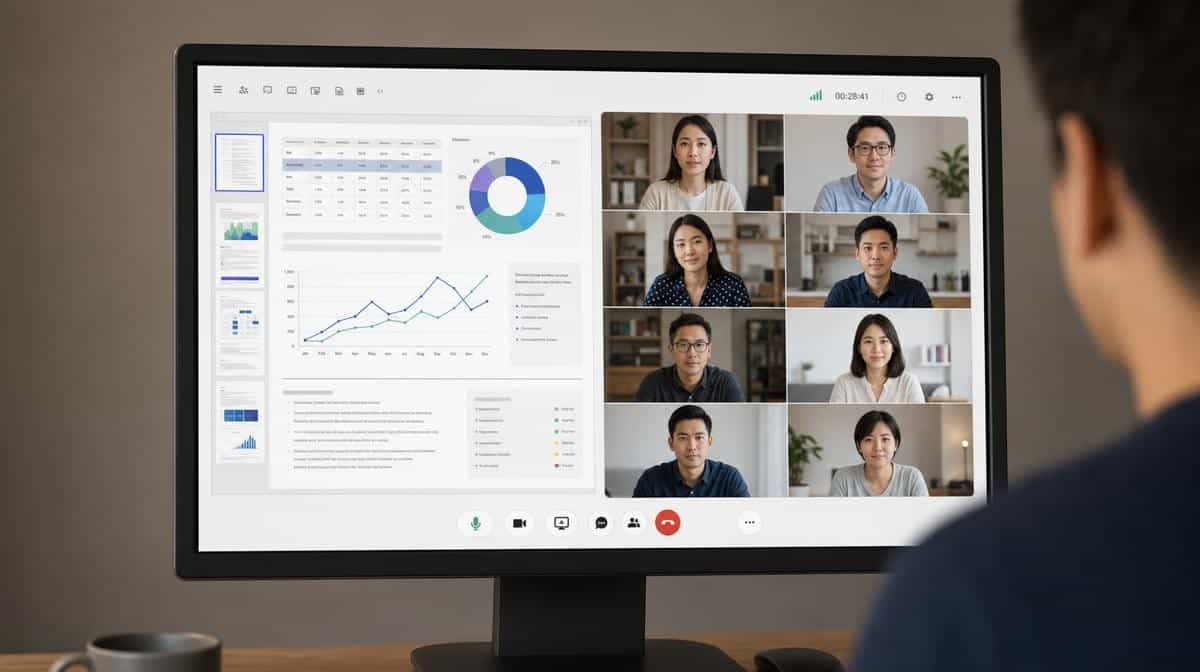
Set standards for when a conversation should be synchronous and when a written update is enough. A live meeting is useful for decisions, sensitive discussions, complex problem solving, and work that benefits from immediate feedback. Routine status updates can often be documented asynchronously, giving employees a record they can review without interrupting focused work.
Choose a consistent platform and document expectations for invitations, agendas, recordings, screen sharing, access permissions, and follow-up notes. Managers should also define a backup channel for technical failures. These practices make virtual meetings more predictable and support the broader goal of using tools that improve remote team productivity and internal business communication tools.
Use Employee Handbooks
Employee handbooks organize company vision, workplace rules, and policies that must be communicated to employees. A virtual office setup needs clear guidance for working hours, availability, absences, equipment, information security, acceptable technology use, expense reimbursement, and the locations from which work may be performed.
Virtual employees benefit from the publishing of policies and procedures online for easier access and retrieval. The handbook should have an owner, a visible revision date, and a controlled acknowledgment process. When a rule changes, employees need to know what changed, when it takes effect, and where to find the current version.
Online tools such as AirMason can help teams generate, maintain, and distribute employee policy manuals. Software makes quick updates and review workflows easier, but it does not independently guarantee that every state employment law or company obligation is current. Legal and human resources review still matters.
The handbook can also define the employee review process and feedback channels without turning those functions into informal rules. Keep bonus, promotion, and performance decisions in the appropriate management system, then link to the governing policy where needed. This separation makes responsibilities clearer and keeps the handbook focused on durable expectations.
Remote-work policies should also address personal devices, accounts, authentication, and the separation of business and personal information. NIST guidance on bring-your-own-device security explains why an organization must consider both company security and device-owner privacy when employees use personal technology for work.
Exploit Project Management Systems
Keeping tabs on projects and daily tasks can become hectic in a virtual office because employees cannot rely on hallway conversations for updates. Project management systems create a shared view of the work, the person responsible, the current status, and the next deadline.
These systems can track different tasks assigned to employees, record requested changes, and show dependencies between teams. Setting deadlines and tracking finished and ongoing tasks becomes easier when everyone uses the same definitions. Managers should agree on what statuses such as planned, active, blocked, waiting, and completed actually mean.
Different management systems use different interfaces designed for different kinds of offices. Review your options against the complexity of the work, reporting needs, integrations, permissions, and the experience of the employees who will use the system. The best fit is the tool that makes ownership visible without creating more administrative work than the project requires.
A weekly review keeps the system credible. Close finished tasks, update overdue work, record decisions, and identify blocked assignments that need help. If the board does not match reality, employees will stop trusting it and return to private notes, scattered messages, and duplicate status reports.
Adopt Time Management Systems
Time management is a critical issue in remote working environments because managers and employees need a shared view of deadlines, capacity, and handoffs. The goal is not constant surveillance. It is to make commitments visible, surface workload problems early, and help employees focus on performing their tasks on time.
Time management systems can provide set reminders, a track record of when a task was completed, and a clear signal of how long work has been overdue. Calendar blocks, time estimates, and due-date alerts can also help employees manage their time more efficiently when home and work demands compete for attention.
Use the information to improve planning rather than punish variance. A missed estimate may reveal an unclear requirement, an unexpected dependency, or more work than the team anticipated. Managers should review patterns, remove obstacles, and reset priorities instead of treating every delay as a performance failure.
Where hourly tracking is required for payroll, contracts, or legal compliance, explain the purpose and collect only the information needed. Where it is not required, outcome-based milestones may be a better management method. Clear expectations protect the quality of work without creating unnecessary monitoring.
Take Advantage of Cloud Storage
While working in a virtual office, employees may not have convenient or secure access to information stored on internal servers. Data often needs to be shared among different employees and departments, which requires an easily accessible data storage system large enough for the whole company and controlled closely enough to protect sensitive records.
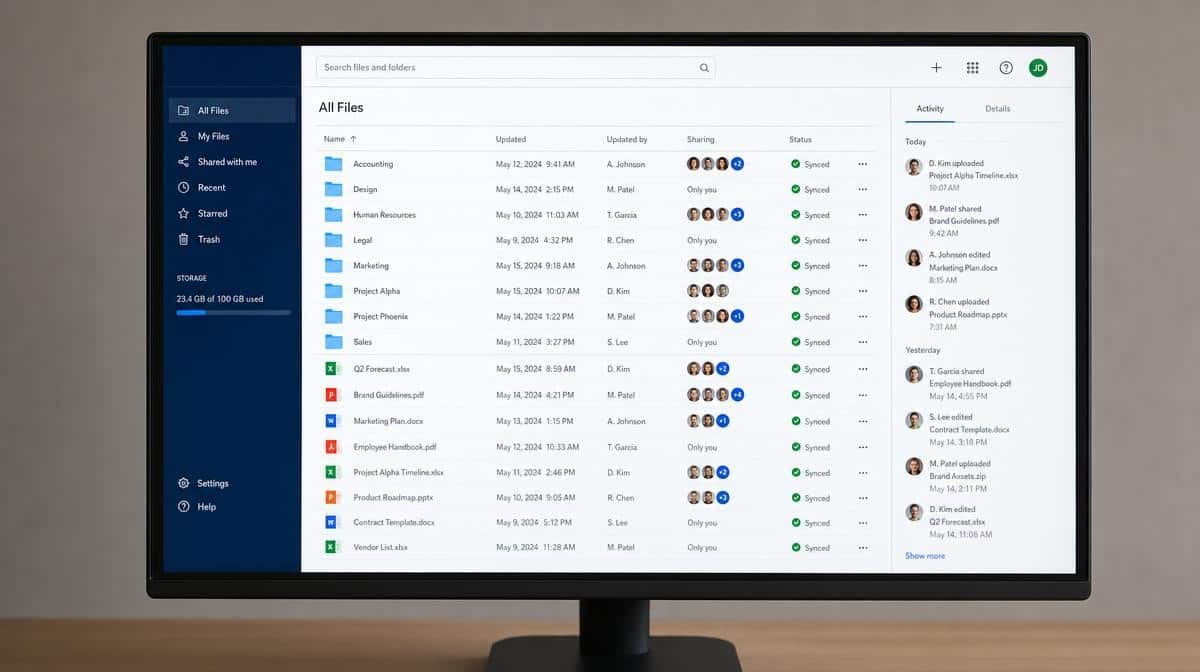
This is where cloud storage comes into play. Cloud services offer custom storage plans suitable for a company’s needs and can make data sharing safe and smooth when access permissions, multifactor authentication, encryption, backups, and retention rules are configured correctly.
Give employees access according to role rather than convenience. Separate active working files from official records, name folders consistently, assign ownership, and define who can share information outside the company. A recovery test is as important as a backup setting, because a backup that cannot be restored does not protect the business.
FTC guidance on secure remote access recommends approved devices, secure connections, strong authentication, staff training, and written policies. These controls help protect the company’s privacy while allowing employees to retrieve the records they need from different locations.
How Should You Put Virtual Office Systems Together?
Start with the operating problem rather than the product. Map how a meeting decision becomes an assigned task, how the task connects to a policy, how the deadline is reviewed, and where the resulting file becomes an official record. The handoffs between systems often matter more than any individual feature.
Then define one owner for each system and one source of truth for each type of information. Train employees on the expected workflow, provide a short reference guide, and review adoption after the first month. Remove duplicate tools when they create conflicting records or unclear ownership.
Measure whether the combined system reduces missed handoffs, duplicate files, unclear assignments, and delayed decisions. The purpose is not to maximize software use. It is to create a dependable workplace in which employees can find information, understand expectations, and complete their work without unnecessary friction.
Effective methods help manage a virtual office when technology and management practices reinforce each other. Meeting systems support communication, employee handbooks communicate policies, project and time management systems clarify ownership and deadlines, and cloud storage supports controlled access. Managers who lead a virtual team effectively connect these tools to a consistent operating rhythm instead of expecting software to manage the office by itself.
Frequently Asked Questions
What Is a Virtual Office?
A virtual office is a work environment in which employees operate from different locations while sharing communication channels, policies, systems, and business records. Its effectiveness depends on clear operating practices as well as online tools.
What Tools Help Manage a Virtual Office?
Virtual meeting systems, online employee handbooks, project management systems, time management systems, and secure cloud storage cover the core needs. Each system should have a documented purpose, owner, access rules, and review process.
How Do Employee Handbooks Support Remote Employees?
An online employee handbook gives remote employees easier access and retrieval of current policies for working hours, absences, equipment, security, and conduct. Version control and acknowledgment records help managers communicate updates consistently.
How Can Managers Track Work Without Micromanaging?
Managers can track ownership, deadlines, completed work, overdue tasks, and blockers while giving employees room to choose how they perform the work. The information should support planning, coaching, and problem solving rather than constant surveillance.
How Should a Company Protect Data in a Virtual Office?
Use approved devices and secure connections, require strong authentication, limit access by role, train employees, maintain backups, and document sharing and retention rules. Cloud storage is only as safe as its configuration and the practices surrounding it.














