
4 Types Of Security Controls (And How To Apply Them)
The IT Security Policies and Procedures Manual provides editable policies, responsibilities, and procedures for organizing a practical security program.
A business can buy a firewall, train employees, approve an access policy, and install a door lock, yet still struggle to answer a basic question: which safeguards belong to which part of the security program? Without a clear classification, controls are easily assigned to the wrong owner or treated as finished before anyone collects proof that they work.
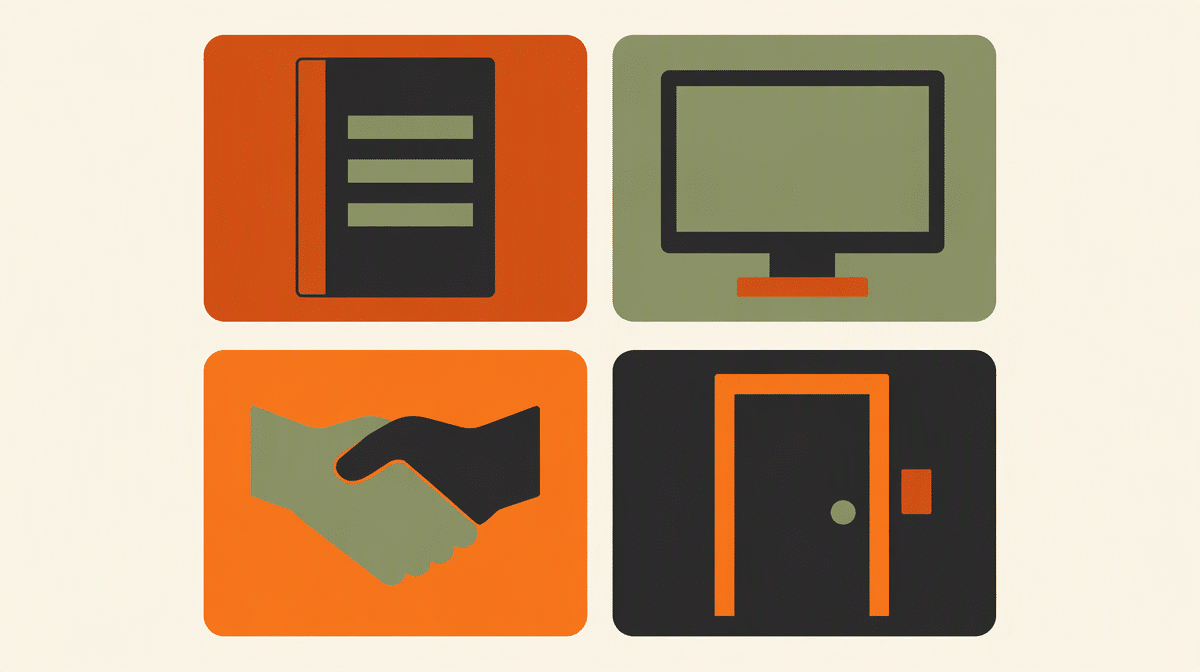
The four practical types of security controls are managerial, operational, technical, and physical. Managerial controls set direction, operational controls govern work performed by people, technical controls use technology to enforce protection, and physical controls protect facilities and equipment. This guide explains each type and provides a 16-control matrix you can use to assign owners, policies, procedures, and evidence.
What Are the 4 Types of Security Controls?
The four types answer a classification question: what makes this safeguard work? Direction and oversight make managerial controls work. Repeated human activities make operational controls work. Configured systems make technical controls work. Barriers and facility measures make physical controls work.
- Managerial controls: governance, risk decisions, policies, planning, and oversight.
- Operational controls: security activities primarily performed by people and repeatable procedures.
- Technical controls: safeguards implemented and enforced through hardware, software, and system configuration.
- Physical controls: safeguards that restrict or detect physical access and protect equipment or facilities.
This four-part model is a practical way to assign work, not a claim that every framework uses the same four labels. The NIST security control definition describes controls as safeguards or countermeasures designed to protect confidentiality, integrity, and availability and meet defined security requirements. The NIST glossary also includes a source definition that groups security controls as management, operational, and technical. Physical and Environmental Protection appears as a control family in the NIST catalog.
That distinction matters. A control category describes how a safeguard is implemented. A control function describes what it does, such as prevent, detect, correct, deter, or compensate. A locked server room is physical by category and preventive by function. A door alarm is physical by category and detective by function.
1. Managerial Security Controls
Managerial controls establish the decisions, authority, and accountability behind the security program. They translate business risks and obligations into priorities that other control types can implement. These controls are sometimes called administrative or governance controls, although terminology varies among frameworks.
Examples include the security policy, risk assessment, control selection, exception approval, supplier requirements, and management review. The control owner is normally an executive, security leader, risk manager, or system owner who can accept risk and allocate resources.
How To Apply Managerial Controls
- State the decision in a policy, charter, plan, or approved standard.
- Name one accountable owner and the roles that support the control.
- Define what evidence management will review and how often.
- Record exceptions, risk acceptance, and corrective actions rather than relying on verbal approval.
A system security plan is a useful managerial bridge. It describes the system, applicable requirements, controls in place or planned, responsible parties, and gaps that still need treatment.
2. Operational Security Controls
Operational controls are the recurring security activities carried out by people. They turn policy into daily or periodic work. A policy may require prompt account removal, for example, while the operational control is the termination checklist that Human Resources and IT complete for every departing employee.
Examples include security awareness training, incident response, backup review, media handling, vulnerability remediation, and user access reviews. Operational owners are usually department managers, IT administrators, facilities staff, Human Resources, or an incident response coordinator.
How To Apply Operational Controls
- Write the procedure as a sequence with a trigger, owner, inputs, steps, and completion record.
- Set a frequency or event trigger, such as monthly, after a critical alert, or at employee termination.
- Retain evidence from every completed cycle, not only the procedure document.
- Test whether the procedure produces the intended result and update it after failures or material changes.
Operational controls often reveal whether a business can actually improve cybersecurity. Technology can generate an alert, but people still need a documented method for investigating it, escalating it, resolving it, and recording the outcome.
3. Technical Security Controls
Technical security controls use technology to enforce, restrict, monitor, or recover system behavior. They are sometimes called logical controls. Examples include multi-factor authentication, encryption, endpoint protection, network filtering, logging, secure configuration, and automated backups.
A technical control is not complete because a product was purchased. It must be configured, assigned to an owner, monitored, tested, and supported by a procedure. Multi-factor authentication, for example, needs enrollment rules, exception handling, recovery steps, monitoring, and records showing which accounts are covered.
How To Apply Technical Controls
- Define the systems, users, and data within scope.
- Document the approved configuration and who may change it.
- Collect configuration exports, logs, test results, or coverage reports as evidence.
- Monitor exceptions and confirm that failed components create an alert or recovery action.
A cybersecurity framework can help connect technical safeguards to broader risk outcomes. It does not remove the need to define local ownership, configuration, and evidence.
4. Physical Security Controls
Physical controls protect people, facilities, equipment, and media from unauthorized access, damage, loss, or environmental hazards. Examples include locks, badges, visitor logs, cameras, secure equipment storage, fire suppression, and power protection.
Physical and technical controls frequently overlap. A badge reader is a technical system attached to a physical barrier. Classify it by the primary safeguard being managed, then document the supporting elements. The reader, access database, door hardware, visitor procedure, and review log may have different owners even though they support one outcome.
How To Apply Physical Controls
- Define restricted areas and the business reason for restricting each one.
- Approve access by role and remove access when responsibilities change.
- Inspect barriers and environmental safeguards on a scheduled basis.
- Retain access lists, visitor records, inspection logs, and maintenance records.
How Do the Four Control Types Work Together?
Strong security rarely depends on one control. A useful control set layers the four types around the same risk. Consider the risk that a former employee retains access to customer information.
- Managerial: the access control policy requires access to match current job responsibilities and assigns accountability.
- Operational: the termination procedure tells Human Resources and IT when and how to remove access.
- Technical: the identity system disables accounts and records the change.
- Physical: the badge system removes building and server-room access.
Each layer covers a different failure mode. Policy without execution stays on paper. A procedure without technical enforcement depends on memory. Technical enforcement without governance may cover the wrong accounts. Digital deactivation without badge removal leaves a physical route open.
Security Control Classification Matrix
Use this worked matrix to classify representative safeguards and define what implementation evidence should exist. The examples are starting points, not universal assignments. Adapt the owner and evidence to your systems, staffing model, risks, and contractual obligations.
| Safeguard | Owner | Expected evidence | Worked application |
|---|---|---|---|
| Managerial controls | |||
| Information security policy | Executive sponsor | Approved policy and review record | Approve scope, principles, authority, and annual review. |
| Risk assessment | Security or risk lead | Risk register and treatment decisions | Rank risks, select treatment, and record accepted residual risk. |
| Supplier security requirements | Procurement owner | Contract clauses and completed review | Apply requirements before a supplier receives sensitive data. |
| Security exceptions | System owner | Approved exception, expiry, and treatment plan | Time-limit deviations and name the person accepting risk. |
| Operational controls | |||
| Security awareness training | Human Resources | Training roster and completion results | Train at onboarding and on the defined refresher cycle. |
| Access review | Department manager | Reviewed access list and removal tickets | Confirm that access still matches current responsibilities. |
| Incident response | Incident coordinator | Incident record, timeline, and lessons learned | Triage, contain, recover, and document every qualifying event. |
| Backup restoration test | IT operations | Test result and corrective action | Restore a representative sample and verify usability. |
| Technical controls | |||
| Multi-factor authentication | Identity administrator | Coverage report and exception list | Require a second factor for privileged and remote access. |
| Endpoint protection | IT operations | Deployment, health, and alert reports | Cover supported endpoints and investigate unhealthy agents. |
| Encryption | System owner | Configuration export and key records | Encrypt defined data at rest and in transit. |
| Security logging | Security operations | Log source inventory and alert test | Collect important events, retain them, and test escalation. |
| Physical controls | |||
| Badge access | Facilities | Approved access list and badge log | Restrict sensitive areas and remove access promptly. |
| Visitor management | Office manager | Visitor log and escort record | Verify, badge, escort, and sign out visitors. |
| Secure equipment storage | Asset custodian | Inventory and inspection record | Lock portable assets and reconcile them to inventory. |
| Power and fire protection | Facilities | Inspection and maintenance records | Maintain appropriate power protection and fire safeguards. |
The NIST SP 800-53 control catalog offers a much larger set of security and privacy controls organized into control families. NIST describes the catalog as flexible and customizable within an organization-wide risk management process. Use a framework or applicable requirement set to decide which controls you need, then use the matrix above to make ownership and evidence operational.
Blank Security Control Worksheet
Copy or print this blank worksheet for a control-design session. Write one safeguard per row. If a safeguard spans categories, choose its primary category and list supporting controls separately so each owner and evidence set stays clear.
| Control type | Safeguard and purpose | Accountable owner | Expected evidence |
|---|---|---|---|
How Should You Implement Security Controls?
- Define the risk or requirement. State what the control must protect and why it is needed.
- Select the safeguard. Use applicable laws, contracts, standards, risk assessments, and business needs. Review relevant information security standards without assuming that a crosswalk makes two frameworks equivalent.
- Classify the control. Choose managerial, operational, technical, or physical according to its primary implementation mechanism.
- Name the owner. Assign one accountable role with authority to maintain the control.
- Document policy and procedure. State the rule, then explain how people and systems carry it out.
- Define evidence. Decide what record will demonstrate implementation before the control is tested.
- Test effectiveness. Check design, operation, coverage, exceptions, and the result produced.
- Review changes. Reassess the control after incidents, system changes, supplier changes, or new requirements.
The NIST Cybersecurity Framework is designed to help organizations understand and improve cybersecurity risk management. Its outcomes can guide what the program needs to achieve, while your policy set, procedures, control owners, and evidence show how the business achieves those outcomes.
For organizations working with federal requirements, this classification also makes federal information security controls easier to operationalize. The requirement identifies the outcome; the four-type view helps determine whether leadership, a recurring procedure, a system configuration, a facility safeguard, or a combination must deliver it.
Frequently Asked Questions
What Is the Purpose of Security Controls?
The purpose of security controls is to reduce risk by protecting information, systems, people, equipment, and facilities. A control should address a defined requirement or risk and produce evidence that it is designed, implemented, and operating as intended.
What Is the Difference Between a Control Category and a Control Function?
A control category describes how a safeguard is implemented, such as managerial, operational, technical, or physical. A control function describes what the safeguard does, such as prevent, detect, correct, deter, recover, or compensate.
Are Mitigating and Compensating Controls Separate Control Types?
No. Mitigating and compensating describe the role a control plays in risk treatment, not its implementation category. A compensating control can be managerial, operational, technical, or physical, depending on how it provides an alternative way to address the requirement.
Who Should Own Security Controls in a Small Business?
Assign each control to the role with authority to maintain it and correct failures. Executives usually own policy and risk decisions, department managers own recurring business procedures, IT owns many technical controls, and facilities owns physical safeguards. One person may fill several roles in a small business, but each responsibility should still be explicit.
Turn Controls Into Documented Practice
Classification is useful only when it leads to ownership and repeatable work. Start with the risk, select the necessary safeguards, identify the primary type, and document the policy, procedure, owner, evidence, and review trigger. Then test the control as a working system rather than a line in a checklist.
Editable security policies, responsibilities, and procedures for turning requirements into documented controls.
Review the IT security manualLearn how a system security plan connects requirements, controls, implementation statements, and evidence.
Read the SSP guideSee how federal security guidance organizes control selection and implementation.
Review the federal controls guide













