
How Can Businesses Improve Cybersecurity?

Cybersecurity failures often begin with an ordinary business action: an employee opens a convincing email, reuses a password, delays an update, or shares sensitive information through the wrong tool. For leaders, the result is not only an IT problem. It can interrupt operations, expose customer data, and damage trust.
Businesses improve cybersecurity by treating it as an operating discipline, not a one-time software purchase. The following 10 steps help leaders assign responsibility, reduce access risk, train employees, protect systems, and prepare the business to recover when defenses fail.
What Is Business Cybersecurity?
Business cybersecurity is the coordinated use of policies, people, processes, and technical safeguards to protect systems, accounts, and data from unauthorized access or disruption. Strong cybersecurity helps an organization identify threats, reduce vulnerabilities, detect unusual activity, respond to incidents, and restore normal operations.
Every organization should review its computer security because attackers do not limit themselves to large companies. Small businesses can also hold valuable customer records, payment information, credentials, and access to larger partners. The NIST Cybersecurity Framework 2.0 small-business guide organizes this work around governance, identification, protection, detection, response, and recovery.
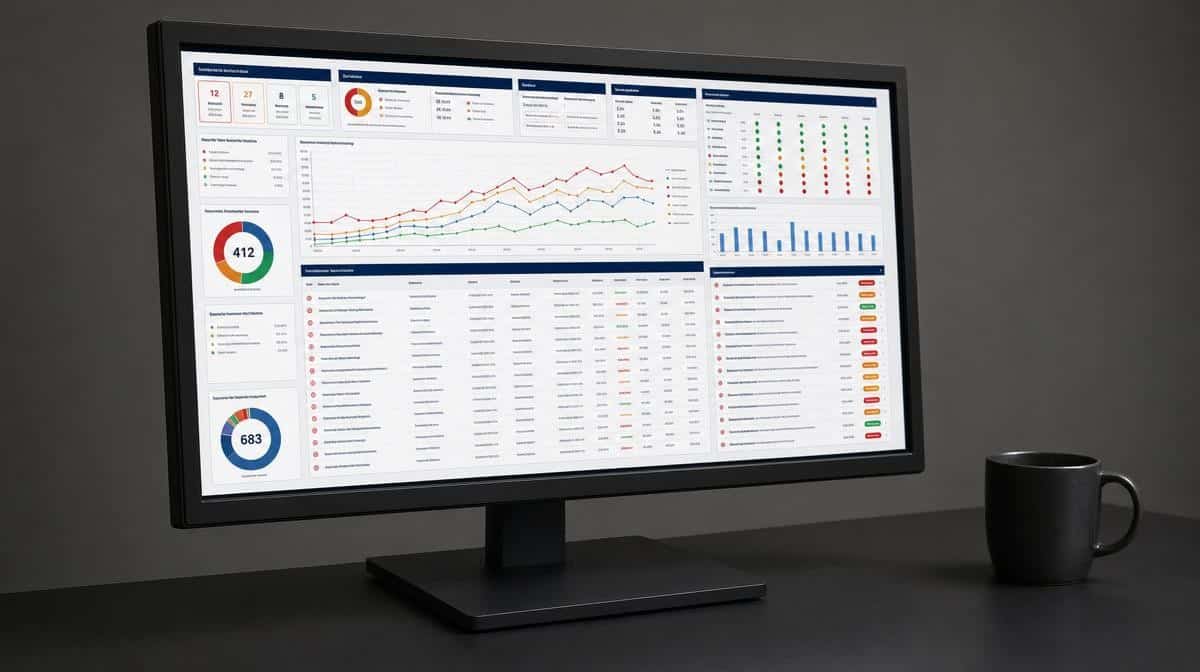
Weak usernames and passwords remain common entry points, but risk also comes from unpatched devices, excessive permissions, insecure collaboration, phishing scams, and untested recovery plans. Leaders can improve cybersecurity by working through the following steps as a connected program rather than isolated purchases.
1. Perform Regular Security Assessments
Frequent security assessments help you identify new threats and vulnerabilities before they become incidents. They also help measure employee training effectiveness and determine whether existing safeguards work as intended. A formal assessment should inventory important systems and data, review access, examine likely threats, and rank corrective actions by business impact. Include critical vendors and cloud services because a business process may depend on systems the company does not operate directly.
Leaders should consider conducting a cybersecurity audit and using behavioral analytics to boost cybersecurity. Modern behavioral analytics can compare identity, endpoint, network, application, cloud, and website traffic flows to find anomalies that deserve investigation. Analyzing website activity alongside access and device telemetry helps identify potential threats without claiming to predict why every user acts a certain way. These practices do not create riskless operations, but they help the organization understand, prioritize, and reduce risk while building an enhanced cybersecurity-conscious culture.
2. Enforce a Mobile Device Policy
Many workers use mobile devices to attend to work emails, open documents, approve transactions, and reach cloud systems. Those devices are subject to spyware, phishing scams, loss, theft, and unsupported software, any of which may expose organizational data. Be wary of encouraging employees to install random security apps, since mobile protection should be governed and managed by the organization.
Create a clear business policy for company-owned and personal devices. Require device encryption, screen locks, supported operating systems, automatic updates, approved applications, multi-factor authentication, and remote-wipe capability. Define what business information may be stored locally, how work data is separated, and when access must be removed. Establish an enrollment process before a device connects to business systems and an offboarding process that removes accounts, certificates, and company data promptly.
3. Assign a Chief Information Security Officer or Security Leader
Security breaches may result in the loss of organizational data, financial damage, interrupted operations, and regulatory or contractual consequences. Clear ownership prevents important security decisions from being scattered among people who assume someone else is responsible.
Depending on the company’s size and risk, accountability may sit with a chief information security officer (CISO), a fractional CISO, a managed security provider, or a qualified internal leader supported by outside specialists. That owner should stay current on changing cyber threats, devise an effective security strategy, advise executives and employees, and track whether security policies are implemented. The owner must have enough authority and resources to correct material weaknesses. Leadership reporting should cover the largest open risks, overdue corrective actions, significant incidents, recovery readiness, and decisions that require executive support.
4. Secure Your Data with Multi-Factor Authentication
Strong, unique passwords and a password manager help secure company information, but passwords can still be leaked or stolen. Changing passwords is important after suspected compromise, but routine changes alone do not prevent password-related risks. If employees accidentally leak credentials by entering them into a fake website, an attacker may use the acquired data to gain a foothold in company email, cloud services, or administrative systems.
Multi-factor authentication requires extra information or proof alongside the password. Use phishing-resistant methods such as passkeys or hardware security keys wherever possible, especially for email, remote access, financial systems, and administrator accounts. Authenticator security codes provide a practical alternative when stronger methods are not available. A biometric scan can unlock a trusted device or authenticator, while security questions should not be treated as an independent second factor. Protect enrollment and recovery as carefully as daily login, since weak help-desk verification or exposed recovery codes can bypass a strong authenticator.
5. Keep Your Data Backed Up
No business is immune from cyber attacks. Attackers may exploit stolen credentials, unpatched systems, or malicious code to enter the environment and cause full-scale data loss. Ransomware can also encrypt connected backups, which means simply copying files to an external drive does not guarantee recovery.
Maintain automated, encrypted backups of critical data and system configurations. Keep multiple copies, with at least one offline or otherwise immutable and protected by credentials separate from normal administrator accounts. If external hard drives are used, disconnect them when they are not actively receiving a backup. Define recovery priorities and regularly test restoration so the organization knows its backup data is complete, usable, and fast enough to support operations. These controls help protect data when prevention fails.
External storage options can add useful separation only when they are encrypted and isolated. USB flash drives, external hard drives, and memory cards should not remain attached to a computer as the sole backup because ransomware, loss, or physical damage can erase the same data the organization expects to recover.
6. Invest in Secure Collaboration Tools
When employees work remotely or share information across locations, unapproved tools may expose business information through weak authentication, public links, unmanaged devices, or poor retention controls. A secure collaboration program gives employees a practical approved option instead of expecting them to invent safe methods on their own.
Study employee needs before choosing a platform, then ask the security team to review how each service handles authentication, encryption, administrator controls, audit logs, shared-file permissions, retention, account removal, and security support. Configure the selected tools to match the sensitivity of the information being shared, and review access regularly. Document who can create public links, invite outside guests, approve integrations, and export sensitive data. Review vendor security notices and update configurations when important features or risks change.

7. Train and Hold Employees Accountable
Attackers may use phishing scams to lure workers into entering vital data on a fake website, approving a fraudulent payment, or opening malicious code. Once attackers acquire credentials or device access, they may reach the company’s computer programs and website, and the company risks losing information, money, and reputation. Training reduces human error when it is specific, repeated, and reinforced by usable procedures.
Teach employees how to recognize possible online threats, verify unusual requests, handle sensitive information, use approved tools, and report mistakes quickly without hiding them. Practice with short simulations and review the results to improve both training and controls. If the organization lacks an internal CISO or trainer, use a qualified third party and current resources such as CISA’s small-business cybersecurity resources. Accountability should focus on following documented access and information-handling policies, not blocking legitimate collaboration. Managers should reinforce the same standards in daily work and make the reporting path easy to find when an employee suspects phishing or accidental disclosure.
8. Hire the Right Talent
The effectiveness of online security depends on the skill set of the people designing, operating, and reviewing the controls. Hire professionals with relevant experience in the systems and risks the business actually faces. For specialized work, evaluate consultants and vendors with the same care by reviewing qualifications, references, service scope, escalation practices, and access to company data. Define who owns each recurring task, such as patching, access reviews, alert response, backup testing, and vendor follow-up, so essential work does not disappear between internal and outside teams.
Technical credentials can support a hiring decision, but demonstrated judgment and communication matter as well. Security staff must translate risks for executives, help employees follow practical procedures, and coordinate response when an incident affects several departments. Review the cybersecurity skills your business needs before defining the role.
9. Protect Computers from Viruses, Malicious Code, and Spyware
Computer viruses, malicious code, and spyware remain significant threats to business information technology. Malware may steal passwords, send spam through employee accounts, control a device, encrypt financial data, or open a path to other systems.
Equip computers with centrally managed endpoint protection and keep operating systems, browsers, applications, and security software supported and updated. Automate security patches and the installation of security updates where practical, remove unnecessary administrator rights, restrict unapproved software, and monitor alerts from endpoint tools. Include servers, tablets, and other managed devices in the same inventory so gaps are visible. The latest antispyware and antivirus software are useful layers, but they cannot alone ensure continuous protection. Secure configuration, least privilege, and timely investigation remain imperative.
10. Use SSL/TLS and Harden Your Website
Serve every page and subresource over HTTPS using a current transport layer security configuration. Secure socket layer (SSL) is the familiar older term, while modern systems use TLS. The current protocol helps ensure secure transmission of data in transit, detect tampering, and let a browser authenticate the server before sensitive information is exchanged.
HTTPS does not protect stored data or stop attackers from exploiting a vulnerable website. Keep the content management system, plugins, themes, server software, and certificates current. Remove unused components, protect administrator accounts with multi-factor authentication, limit administrative access, review logs, scan for vulnerabilities, and maintain a tested recovery plan for the site.
How Can a Business Improve Cybersecurity?
The effectiveness of cybersecurity depends on the cybersecurity plan and the measures leaders put in place to shape it. The strategies discussed here help identify and counter cyberattacks without promising that any organization can avoid every breach. Start with the most important systems and data, assign an accountable owner, address the largest risks, and test whether employees and technical controls respond as expected.
Cybersecurity is a continuing management process. Reassess risks after major technology, staffing, vendor, or business changes, and use incidents and near misses to strengthen policies, training, controls, and recovery procedures. Record the decisions, owners, and due dates so improvements become accountable operational work rather than an informal list of good intentions.
Frequently Asked Questions
What Is Business Cybersecurity?
Business cybersecurity combines policies, trained people, repeatable processes, and technical safeguards to protect systems, accounts, and data. It also includes detecting incidents, responding effectively, and restoring operations.
How Can Small Businesses Improve Cybersecurity?
Small businesses should identify critical data and systems, assign security responsibility, require multi-factor authentication, update devices, train employees, maintain tested backups, and use approved collaboration tools.
Which Cybersecurity Controls Should Businesses Prioritize?
Priorities depend on risk, but most businesses should begin with strong identity protection, timely patching, secure configurations, employee phishing training, endpoint protection, reliable backups, and incident-response planning.
How Often Should a Business Review Its Cybersecurity Plan?
Review the plan at least annually and after significant changes to technology, vendors, staffing, locations, or sensitive data. An incident, failed control, or new material threat should trigger an earlier review.
Who Should Be Responsible for Business Cybersecurity?
Executive leadership remains accountable, while day-to-day ownership may sit with a CISO, fractional CISO, managed provider, or qualified internal security leader. Responsibilities, authority, reporting, and resources should be documented.














