
Preparing Your Business For Remote Recruitment
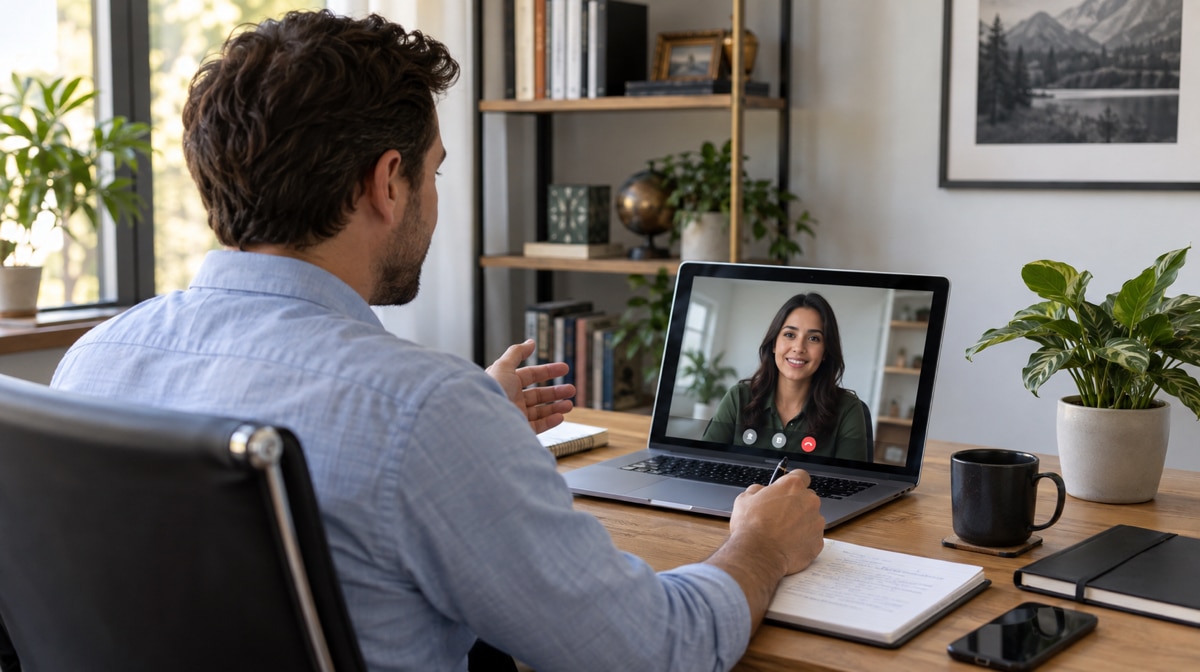
Preparing your business for remote recruitment means designing the job posting, applicant selection process, employee interviews, and onboarding process for people who may never share an office. The goal is not simply to move an existing recruitment process onto video. It is to make responsibilities, assessment criteria, communication tools, and handoffs clear before the role opens.
A documented remote recruitment process supports business continuity and gives candidates a consistent experience. Review your recruitment policies, draft new procedures for your company where needed, and assign an owner to every decision from the first job posting through the new employee’s first week.
What Should Your Remote Recruitment Process Cover?
Remote recruitment should cover the same core decisions as an office-based process, but it must make distance-related assumptions explicit. Define who approves the role, where an employee may work, any working-hour or time-zone expectations, which communication tools candidates will use, how interviewers will record evidence, and who prepares equipment and access for remote employees.
Write these choices into recruitment policies and operating procedures instead of leaving them in email threads. That makes the process repeatable, exposes missing handoffs, and helps the recruiting team avoid common remote recruitment mistakes.
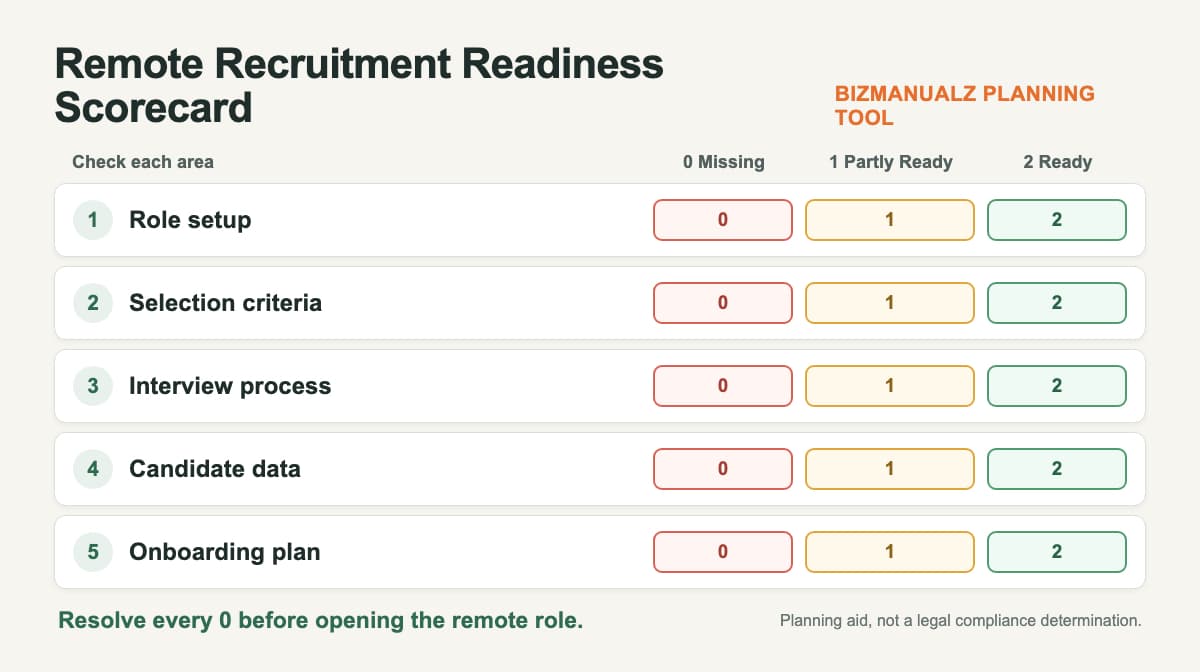
Use the remote recruitment readiness scorecard: Score each area from 0 to 2, then resolve every missing step before opening the role. This is a planning aid, not a legal compliance determination.
| Readiness area | What ready looks like |
|---|---|
| Role setup | Outcomes, working hours, location limits, and remote expectations are explicit. |
| Selection criteria | Job-related evaluation criteria and acceptable evidence are defined before screening. |
| Interview process | Video technology, accessibility needs, and a backup contact route are prepared. |
| Candidate data | Access, storage, retention, and ownership are assigned. |
| Onboarding plan | Equipment, accounts, support contacts, and the first-week plan are scheduled. |
How Should You Write a Remote Job Posting?
When drafting your open job posting and job description, explain what remote work means for this role. State whether the position is fully remote or hybrid, where the employee may be located, when the team needs overlapping working hours, whether travel is required, and which outcomes define success. This helps applicants decide whether the arrangement fits before they enter the interview process.
Show that your company is willing to embrace a remote culture without promising unlimited flexibility. Explain the communication rhythm, equipment policy, and hiring stages in plain language. Consider the outlets you choose to advertise on and whether each job site reaches the intended audience seeking remote positions. Evaluate each channel by qualified applicants rather than by raw application volume. For more sourcing ideas, review these tips for recruiting great candidates.
Highlight your company’s willingness to support remote working as an option in the initial job posting. Candidates should know whether the open job can be performed fully remotely, whether an in-person meeting may be required, and what working setup the company will provide.
How Should You Screen Applicants for Remote Work?
The applicant selection process should begin with job-related criteria. In addition to satisfying the professional requirements of the job, remote workers may also possess skills like time management, self-determination, written communication, or independent problem-solving, but the required mix depends on the role. To identify these qualities in potential applicants, define what each competency looks like in practice and what evidence an applicant can provide.
Invest in Remote Recruitment Training
Invest in remote recruitment training so the recruitment team can use the same assessment criteria and separate evidence from impressions. The U.S. Office of Personnel Management describes structured interviews as using predetermined job-related questions in the same order and the same rating scale and standards for every candidate. Although the guidance is written for federal hiring, the consistency principle is useful for any recruitment team.
Keep the useful questions from the original process, but make them specific: What experience does the applicant have with a remote working setup? How do they plan and report progress when working on their own? What do they do when a communication tool fails or a priority is unclear? Score the answers against predefined examples instead of judging confidence or presentation style alone.
Good remote hiring techniques help interviewers identify applicants suited to remote positions. Ask specific questions: Is the applicant familiar with a remote working setup? How do they remain focused when working on their own? What professional support would help them succeed? The answers help pinpoint relevant skills without assuming every role requires the same personal style.
A short assessment task can also test a skill that matters in the role. OPM explains that work simulations place candidates in realistic tasks and provide objective, behavior-based information. Keep the task proportionate, provide the same instructions and time to comparable candidates, and decide in advance how the work will be scored.
How Should You Run Remote Employee Interviews?
Remote employee interviews need more than a video link. Send the agenda, names and roles of interviewers, expected duration, technology instructions, and a backup phone number in advance. Tell candidates how to request an adjustment to the process. The U.S. Equal Employment Opportunity Commission states that an applicant may request a reasonable accommodation for the hiring process and limits disability-related questions before an offer. This is U.S. federal guidance, so confirm any additional state or local requirements that apply to the role.
With interviews taking place over video conferencing, recruiters need to adapt their interviewing style and find reliable ways to connect with applicants. A practical sequence can schedule a short assessment task with applications, followed by a phone interview for shortlisting and video interviews for final candidate selection. Use the same core questions for comparable applicants, allow interviewers to record evidence against the assessment criteria, and reserve time for the candidate’s questions. A structured process is more dependable than trying to infer suitability from clothing, room background, eye contact with a camera, or other weak visual signals.
Test the communication tools before each session and decide what happens if audio or video fails. A short technology problem should not become an unplanned test of the candidate. Document who reschedules, how notes are stored, and when the hiring decision will be communicated.
Different communication tools can support different steps throughout the recruitment process. Use the simplest solution that gives candidates clear instructions, lets the team connect reliably, and keeps the assessment criteria available to every interviewer.
How Should You Prepare the Remote Onboarding Process?
Finally, adapt your onboarding process to a remote setup before the candidate accepts the offer. The onboarding process should assign owners and dates for equipment, accounts, required documents, technical support, introductions, training, and the first work assignment. You also want to set out access to the technical support and tools for remote employees early on. Give the new employee one clear support contact and a written first-week plan.
Coordinate device and account access with your security requirements. NIST recommends that organizations secure and regularly maintain organization-controlled telework devices, including prompt updates and appropriate controls such as antimalware, firewalls, and encryption. Adapt those controls to your risks and explain them before the employee needs access. The Bizmanualz guide to protecting data while working remotely provides a practical next step.
Use predictable communication rather than simply increasing message volume. Schedule the first manager check-in, explain which channel to use for urgent help, and confirm that the employee can reach the technical support and tools required for the job. After onboarding, the guidance on managing remote employees can help maintain the operating rhythm.
Provide ample audio and video contact where it helps, but do not make meetings the only source of information. Written responsibilities, early access to resources, and a clear support route make the remote setup easier to follow across different environments.
How Should You Keep Remote Recruitment Procedures Current?
Review the process after each hiring cycle and on a scheduled basis. Look for unclear job-posting language, repeated candidate questions, inconsistent interview scores, failed communication handoffs, delayed access, and support issues during the first week. Regularly reviewing and rewriting company policies helps the business stay ahead of changes in responsibilities, tools, legal requirements, and working arrangements.
The best remote recruitment process is not the one with the most technology. It is the one candidates and employees can follow, recruiters can apply consistently, and managers can improve with evidence from each hiring cycle.
Frequently Asked Questions
What Is Remote Recruitment?
Remote recruitment is a hiring process in which some or all sourcing, screening, interviews, selection, and preboarding happen without the candidate and hiring team sharing a physical location.
How Should Remote Candidates Be Scored?
Define job-related competencies before interviews begin, ask comparable candidates the same core questions, and use one documented rating scale with examples of weak, acceptable, and strong evidence.
Should You Offer Accommodations for Remote Interviews?
Yes. Tell candidates how to request an adjustment to the hiring process, provide a backup communication route, and follow the disability and employment rules that apply in the role’s jurisdiction.
Can Form I-9 Documents Be Examined Remotely?
For U.S. hires, the E-Verify employer manual says Section 2 must be completed within three business days and documents may be examined remotely only through an alternative procedure authorized by the Secretary of Homeland Security. Eligibility and required steps are specific, so confirm the current federal procedure and any other applicable requirements before using remote examination.
What Should a Remote Onboarding Plan Include?
Include owners and dates for equipment, accounts, documents, security instructions, technical support, team introductions, training, the first assignment, and manager check-ins during the first week.














