
The Complete Guide To Process Mapping Best Practices

Most business processes look simpler from a conference room than they do at the point of work. A few boxes and arrows can hide ten informal handoffs, three workarounds, and a decision that changes depending on who is available. Ask the people doing the work to explain the same process separately, and you may hear several different versions.
That is why process mapping best practices matter. A useful map does more than make a workflow look orderly. It creates a shared, testable view of how work begins, moves, changes hands, produces evidence, and reaches a result.
The strongest maps are built with the people who know the work, at the level of detail needed for a specific decision. They are validated against real cases, connected to process measures, and maintained when the work changes. This guide explains how to apply that discipline without turning process mapping into a drawing exercise.
What Are Process Mapping Best Practices?
Process mapping best practices are the methods used to create an accurate, understandable, and useful visual representation of work. They cover how you choose a process, define its boundaries, involve participants, select symbols, document decisions, validate the flow, and keep the map current.
A process map shows the sequence of activities that converts an input into an output. It may also show owners, customers, decisions, records, systems, time, and handoffs. For a deeper introduction to the concept, see this explanation of business process mapping.
A best practice is not simply the way one employee happens to perform a task. It is a method that has produced reliable results under defined conditions and can be explained, tested, and improved. Understanding what best practices mean helps prevent a current habit from being mistaken for the right future method.
Why Do Process Map Best Practices Matter?
A process map creates a common language for work that crosses roles, departments, systems, or locations. People can point to the same step, name the same owner, and discuss the same problem. That shared view reduces arguments based on memory and makes hidden assumptions easier to examine.
Good maps also reveal problems that are difficult to see in written procedures. Repeated approvals, unclear handoffs, loops, missing records, duplicate entry, waiting, and rework become visible when the full sequence is placed on one surface. Harvard Business Review’s Business Process Mapping technical note describes process maps as tools for clarifying workflow and responsibilities while exposing waste and redundancy.
Maps Support Better Decisions
A map should help someone decide what to standardize, automate, measure, remove, redesign, or document. If it cannot support a decision, the map may be too vague, too detailed, or disconnected from the problem that justified the work.
Maps Reduce Operational Risk
When responsibilities and controls are visible, managers can identify where work may be missed or performed inconsistently. The map can show where approval is required, where a record is created, where a system enforces a rule, and where an exception must be escalated.
How Should You Prepare To Map A Process?
Preparation determines whether a mapping session produces evidence or opinions. Begin with a clear reason for mapping the process. A team may need to reduce cycle time, prepare for an audit, clarify roles, train new employees, select software, resolve recurring errors, or redesign a customer experience.
Define The Purpose And Scope
Write a one-sentence purpose statement before drawing anything. For example: “Map the customer refund process to identify approval delays and reduce the time from request to payment.” The statement names the process, the business problem, and the result the team wants to improve.
Then define the starting trigger and ending condition. “Customer asks for a refund” is a trigger. “Approved refund is recorded and payment confirmation is sent” is an ending condition. Clear boundaries stop the session from expanding into every activity that touches the customer account.
Select The Right Participants
Include people who perform the work, receive its outputs, manage it, and support the systems it uses. A manager alone can describe the intended process, but frontline employees often know the actual sequence, exceptions, shortcuts, and failure points.
Keep the core working group small enough to make decisions. Four to eight participants usually provide enough perspective without turning every step into a debate. Interview specialists separately when their knowledge applies to only one part of the flow.
Before the session, tell participants whether the goal is discovery, validation, improvement, training, or system design. That distinction affects the questions they should answer and the evidence they should bring. It also reduces the temptation to defend a department’s performance when the real task is to understand how work moves across the entire process.
Collect Evidence Before The Workshop
Gather the procedures, forms, system screenshots, reports, policies, customer requirements, audit findings, and performance data connected to the process. Observe a few real cases if possible. Evidence helps distinguish what usually happens from what the team believes should happen.
What Are The Core Process Mapping Best Practices?
The following practices apply to simple flowcharts, cross-functional maps, service blueprints, value-stream maps, and many other mapping formats. The notation may change, but the discipline stays consistent.

1. Map The Current State Before Designing The Future
Start with the process as it operates today, including delays, workarounds, and exceptions. Do not correct the flow while documenting it. Mixing current and future states creates a map that describes neither reality nor a deliberate design.
Mark improvement ideas in a separate parking area. Once the current map is validated, create a distinct future-state map. The gap between the two becomes a practical improvement plan.
2. Use A Consistent Level Of Detail
Each box should describe work at roughly the same level. “Process order” does not belong beside “click the blue Save button” unless the purpose requires both. When one activity needs more explanation, link it to a separate lower-level map or procedure.
Use a verb and an object for activity labels, such as “Verify customer identity” or “Approve refund request.” This convention makes each box specific enough to discuss while keeping labels concise.
3. Show Ownership And Handoffs
A process becomes vulnerable when responsibility changes. Use swimlanes or another clear ownership convention to show who performs each activity. Name a role rather than an individual so the map survives personnel changes.
Examine every connector that crosses a lane. Ask what information moves, how the next person knows work is ready, what acceptance criteria apply, and what happens when the handoff is incomplete. Many delays are not task problems. They are handoff problems.
4. Write Decisions As Questions
A decision diamond should contain a question with clearly labeled outcomes. “Refund within policy?” can branch to Yes and No. A vague label such as “Review” hides the criterion and makes the route difficult to test.
Document the rule behind important decisions in the related procedure or policy. The map shows where a decision occurs. Supporting documentation explains the evidence, authority, threshold, or exception that controls it.
5. Capture Exceptions Without Overloading The Main Flow
Map common exceptions and high-risk exceptions, especially those that affect customers, money, safety, compliance, or continuity. Do not add every rare possibility to the main page. Too many branches make the normal path impossible to follow.
Use a linked subprocess or exception map when the alternate route requires several steps. Note the trigger on the main map so readers know the exception exists and where to find the detail.
6. Keep Symbols Simple And Consistent
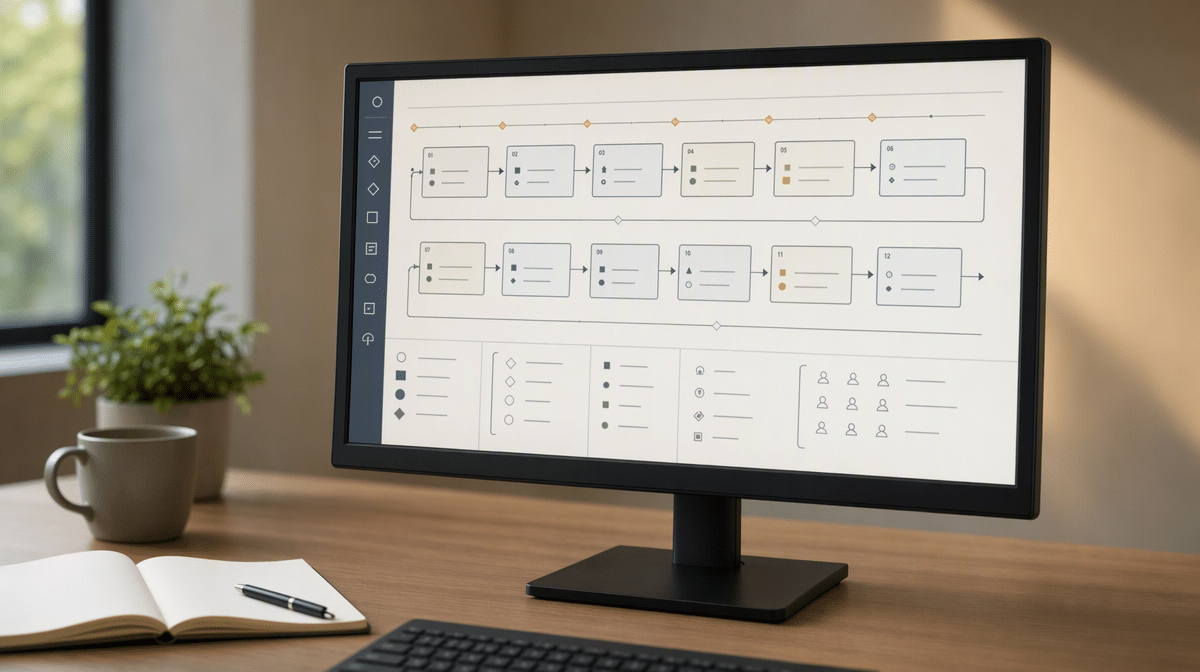
Use a small symbol set that the audience understands: rounded shapes for start and end, rectangles for activities, diamonds for decisions, arrows for flow, and a defined shape for documents or data when needed. Include a legend if the map uses specialized notation.
Visual consistency is more important than decorative variety. The same shape, color, and connector style should carry the same meaning across the map. Avoid using color as the only signal because printed copies and color-vision differences can remove that meaning.
7. Make The Flow Easy To Read
Choose one primary reading direction, usually left to right or top to bottom. Minimize crossed connectors, long return arrows, and shapes that float without a clear predecessor or successor. Use whitespace to separate phases and related groups.
A reader should be able to identify the start, main path, decisions, handoffs, and end within a few seconds. If the map requires a guided tour every time, simplify it or divide it into levels.
How Do You Choose The Right Process Map Format?
Choose the simplest format that answers the business question. A high-level map is useful for scope and executive alignment. A detailed flowchart supports procedure design. A swimlane map exposes cross-functional handoffs. A SIPOC view frames suppliers, inputs, process, outputs, and customers. A value-stream map adds time, inventory, and waste to an end-to-end flow.
- High-level process map: use for boundaries, major phases, and stakeholder alignment.
- Detailed flowchart: use for task sequence, decisions, exceptions, and procedure development.
- Swimlane map: use when roles, departments, or systems exchange work.
- SIPOC diagram: use early in improvement work to define the process and its customers.
- Value-stream map: use when the goal is to examine waiting, flow, inventory, and value.
Organizations often need more than one level. This guide to the levels of process mapping explains how a broad view and detailed maps can work together instead of competing for space on one diagram.
How Do You Validate A Process Map?
A process map is a hypothesis until people test it against actual work. Validation should occur with participants who perform different parts of the process and with evidence from recent cases. A polished diagram does not become accurate because everyone in the workshop agreed with it.

Walk Through Real Transactions
Select several recent cases, including a normal case and at least one exception. Trace each case through the map using timestamps, records, messages, approvals, and system history. Add missing steps and correct routes that the evidence contradicts.
Ask Structured Validation Questions
- What event actually starts the process?
- Can any activity occur in a different order?
- Where does work wait, return, or get rejected?
- Who owns each activity and decision?
- What information or record moves at each handoff?
- Which exceptions occur often enough to map?
- What condition proves the process is complete?
Confirm Measures And Controls
Connect the map to a small set of measures, such as cycle time, first-pass yield, error rate, rework, customer acceptance, cost, or missed handoffs. Mark the controls and records that provide evidence. These connections turn the map into a management tool rather than a static picture.
What Process Mapping Mistakes Should You Avoid?
The most common mistakes come from treating mapping as documentation theater. A team creates a neat diagram, approves it in a meeting, and stores it where the people doing the work never see it. The map may satisfy a temporary request, but it cannot improve a process it does not accurately represent.
- Mapping the ideal process as if it were current: this hides the gap that improvement work needs to address.
- Leaving out frontline employees: this replaces observed work with management assumptions.
- Starting without boundaries: this produces an endless map with no clear customer or result.
- Mixing levels of detail: this makes some areas vague and others unreadable.
- Ignoring exceptions: this creates a map that works only when nothing goes wrong.
- Using too many symbols: this forces readers to decode the notation before understanding the process.
- Failing to validate: this allows consensus to substitute for evidence.
- Publishing without an owner: this guarantees the map will become outdated.
Review these common process mapping mistakes before a workshop so the team can recognize the warning signs early.
How Do You Keep Process Maps Current?
Assign one role as the process owner and give that role authority to coordinate changes. Record the map’s approval date, version, owner, and review date. Store it where employees can reach the current version without searching through personal folders or old email attachments.
Use Event-Based Reviews
Do not rely only on an annual review. Revisit the map when a system changes, a role moves, a policy is revised, a supplier changes, an audit finds a gap, a recurring exception appears, or a measure shows performance has shifted. Events often make a map obsolete before the calendar does.
Connect Maps To Procedures
The map should identify where a detailed procedure, work instruction, policy, form, or control applies. The related documents should point back to the same process and ownership structure. These process documentation best practices help keep visual flow and written instructions aligned.
How Do You Turn A Process Map Into Improvement?
Begin with the purpose statement and the evidence collected during validation. Mark delays, rework, repeated approvals, unclear ownership, unnecessary movement, duplicate entry, failure demand, missing controls, and customer pain. Prioritize a few changes that address the largest cost, risk, or service problem.
Create a future-state map that shows the intended sequence after those changes. Assign each change an owner, completion date, measure, and verification method. Update procedures, systems, forms, training, and controls so the future map becomes operational rather than aspirational.
Test the proposed flow on a limited number of transactions before changing the whole process. A pilot can reveal missing information, unrealistic timing, weak decision rules, or new bottlenecks created by the redesign. Record what happened, adjust the future-state map, and then expand the change with clearer evidence.
Then compare results with the expected outcome and revise the design when evidence shows a gap. ISO’s process approach uses the Plan-Do-Check-Act cycle to connect planned processes, actual outcomes, and continual improvement. The same discipline keeps a process map useful after the workshop ends.
Effective process mapping is not measured by the number of boxes created. It is measured by whether people understand the work, perform it more consistently, identify problems earlier, and improve the result. Start with one important process, map the current reality, validate it with evidence, and use the map to make a specific decision.
A process map exposes requirements a migration can miss. This comparison of Pipefy alternatives shows how eight platforms handle intake, routing, approvals, and recurring execution.
Frequently Asked Questions
What Are The Most Important Process Mapping Best Practices?
The most important practices are to define the purpose and boundaries, involve the people doing the work, map the current state, use consistent notation, show ownership and decisions, validate the flow against real cases, and assign an owner to maintain the map.
How Detailed Should A Process Map Be?
A process map should include enough detail to support its intended decision without becoming difficult to read. Keep activities at a consistent level and use linked subprocess maps or procedures when one area needs more detail.
Who Should Be Involved In Process Mapping?
Include representatives who perform the work, receive its outputs, manage the process, and support its systems. Frontline participation is essential because employees often know the actual exceptions, handoffs, and workarounds that management cannot see.
What Symbols Should A Process Map Use?
Most audiences need only a small set: start and end shapes, activity rectangles, decision diamonds, and directional arrows. Add document, data, or subprocess symbols only when they help answer the mapping question, and include a legend for specialized notation.
How Often Should A Process Map Be Updated?
Review a process map on a defined schedule and whenever a material change occurs. System changes, role changes, policy revisions, audit findings, recurring exceptions, supplier changes, and performance shifts are all reasons to update the map before the next scheduled review.














