
The Complete Guide To Management System Software

Most businesses do not suffer from a shortage of documents. They suffer from policies in one folder, approvals in another, audit findings in email, and process knowledge that exists only in someone’s head. The arrangement can look workable until a deadline slips, an employee follows an obsolete procedure, or a customer asks for evidence that no one can quickly produce.
Management system software brings those pieces into a controlled operating environment. It connects policies, processes, responsibilities, records, risks, audits, objectives, and improvement work so people can see what must happen, who owns it, and whether the system is producing the intended result.
What Is Management System Software?
Management system software is a digital platform used to define, operate, control, and improve the way an organization manages its work. It provides a structured home for policies, procedures, workflows, responsibilities, records, performance measures, audits, risks, and corrective actions.
The software is not the management system by itself. A management system also includes leadership decisions, process owners, employee responsibilities, objectives, controls, and review practices. The technology supports that structure by making information easier to control, work easier to route, and results easier to measure.
How The Term Differs From Similar Software Categories
The phrase is easy to confuse with software management or IT systems management. Software management focuses on installing, licensing, updating, and maintaining software assets. IT systems management focuses on networks, servers, endpoints, availability, and technical performance. Project management software organizes temporary projects, schedules, and deliverables.
Management system software has a broader operational purpose. It helps a business standardize recurring work and govern how that work is performed. Depending on the platform, it may support a business management system, a quality management system, an environmental management system, an information security management system, or an integrated system covering several disciplines.
Why Do Businesses Use Management System Software?
Growth increases the number of handoffs, decisions, exceptions, and records a business must control. Informal methods that worked for a small team become unreliable across departments, sites, or shifts. Management software creates a repeatable structure without forcing managers to coordinate every action personally.
Create One Reliable Source Of Information
Employees need to know which policy is approved, which procedure applies, and which form to use. A controlled repository reduces conflicting copies and makes ownership visible. Revision history preserves evidence of what changed, who approved it, and when the change took effect.
Turn Responsibilities Into Visible Work
A written procedure explains what should happen. A workflow assigns the next action, due date, required information, and approval. Notifications and escalation rules make delays visible before they become missed commitments, audit findings, or customer problems.
Preserve Evidence Without Chasing It
Completed checklists, approvals, acknowledgments, test results, and review records should be created as part of the work, not reconstructed later. This approach makes internal audit testing more efficient because the evidence and its history are already connected to the control being tested.
Find Problems And Improve Faster
Connected data helps managers recognize repeat defects, slow approvals, overdue actions, training gaps, and weak controls. The goal is not to produce more dashboards. It is to identify a pattern early enough to correct the process before the same failure spreads.
What Core Capabilities Should You Look For?
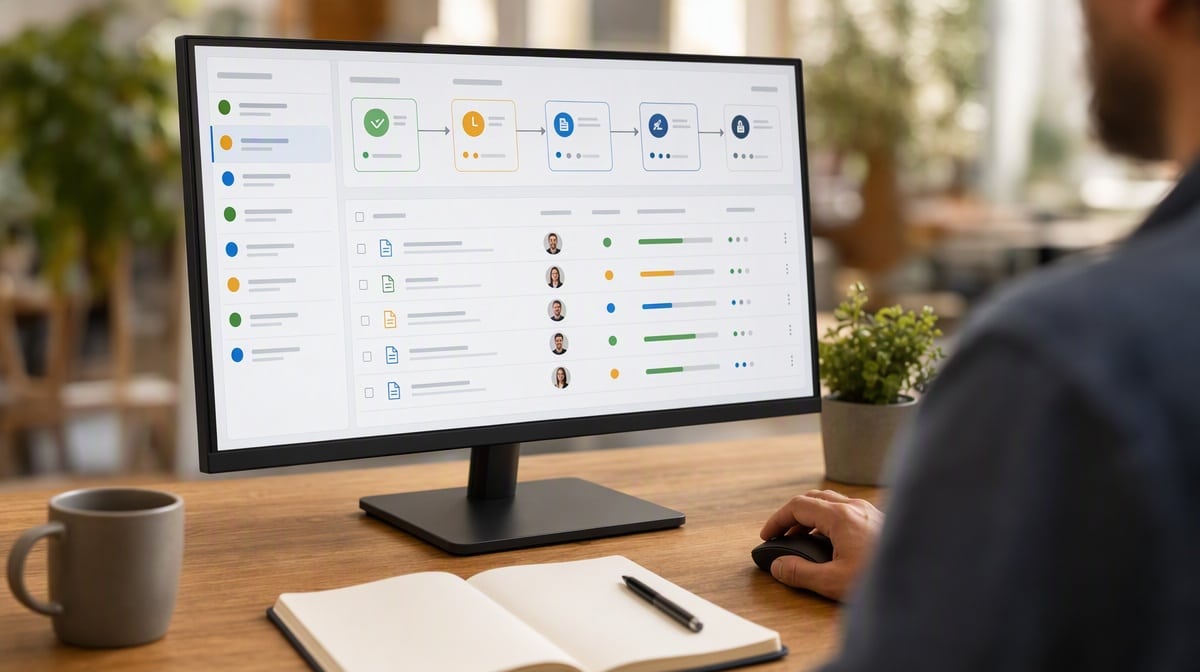
Feature lists can be impressive and still miss the way your business actually operates. Start with the controls and workflows the system must support. The strongest platforms combine several capabilities without turning each one into an isolated module.
- Document control: ownership, review, approval, versioning, effective dates, distribution, acknowledgment, and retirement.
- Workflow management: configurable steps, assignments, due dates, approvals, notifications, escalations, and exception paths.
- Records management: searchable evidence, retention rules, access controls, timestamps, and complete audit trails.
- Risk and issue management: risk registers, incident intake, nonconformities, root-cause analysis, corrective actions, and effectiveness checks.
- Audit management: schedules, plans, evidence, findings, action ownership, follow-up, and closure.
- Training and competence: role-based assignments, procedure-change training, acknowledgments, tests, and completion records.
- Objectives and measurement: process measures, targets, trend reporting, management review, and improvement priorities.
- Integration and access: identity management, permissions, APIs, data exchange, mobile access, exports, backups, and recovery.
Control Matters More Than Storage
A shared drive can store documents, but storage does not prove that the right person reviewed a change or that affected employees saw it. Management system software should connect information to responsibility and evidence. That is especially important for workplace policies and procedures, which must remain clear, current, accessible, and consistently applied.
Configuration Should Follow The Process
The system should be flexible enough to represent real approvals, exceptions, and responsibilities without requiring a custom software project. Excessive customization creates upgrade risk and administrator dependence. Too little flexibility pushes employees back to spreadsheets and email.
What Types Of Management System Software Are Available?
Some platforms manage the entire operating system of a business. Others concentrate on one discipline. The right category depends on your objectives, regulatory environment, process maturity, and the systems already in use.
Business Management Software
Business management software can connect core operating processes such as purchasing, sales, service delivery, finance, human resources, inventory, and reporting. Enterprise resource planning systems are one form, although a management system platform may focus more heavily on policies, workflows, controls, and accountability than on transactions.
Quality Management Software
Quality management software supports document control, training, audits, nonconformities, complaints, supplier quality, corrective action, and continual improvement. A digital quality management system combines these software capabilities with the responsibilities and controls needed to manage quality as an operating discipline.
Compliance And Governance Platforms
These systems organize obligations, policies, controls, evidence, risk assessments, audits, incidents, and remediation. They are useful when the business must demonstrate that controls exist and operate, but they should still connect compliance work to the people and processes that create the evidence. For a side by side comparison of the leading options, see this guide to the top compliance workflow tools.
Integrated Management System Platforms
An integrated platform supports several management disciplines through shared controls and processes. Document control, audits, corrective action, objectives, management review, and competence can often serve quality, environmental, health and safety, and information security needs without being rebuilt for each standard.
ISO’s harmonized approach to management system standards is designed to make different standards more consistent and easier to integrate. Software can support that integration, but the organization must still define a coherent scope, ownership model, and process architecture.
How Does Management System Software Work?

The platform translates management requirements into connected information and workflows. A trigger starts the work, a defined person owns the next action, required fields capture evidence, rules control approval, and the completed record becomes available for measurement and review.
1. Define Controlled Information
Policies, procedures, forms, criteria, responsibilities, and process measures are assigned owners and review cycles. Access rules determine who can draft, approve, use, or retire information. Employees should see the current approved version while authorized reviewers retain access to history.
2. Configure The Workflow
Each process is configured around its real sequence, decisions, handoffs, and exceptions. An incident workflow, for example, may capture the event, assess severity, assign containment, investigate causes, approve corrective action, verify effectiveness, and close the record.
3. Execute And Record The Work
Users complete assigned tasks, attach evidence, record decisions, and move work through the approved path. The system timestamps actions and preserves the relationship between the requirement, the work performed, and the resulting record.
4. Monitor Performance And Exceptions
Managers review overdue work, recurring issues, cycle time, control failures, training completion, audit findings, and process objectives. Alerts should direct attention to exceptions rather than create constant noise. Useful reporting explains where intervention is needed and why.
5. Improve The System
Audit evidence, performance trends, user feedback, incidents, and corrective actions become inputs to management review. Leaders can then change the process, responsibility, control, training, or system configuration and preserve evidence of the decision.
How Do You Choose The Right Platform?
A polished demonstration can make every platform appear easy. The selection process should test how the software handles your most important work, your most common exceptions, and your evidence requirements. Begin with business outcomes and realistic use cases, not a generic request for features.
Define The Scope And Outcomes
Identify which sites, teams, processes, and management disciplines the platform will cover. State the improvements you expect, such as shorter approval time, fewer obsolete documents, faster audit preparation, stronger corrective-action closure, or more reliable training records.
Translate Needs Into Testable Requirements
- Can a process owner configure a workflow without writing code?
- Can the system preserve revision history and show which version applied at a specific time?
- Can permissions separate drafting, approval, administration, and read-only access?
- Can managers find overdue work and recurring issues without building a custom report?
- Can records be exported in a usable format if the vendor relationship ends?
- Can the platform integrate with identity, document, finance, customer, or operational systems already in use?
Evaluate Security And Governance
Management records may include employee data, customer information, contracts, proprietary methods, audit evidence, or regulated records. Review access control, authentication, logging, encryption, backups, availability, retention, recovery, data location, incident response, and vendor oversight.
The NIST Cybersecurity Framework 2.0 provides high-level outcomes that organizations can use to understand, assess, prioritize, and communicate cybersecurity work. It does not endorse a software product, but its outcomes can help structure security questions during selection and governance.
Run Scenario-Based Demonstrations
Give each vendor the same scenarios. Ask the vendor to revise a controlled procedure, route an exception, restrict a sensitive record, reopen a corrective action, retrieve an old revision, and produce an audit report. A scenario reveals usability and control weaknesses that a standard sales presentation can hide.
Consider The Full Operating Cost
License price is only one part of the decision. Include configuration, migration, integrations, validation, training, administration, support, storage, upgrades, and exit costs. A cheaper platform that requires constant manual reconciliation may be more expensive to operate.
Avoid Common Selection Mistakes
Do not choose a platform only because it has the longest feature list or because another company uses it. A feature has value only when it supports a real requirement, fits the people who will use it, and produces evidence managers can trust. Buying for an imagined future can burden the current team with complexity it does not need.
Also avoid letting one department select a system that other process owners must later accept. Quality, operations, information technology, human resources, finance, compliance, and executive leadership may each depend on the same records and controls. Their requirements should be reconciled before contracting, not discovered during configuration.
How Do You Implement Management System Software?

Implementation is an operating change, not an information technology installation. The project must align processes, responsibilities, data, configuration, training, and governance. A narrow, well-tested first release is usually more useful than a broad launch full of inherited clutter.
1. Map The Current Process
Document how work actually moves, including approvals, delays, exceptions, duplicate entries, unofficial spreadsheets, and missing evidence. Separate genuine control requirements from habits that accumulated over time. Automating a weak process only makes the weakness travel faster.
2. Assign Process And System Owners
The process owner decides how the work should operate and how performance will be judged. The system owner manages configuration, access, releases, support, and vendor coordination. Keeping these responsibilities distinct prevents software administration from quietly replacing management accountability.
3. Clean And Prepare The Information
Do not migrate every file because it exists. Remove duplicates, resolve ownership, confirm approval status, establish retention rules, and decide which historical records must remain accessible. Clean inputs reduce confusion on the first day of use.
4. Configure And Test Real Scenarios
Build the smallest useful configuration and test normal work, exceptions, permission boundaries, notifications, integrations, reporting, and recovery. Include the people who perform the work. They will notice missing decisions and awkward handoffs that a project team may overlook.
5. Pilot With A Representative Team
Choose a process important enough to matter but contained enough to learn from. Measure time, questions, errors, workarounds, and support needs during the pilot. Use that evidence to simplify the configuration before expanding it.
6. Train By Role And Responsibility
Training should explain what each person owns, what evidence must be recorded, how exceptions are handled, and why the control matters. A feature tour is not enough. Managers also need to know how to review queues, interpret measures, and intervene when work stalls.
7. Govern Changes After Launch
Configuration changes should be requested, assessed, tested, approved, documented, and communicated. Without change control, the platform can accumulate conflicting fields, duplicate workflows, excessive alerts, and reports no one trusts.
How Do You Measure Results And Improve The System?
Successful implementation is not measured by the number of users created or documents uploaded. Measure whether work is more controlled, visible, timely, and effective. Establish a baseline before launch so improvements and new problems can both be seen.
- Adoption: active use by role, completion rates, support questions, and work performed outside the platform.
- Control: obsolete-document incidents, missing approvals, access exceptions, incomplete records, and audit-trail gaps.
- Flow: cycle time, overdue tasks, approval delay, queue size, reopen rates, and handoff failures.
- Effectiveness: repeat issues, corrective-action effectiveness, audit findings, customer complaints, process objectives, and risk trends.
- Administration: configuration backlog, integration failures, report reliability, storage growth, and vendor response time.
Review the measures with process owners, not only system administrators. If employees avoid the platform, determine whether the cause is training, unnecessary complexity, poor access, weak process design, or a missing integration. The response should correct the underlying condition rather than add another reminder.
Management system software earns its place when it makes the business easier to understand and improve over time. The best platform gives people clear responsibilities, reliable information, visible controls, and evidence for better decisions. Process discipline remains the foundation; software makes that discipline easier to operate at scale.
Work-management tools differ in how they connect standards, responsibilities, projects, and reporting. This review of Wrike alternatives evaluates eight operating models for teams replacing a general project platform.
Frequently Asked Questions
What Is Management System Software?
Management system software is a digital platform for controlling policies, processes, responsibilities, workflows, records, audits, risks, objectives, and improvement work. It supports the management system but does not replace leadership, process ownership, or employee responsibility.
What Is The Difference Between Management System Software And Systems Management Software?
Management system software governs recurring business processes, controls, and evidence. Systems management software is usually an information technology category focused on servers, networks, endpoints, software assets, availability, and technical performance.
What Features Should Management System Software Include?
Core features should include document control, configurable workflows, permissions, records, audit trails, issue and risk management, audits, training, objectives, reporting, integrations, exports, backups, and recovery. The exact combination should follow the processes and evidence requirements in scope.
Can Management System Software Support ISO Standards?
Yes. Software can support controlled information, responsibilities, audits, risks, objectives, corrective actions, records, and management review across one or more ISO management system standards. Certification still depends on whether the organization’s management system meets the applicable requirements and operates effectively.
How Long Does It Take To Implement Management System Software?
Implementation time depends on scope, process maturity, migration volume, integrations, validation needs, and user readiness. A phased rollout can deliver a useful first process sooner while preserving time to test controls, train users, and improve the configuration.














