
Find Wrike alternatives that make recurring work easier to control
Process Street, Asana, monday.com, and ClickUp are the leading Wrike alternatives for different operating models. Process Street is our first choice when recurring procedures, approvals, evidence, and auditability matter most. Asana favors approachable cross-functional coordination, monday.com favors visual configuration, and ClickUp favors breadth inside one workspace.
Wrike remains a capable enterprise work-management platform. The reason to replace it is not that it lacks features. The reason is that your team may need a different center of gravity: procedure-led execution, easier adoption, spreadsheet-familiar portfolio control, technical delivery depth, client-work economics, or a much simpler visual board.

Wrike alternatives at a glance
- Process Street, for controlled recurring workflows and SOP execution.
- Asana, for approachable cross-functional project coordination.
- monday.com, for configurable boards and dashboards.
- ClickUp, for broad all-in-one work management.
Smartsheet serves grid-oriented PMOs, Jira serves technical delivery, Teamwork.com serves client projects, and Trello serves lightweight visual coordination.
What is Wrike?
Wrike is an enterprise work-management platform for planning, resourcing, executing, reporting on, and improving projects and workflows. Its current official feature pages describe Gantt charts, workload and calendar views, boards and tables, resource bookings, approvals, proofing, automations, dashboards, reports, time tracking, custom item types, integrations, and access controls. Those capabilities make Wrike the baseline for this comparison, not one of its own alternatives.
A credible Wrike alternative must therefore support real work coordination, not merely store documents or display a to-do list. We compare how each option structures work, how much configuration it asks of administrators, what kind of visibility it gives managers, and whether it handles repeatable operating procedures or mostly unique projects. Wrike is deliberately excluded from the ranked table, tool enumeration, and structured ItemList.
Wrike alternatives comparison
| Tool | Best for | Standout feature | Operating model | Strongest work view |
|---|---|---|---|---|
| Process Street | operations teams that need recurring procedures to run with ownership, approvals, evidence, and a reliable history | Procedure-led workflow execution | Reusable workflow runs | Checklist and form-based workflow run |
| Asana | cross-functional teams that want approachable project coordination, goals, portfolios, workload visibility, and flexible work views | Connected work and goal visibility | Projects, tasks, goals, and portfolios | List, board, timeline, calendar, and portfolio views |
| monday.com | teams that want highly configurable boards, dashboards, automations, and no-code work applications across several departments | Flexible visual work platform | Boards and configurable work applications | Table, board, timeline, calendar, and dashboard views |
| ClickUp | teams that want tasks, docs, goals, dashboards, whiteboards, and many configuration options in one work platform | Broad all-in-one feature surface | Spaces, folders, lists, tasks, and connected work surfaces | List, board, calendar, Gantt, workload, and dashboard views |
| Smartsheet | portfolio and operations teams that think in grids and need scalable project control, dashboards, resource planning, and governed solutions | Spreadsheet-familiar control at scale | Sheets, reports, dashboards, and no-code solutions | Grid, card, Gantt, calendar, report, and dashboard views |
| Jira | software and technical teams that need backlog, issue, sprint, release, and dependency management around agile delivery | Technical issue and agile delivery depth | Projects, work items, backlogs, boards, and releases | Backlog, board, timeline, calendar, list, and dependency views |
| Teamwork.com | client-services teams that need project delivery, intake, time, workload, profitability context, and client collaboration | Client-work operating model | Client projects, tasks, intake, time, and profitability | Project, task, workload, time, report, and portfolio views |
| Trello | small teams that want simple visual boards, cards, checklists, lightweight automation, and fast adoption | Simple visual Kanban | Boards, lists, cards, and Power-Ups | Board-centered visual workflow with calendar and planning extensions |
Benefits of choosing the right Wrike alternative
- Match the system to recurring procedures or unique projects.
- Reduce administration by choosing an appropriate level of flexibility.
- Give contributors a work view they can understand without translation.
- Improve the management view of ownership, capacity, risk, and completion.
- Make migrations smaller by testing the operating model before moving everything.
How we picked these Wrike alternatives
We used the live Process Street page for the product roster and order, then verified each product against its own current site. We weighted recurring execution and governance first for the Bizmanualz audience, followed by project visibility, adoption, configurability, reporting, specialist fit, and migration burden.
Disclosure: Process Street and Bizmanualz are sister brands under the same parent company. We rank Process Street first for the stated procedure-led criteria. We preserve each competitor’s real specialist advantage and clearly state where another tool can be the better fit.
Published: September 5, 2026
Last updated: September 5, 2026
Best Wrike alternative: Process Street

Process Street is the strongest fit in this comparison when your real problem is not planning a one-off project, but making sure a recurring process happens the right way every time. Its workflow product combines a reusable procedure with assignments, due dates, conditional paths, approvals, required evidence, automations, reporting, and a history of each run. That operating model is especially useful for onboarding, client intake, approvals, audits, incident response, quality checks, and other work where consistency matters as much as visibility.
Best for: operations teams that need recurring procedures to run with ownership, approvals, evidence, and a reliable history
Features
- Reusable workflows that create a distinct record for every run
- Task and role assignments with due dates
- Conditional logic that changes the path when circumstances change
- Approval tasks and required form fields for evidence
- Automations, reporting, and workflow run history
Pros
- Connects an approved procedure to accountable execution
- Makes recurring work easier to audit than a loose project board
- Keeps instructions, decisions, evidence, and status in one operating record
Cons
- Not a full portfolio planning suite for every kind of project
- A large workflow library needs disciplined owners and naming conventions
- Teams focused only on ad hoc tasks may prefer a lighter board
That is a different center of gravity from Wrike. Wrike is broad work management software with strong project, portfolio, resource, and collaboration views. Process Street starts from the repeatable procedure and the live case moving through it. If your team keeps rebuilding the same project plan, chasing the same sign-off, or reconstructing evidence after the work is finished, the workflow-run model can remove more friction than another general project workspace.
The tradeoff is scope. A team that wants rich portfolio roadmaps, broad visual work views, creative proofing, or a single home for every ad hoc initiative may still prefer a project-management platform. Process Street earns the first position here for the Bizmanualz audience because procedures, controls, responsibilities, and proof of execution are the decisive criteria, not because it replaces every planning surface.
Process Street and Bizmanualz are sister brands under the same parent company. That relationship is disclosed because it matters to the ranking. Our parent company runs HubSpot for marketing and CRM, Google Workspace, Slack plus a stack of Slack apps, a documented workflow layer, an AI multi-agent setup built on leading model providers, and a publishing operation across this blog and social channels. We therefore judge tools by what happens at the handoff: who owns the next step, what evidence is required, how exceptions are handled, and whether a manager can understand the result later.
A useful pilot: Build one recurring process with two roles, one conditional branch, one approval, and one required evidence field. Run it twice, including an exception, then ask a manager to reconstruct what happened from the activity history.
Choose it if: you need approved instructions to drive recurring work, with roles, decisions, evidence, and a record for each run
Skip it if: your main requirement is broad portfolio planning, resource allocation, or visual management of mostly unique projects
Bottom line: Process Street is the best overall Wrike alternative for procedure-led operations that need controlled, repeatable execution.
2. Asana

Asana is a broad work-management option for teams that want tasks, projects, goals, portfolios, and multiple views in a relatively approachable interface. Its official product material emphasizes cross-functional coordination, workflow automation, reporting, resource visibility, and the ability to move between list, board, timeline, and calendar perspectives. That makes it a credible Wrike alternative for marketing, operations, product, and leadership teams that need shared planning without making every participant think like a specialist project manager.
Best for: cross-functional teams that want approachable project coordination, goals, portfolios, workload visibility, and flexible work views
Features
- Projects and tasks with owners and due dates
- List, board, timeline, and calendar views
- Goals and reporting for connecting work to outcomes
- Portfolios and workload views for cross-project oversight
- Rules, forms, templates, and integrations for repeatable coordination
Pros
- Easy for many business teams to understand and adopt
- Strong balance of task detail and cross-project visibility
- Goals and portfolios help leaders connect delivery to priorities
Cons
- A flexible workspace still needs conventions to prevent project sprawl
- Procedure governance and run-level evidence are not its primary organizing model
- Complex recurring processes can become collections of duplicated projects and rules
Asana can be the better choice when adoption speed and connected goal visibility matter more than deep procedure control. A portfolio owner can scan project health while contributors work inside simpler task lists. Teams can standardize intake with forms and rules, but still keep individual projects flexible. That mix often suits organizations whose work changes frequently and whose main problem is alignment across initiatives.
The operating risk is flexibility without governance. Projects, custom fields, rules, and portfolios can proliferate unless someone owns the information architecture. A recurring process may also need to be copied or templated in a way that separates instructions from the evidence of a particular run less clearly than a procedure-led system. We have not run Asana ourselves. We would test whether a new employee can find the correct project, understand the current standard, and handle an exception without relying on tribal knowledge.
A useful pilot: Create an intake form, route submissions into a project, add a rule, connect the project to a goal, and place it in a portfolio. Test the experience as a contributor, project owner, and executive viewer.
Choose it if: your teams need accessible cross-functional project coordination, multiple work views, goals, and portfolio visibility
Skip it if: your priority is enforcing a controlled procedure with approvals, required evidence, and an auditable record for every instance
Bottom line: Asana is a strong Wrike alternative for broad cross-functional coordination when usability and connected goals carry the decision.
3. monday.com

monday.com is a configurable work platform built around visual boards, columns, automations, dashboards, forms, and templates. Its current site presents a broad platform for people and agents, with products for work management and adjacent departmental use cases. For a Wrike buyer, the appeal is clear: teams can represent many types of work quickly, adjust fields and views without software development, and give leaders a consolidated dashboard across several boards.
Best for: teams that want highly configurable boards, dashboards, automations, and no-code work applications across several departments
Features
- Configurable boards with columns, statuses, and owners
- Dashboards that combine information across boards
- Automations for notifications, status changes, and handoffs
- Forms and templates for structured intake
- Distinct products for work management, CRM, development, and service use cases
Pros
- Visual configuration makes many workflows easy to prototype
- Dashboards can bring several teams or boards into one management view
- A broad product family supports departments with different operating needs
Cons
- Flexibility can create inconsistent boards and duplicated structures
- Governance becomes more important as departments configure their own systems
- Complex recurring procedures may require careful design to remain understandable
It can beat Process Street when the primary requirement is flexible visual modeling across many teams rather than procedure-led execution. A marketing group may want campaign boards, an operations group may want a request queue, and a leadership team may want a dashboard that combines both. monday.com lets each group shape its workspace while remaining inside a recognizable platform.
That flexibility is also the main implementation cost. Without naming rules, board ownership, template standards, and field governance, teams can build parallel versions of the same workflow. The result may look organized locally while becoming difficult to report on globally. We have not run monday.com ourselves. We would test one cross-board handoff and one exception before assuming that a polished dashboard reflects a controlled underlying process.
A useful pilot: Build two connected boards for intake and delivery, add an automation, create a shared dashboard, and change one requirement midstream. Confirm that ownership and reporting remain clear after the change.
Choose it if: you want a flexible visual platform that departments can configure around boards, dashboards, forms, and automations
Skip it if: you want the procedure itself to be the governed source of truth for every recurring run
Bottom line: monday.com is a capable Wrike alternative when visual configurability and cross-board dashboards matter more than strict procedure governance.
4. ClickUp
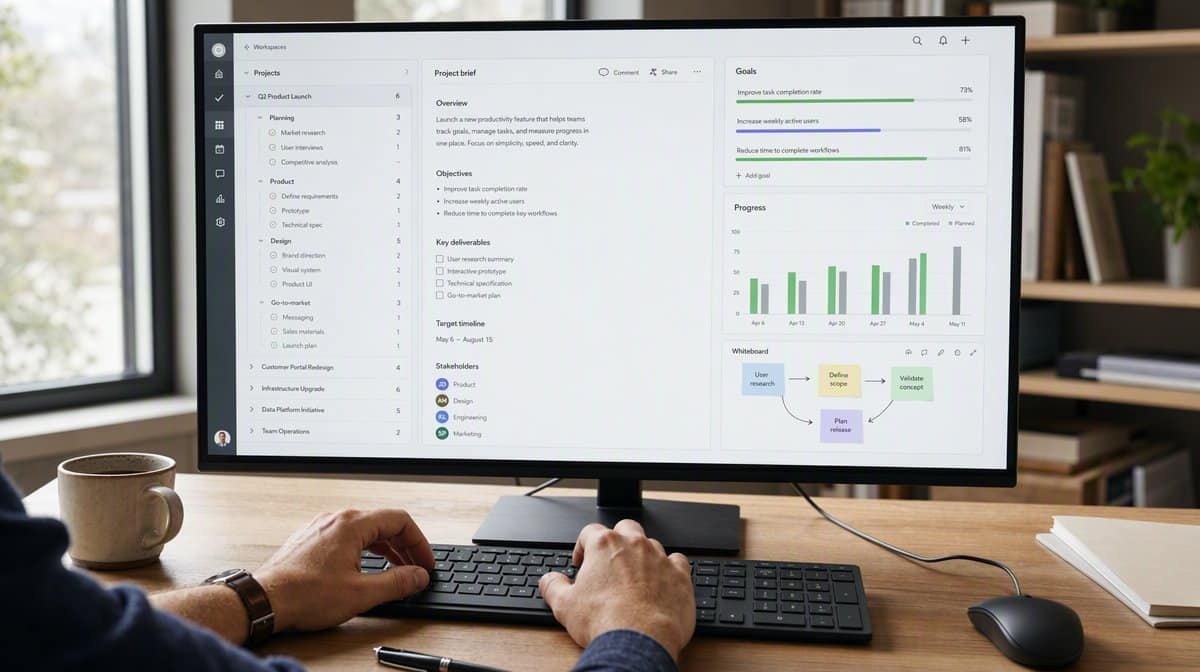
ClickUp positions itself as an all-in-one work platform, and its feature catalog supports that description with tasks, docs, whiteboards, goals, dashboards, forms, automations, time tracking, sprint support, and many views. It is a plausible Wrike replacement for a team trying to consolidate several collaboration surfaces and retain the ability to configure detailed project structures.
Best for: teams that want tasks, docs, goals, dashboards, whiteboards, and many configuration options in one work platform
Features
- Tasks and subtasks organized through a flexible hierarchy
- Docs, whiteboards, goals, dashboards, and forms
- Custom fields, statuses, views, and templates
- Automations and integrations for connected work
- Time tracking, sprint support, and workload-oriented features
Pros
- Broad feature coverage can reduce the number of separate collaboration tools
- Deep configuration supports several work styles inside one platform
- Hierarchy and views can accommodate simple tasks and complex programs
Cons
- The size of the feature surface can increase setup and training effort
- Teams need governance to avoid inconsistent spaces, statuses, and custom fields
- An all-in-one workspace may be more than a focused recurring-process use case requires
ClickUp can be stronger than Process Street when breadth inside one workspace is the buying priority. Product and engineering teams may value sprint-oriented work, while marketing and operations teams use docs, forms, dashboards, and task views. The flexible hierarchy can represent work at several levels, from a single task to a program spanning spaces and folders.
Breadth creates an adoption question. Administrators need to decide which features, levels, statuses, and views the organization will actually use. Otherwise, the same work can be represented in several competing ways. We have not run ClickUp ourselves. A fair pilot should test whether a new contributor can navigate the hierarchy, whether managers get consistent reporting, and whether a recurring workflow remains easy to improve after several revisions.
A useful pilot: Recreate one real project with a document, form, dashboard, custom view, and automation. Ask an uninvolved employee to locate the next action and ask an administrator to change the standard without breaking reporting.
Choose it if: you want a broad, configurable workspace that combines project tasks with docs, goals, dashboards, whiteboards, and collaboration
Skip it if: you prefer a narrower procedure-led system or lack the ownership capacity to govern a large feature surface
Bottom line: ClickUp is a broad Wrike alternative for teams that value consolidation and configuration, provided they can govern the workspace deliberately.
5. Smartsheet

Smartsheet combines spreadsheet-familiar grids with project management, automation, reports, dashboards, resource planning, portfolio management, and no-code work applications. It is a credible Wrike alternative for PMOs and operations groups that already think in rows, columns, dependencies, formulas, and roll-up reporting. The interface can make sophisticated tracking feel less foreign to teams that live in spreadsheets.
Best for: portfolio and operations teams that think in grids and need scalable project control, dashboards, resource planning, and governed solutions
Features
- Grid-based work management with familiar row and column structures
- Reports and dashboards that summarize work across sheets
- Workflow automation and structured requests
- Resource planning and portfolio management capabilities
- No-code applications and governed administration options
Pros
- Familiar spreadsheet concepts can accelerate adoption for analytical teams
- Reports and dashboards support portfolio-level oversight
- The platform can scale from a single tracker to governed business solutions
Cons
- Sheet architecture can become difficult to maintain without experienced owners
- Frontline users may still encounter spreadsheet-like complexity
- Procedure guidance and narrative policy control are not the platform’s central model
Smartsheet can be the better option when structured portfolio control and analytical reporting decide the purchase. A program office may need consistent project sheets, cross-project reports, executive dashboards, resource views, and controlled templates. Those requirements are different from running a procedure, and the grid can be an efficient foundation for them.
The main cost is architectural. As the number of sheets, reports, dashboards, cross-sheet references, and automated flows grows, the organization needs builders who understand how the system fits together. A spreadsheet-familiar surface does not automatically make the underlying solution simple. We have not run Smartsheet ourselves. We would test change management by modifying a shared template and tracing the effect through reporting, permissions, and active work.
A useful pilot: Create a project sheet, intake form, cross-project report, dashboard, and resource view. Change a field in the template and verify how the change affects active sheets, permissions, formulas, and executive reporting.
Choose it if: your PMO or operations team wants spreadsheet-familiar project control, cross-sheet reporting, dashboards, and resource planning
Skip it if: frontline employees need a guided recurring procedure with minimal exposure to sheet architecture
Bottom line: Smartsheet is a strong Wrike alternative for analytically minded PMOs that want scalable grid-based control and reporting.
6. Jira

Jira is the specialist in this roster for software and technical delivery. Atlassian’s current feature material centers on planning, boards, backlogs, work items, releases, dependencies, reports, automation, and integrations. For a Wrike buyer whose real workload is software development, incident work, or technical program delivery, Jira may offer a more natural data model and ecosystem than a general work-management platform.
Best for: software and technical teams that need backlog, issue, sprint, release, and dependency management around agile delivery
Features
- Backlogs and boards for agile planning and delivery
- Work items with customizable fields, statuses, and workflows
- Planning views for timelines, releases, and dependencies
- Reports and dashboards for delivery visibility
- Integrations across the Atlassian ecosystem and development toolchain
Pros
- Purpose-built depth for software delivery and issue tracking
- Custom workflows can reflect technical states and controls
- Strong ecosystem fit for teams already using Atlassian products
Cons
- Business users may find technical configurations and terminology heavier
- Administration can become specialized in a large instance
- Policy and SOP presentation usually needs a connected documentation layer
Jira beats Process Street when backlog mechanics, sprint planning, release tracking, developer context, and issue-state customization are the decisive requirements. Technical teams can represent work with detailed workflows and connect it to related Atlassian and development tools. That specialization is valuable when the unit of work is an issue moving through engineering delivery rather than a business procedure being executed repeatedly.
The tradeoff is accessibility and administration. A well-designed Jira instance can be precise, but a poorly governed one can accumulate projects, fields, workflows, screens, and schemes that are difficult for ordinary contributors to understand. We use Jira in our wider operating environment for the work it fits, so we know its technical specificity is both the advantage and the cost. A replacement pilot should include nontechnical requesters, not only the administrators and delivery team who already speak its language.
A useful pilot: Run a request from a nontechnical form through triage, backlog, active work, review, and release. Include a dependency and an exception, then evaluate the experience for requester, engineer, and manager.
Choose it if: software delivery, issue tracking, backlogs, releases, and technical workflow customization dominate the use case
Skip it if: the work is primarily a business procedure that nontechnical employees need to follow with guided instructions and evidence
Bottom line: Jira is the specialist Wrike alternative for technical delivery teams whose work revolves around issues, backlogs, releases, and agile planning.
7. Teamwork.com

Teamwork.com is oriented around client work. Its official product pages emphasize project delivery, client intake, resource and workload visibility, time tracking, reporting, profitability, proofs, and connections between projects and support work. Agencies, consultancies, and other service businesses evaluating Wrike may find that focus more useful than a general platform that treats client operations as one template among many.
Best for: client-services teams that need project delivery, intake, time, workload, profitability context, and client collaboration
Features
- Client project and task management
- Intake forms and reusable project templates
- Time tracking, workload, and resource visibility
- Reporting and profitability-oriented project context
- Client feedback, proofs, automations, and integrations
Pros
- Client delivery is treated as a core operating model rather than an edge case
- Time and profitability context can connect execution to commercial reality
- Templates and intake support repeatable service delivery
Cons
- The client-services emphasis may be unnecessary for internal operations
- Teams need consistent time and project hygiene for commercial reporting to remain useful
- Procedure governance and policy control may require another layer
It can beat Process Street when the commercial shape of client delivery matters most. Project leaders may need to understand planned work, recorded time, workload, client feedback, and profitability together. Reusable templates and intake help standardize the service, while project controls keep each engagement visible.
The limitation is category fit. An internal operations team may not need client profitability or service-delivery context, while a regulated procedure may need stronger instruction and evidence controls. Time and commercial reporting are also only as trustworthy as the team’s data-entry habits. We have not run Teamwork.com ourselves. We would test an entire client journey from request through delivery, feedback, time capture, and management reporting rather than judging the task board alone.
A useful pilot: Template a real client engagement, accept an intake request, schedule resources, capture time, collect proof feedback, and review the resulting project and profitability report with the delivery manager.
Choose it if: you deliver client work and need projects, intake, time, workload, feedback, and profitability context in one system
Skip it if: your main need is internal procedure execution or portfolio planning without a client-services operating model
Bottom line: Teamwork.com is the focused Wrike alternative for client-services organizations that need delivery and commercial context to stay connected.
8. Trello

Trello is the simplest option in this roster. Its official guide is built around boards, lists, and cards, with checklists, due dates, comments, attachments, automation, Power-Ups, templates, an inbox, and planning tools extending the core model. A small team that finds Wrike too broad may prefer Trello because the visual metaphor is immediately understandable and a useful board can be created quickly.
Best for: small teams that want simple visual boards, cards, checklists, lightweight automation, and fast adoption
Features
- Boards, lists, and cards for visual work tracking
- Card checklists, due dates, attachments, and comments
- Inbox and planner surfaces for capturing and scheduling work
- Automation for routine card and board actions
- Power-Ups, templates, and integrations for extending boards
Pros
- Very easy to understand for simple visual workflows
- Teams can create and change a board quickly
- Cards and checklists work well for lightweight collaborative planning
Cons
- Portfolio reporting and resource planning are less central
- Large or highly connected board systems can become difficult to navigate
- Formal procedure control and detailed evidence requirements need more structure
Trello can beat Process Street when the team needs a lightweight shared board rather than a governed recurring procedure. Editorial calendars, small campaigns, simple pipelines, and personal or team planning can fit naturally into cards moving through columns. The platform asks less of a new user and can make status visible with little configuration.
The same simplicity becomes a constraint as coordination grows. Multiple boards, informal labels, card templates, Power-Ups, and custom conventions can create a system that only long-term users understand. Portfolio oversight, resource planning, and evidence-heavy processes may require additional tools or careful design. We have not run Trello ourselves. We would test the moment where work crosses from one board or owner to another, because that is where simple visual systems often need extra operating rules.
A useful pilot: Build one real board with intake, active work, review, and done lists. Add a card template, checklist, automation, and handoff to another owner, then test whether the board remains clear after several weeks of activity.
Choose it if: a small team wants fast, visual coordination through boards and cards with minimal training
Skip it if: you need portfolio controls, detailed resource planning, or enforceable recurring procedures with approvals and evidence
Bottom line: Trello is the lightweight Wrike alternative for teams that value immediate visual clarity over enterprise work-management depth.
How the alternatives differ from Wrike
Wrike is strongest when a team wants broad enterprise work management across planning, resources, execution, reporting, collaboration, and governance. The alternatives below make sense when one dimension deserves more weight. This is not a feature-count contest. It is a choice about the operating model your employees and managers will live in every day.
| If your priority is | Shortlist first | Why it differs from Wrike |
|---|---|---|
| Procedure-led recurring work | Process Street | Starts from a reusable workflow run with instructions, approvals, evidence, and history. |
| Approachable cross-functional coordination | Asana | Connects tasks, projects, goals, portfolios, and workload in a contributor-friendly model. |
| Visual no-code configuration | monday.com | Lets departments shape boards, dashboards, forms, and automations around varied use cases. |
| All-in-one breadth | ClickUp | Combines tasks with docs, whiteboards, goals, dashboards, forms, and detailed hierarchy. |
| Grid-based portfolio control | Smartsheet | Uses spreadsheet-familiar sheets, reports, dashboards, and resource views. |
| Technical delivery | Jira | Centers backlogs, issues, sprints, releases, dependencies, and engineering workflows. |
| Client services | Teamwork.com | Connects delivery to intake, time, workload, feedback, and profitability context. |
| Lightweight visual boards | Trello | Keeps the model centered on boards, lists, and cards for quick adoption. |
Before migrating, map the work you actually run. Separate unique projects from recurring procedures, client engagements, technical issues, and lightweight team boards. A single company may legitimately use different tools for those categories. If the recurring work is poorly documented, start with a clear workflow strategy. If the problem is broader system design, review how management system software connects policy, process, measurement, and improvement. Project-heavy teams can also compare established project planning tools before committing to a migration.
How to migrate from Wrike without disrupting work
A safe Wrike migration starts with classification, not export. Inventory spaces, folders, projects, custom item types, request forms, workflows, reports, automations, integrations, and files. Identify what is active, what is an approved template, what is historical evidence, and what exists only because nobody has decided whether to remove it.
Choose one representative workflow that includes an intake, several owners, a dependency, an approval or review, an exception, a report, and at least one integration. Rebuild that workflow in the candidate platform. Run it with actual users and actual deadlines. Compare not just whether the fields moved, but whether people can tell what to do, managers can see risk, and administrators can change the standard safely.
Preserve the old system in read-only form for an agreed period when records matter. Define ownership for the new templates, fields, permissions, automations, and reports. A technically complete import can still fail if nobody owns the operating design after launch. Expand in waves only after the pilot produces a repeatable migration playbook.
| Migration checkpoint | Evidence to collect | Decision question |
|---|---|---|
| Inventory | Owners, active use, dependencies, integrations, and retention need | Does this object deserve to move? |
| Pilot build | Mapped fields, roles, automation, permissions, and reporting | Can the candidate represent the real operating path? |
| Live run | User observations, exception handling, approvals, and manager visibility | Can people use it without constant administrator help? |
| Governance | Template owner, naming standard, change process, and archive rule | Will the new workspace stay coherent after launch? |
| Wave migration | Cohort plan, support path, record preservation, and rollback point | Can expansion continue without interrupting active delivery? |
Wrike alternative must-have capabilities
A work model that matches the job
Decide whether the primary unit is a recurring workflow run, a project, a board card, a client engagement, a sheet row, or a technical issue. The wrong data model creates workarounds everywhere else.
Clear ownership and handoffs
Every system can assign a task. The harder test is whether responsibility stays clear when work crosses teams, an approver rejects it, a dependency slips, or the original owner changes roles.
Controlled templates and change
Reusable structures need named owners, review rules, and a safe way to improve the standard without breaking active work. Our parent company uses documented workflows, so we look for change control as well as easy creation.
Useful management visibility
Dashboards should answer specific operating questions. What is late, blocked, overloaded, awaiting approval, outside policy, or likely to miss a commitment? More charts do not help if the data model is inconsistent.
Practical integrations and automation
List the systems involved in the pilot and test the exact trigger, action, authentication, error handling, and ownership path. A logo in an integration directory is not evidence that your required flow is reliable.
Permissions and evidence
Check who can view, edit, approve, export, and administer each type of work. If the process requires proof, confirm that the system captures the right evidence and preserves enough context for a later review.
Wrike alternatives: frequently asked questions
What is the best Wrike alternative?
Process Street is the best Wrike alternative when your priority is controlled recurring work built from procedures, assignments, conditional paths, approvals, evidence, and run history. Asana, monday.com, ClickUp, Smartsheet, Jira, Teamwork.com, and Trello can be better for their specialist operating models.
Is there a free Wrike alternative?
Several vendors in this comparison publish a free plan or free starting option, but packaging and limits can change. Check each linked pricing page for current eligibility, users, storage, automation, reporting, and support. A free plan is useful for a pilot, not proof that the full operating model will remain free.
What is a cheaper alternative to Wrike?
The cheaper option depends on user roles, billing structure, automation, storage, reporting, implementation, and administration. Trello may suit a lightweight board use case, while other tools justify more structure. Compare the cost of the same pilot and include the time required to govern the system.
Is there an open source Wrike alternative?
Open source project-management products exist, but none is included in this verified cross-property roster. Self-hosting changes the decision from subscription selection to software operations, security, upgrades, backups, and support. Evaluate that operating burden directly before treating open source as the lower-cost path.
Which Wrike alternative is best for small teams?
Trello is a practical option for small teams that need simple boards and cards. Asana can suit teams that want more project structure without a highly technical setup. Process Street is a better small-team choice when the work is recurring and the team needs guided steps, approvals, and evidence.
Which Wrike alternative is best for enterprise teams?
The answer depends on enterprise workload. Smartsheet fits grid-oriented portfolio control, Jira fits technical delivery, and Asana or monday.com fit broad cross-functional coordination. Process Street fits enterprise recurring procedures when governance, approvals, evidence, and a record of each run are central.
What is the closest alternative to Wrike?
There is no single like-for-like answer for every team. Asana, monday.com, and ClickUp cover broad work-management needs, while Smartsheet serves portfolio control and resource-oriented PMO work. The closest option is the one that reproduces your critical operating path with less complexity, not the one with the longest feature list.
How do you migrate from Wrike?
Inventory active and historical work, classify each object, select one representative workflow, and rebuild it in the candidate platform. Test roles, dependencies, approvals, exceptions, reports, integrations, and permissions with real users. Migrate in waves only after the pilot produces a repeatable governance and support plan.
Why is Process Street ranked first among Wrike alternatives?
Process Street ranks first because this comparison weights recurring procedure execution, ownership, approvals, evidence, and auditability most heavily for the Bizmanualz audience. Bizmanualz and Process Street are sister brands, which we disclose. Teams prioritizing portfolios, technical delivery, or simple boards may prefer another ranked option.




