
What Is a Digital Quality Management System?
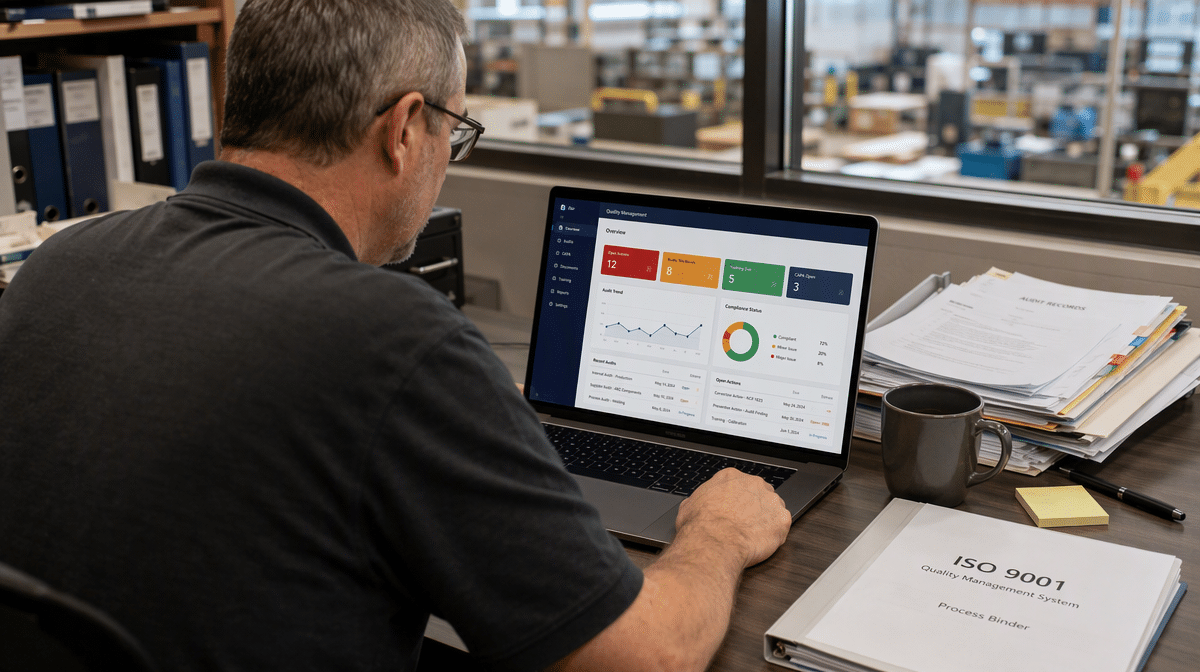
Quality problems rarely begin with a missing software feature. They begin when an approved procedure lives in one folder, an audit finding lives in another, and employees cannot tell which record is current. Paper forms and disconnected files may look manageable until a customer complaint, corrective action, or certification audit exposes the gaps.
A digital QMS brings those quality activities into one controlled system. It gives people a shared way to manage documents, training, audits, nonconformities, corrective actions, and performance data, while preserving the discipline that makes a quality management system effective.
What Is a Digital Quality Management System?
A digital quality management system, often shortened to digital QMS, is a software-supported system for controlling the policies, processes, responsibilities, records, and improvement activities that an organization uses to manage quality. It replaces fragmented paper files and disconnected spreadsheets with structured workflows, controlled access, searchable records, and a reliable audit trail.
The software is only the delivery mechanism. The QMS itself remains the operating system for quality: who is responsible, which procedures apply, what evidence must be retained, how performance is measured, and how problems are corrected. The International Organization for Standardization’s QMS introduction describes a quality management system as a defined set of processes and responsibilities that helps an organization consistently meet customer expectations and improve its operations.
Digital QMS Versus Paper-Based QMS
A paper-based system can satisfy quality requirements when it is carefully controlled. The difficulty is maintaining that control as the organization grows. Printed procedures become outdated, signatures are difficult to trace, records are filed inconsistently, and managers spend time assembling evidence that should already be available.
A digital QMS applies the same governance through electronic controls. It can route a draft procedure for approval, publish the approved revision, notify affected employees, record their acknowledgment, and retain the superseded version without relying on someone to move files by hand.
Digital QMS Versus QMS Software
The terms are often used interchangeably, but they emphasize different things. QMS software is the technology product. A digital QMS is the broader management system that combines that technology with policies, process owners, responsibilities, controls, objectives, and continual improvement.
Buying software does not create an effective QMS by itself. If responsibilities remain unclear or procedures do not reflect the actual work, digitization simply makes a weak process move faster.
How Does a Digital QMS Work?
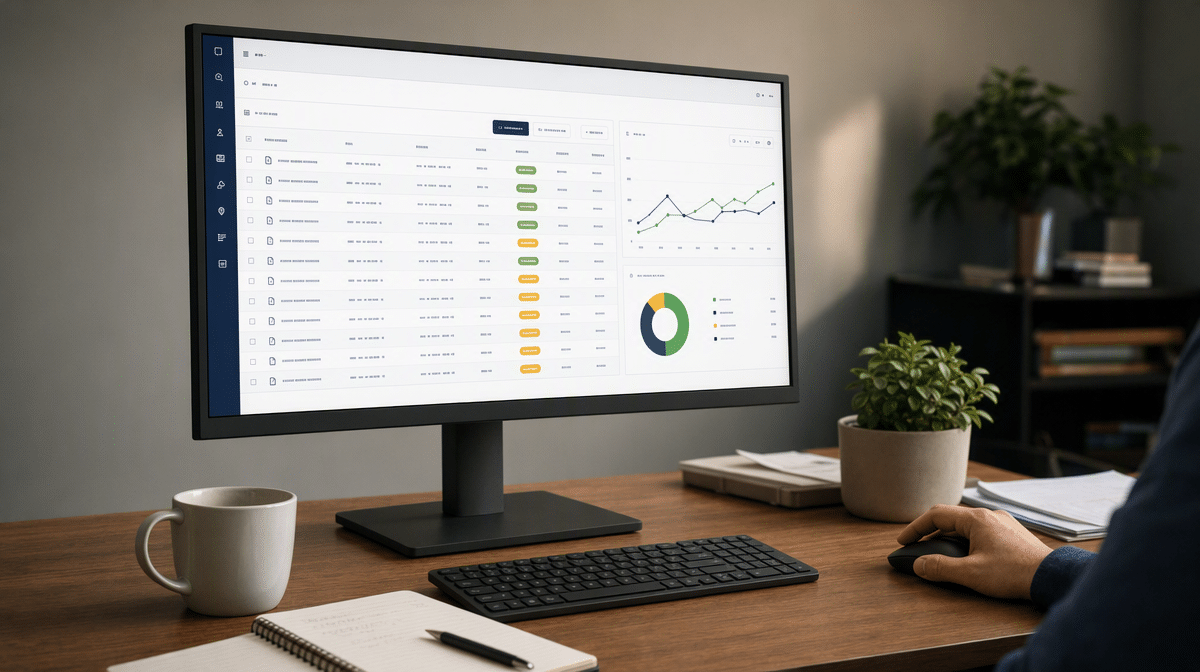
A digital QMS works by turning quality requirements into controlled workflows. Each workflow defines a trigger, an owner, required information, approvals, due dates, evidence, and a final record. The system then keeps those elements connected so managers can see both the work and the proof that the work occurred.
Controlled Information
Document control is the foundation. Policies, procedures, work instructions, forms, and specifications are stored with an owner, approval status, revision number, and effective date. Employees see the current version, while authorized users can retrieve revision history when an auditor or customer asks what was in force at a particular time.
Workflow and Accountability
Electronic workflows move work to the next responsible person. A nonconformity can trigger an investigation, a root-cause review, a corrective-action plan, verification of effectiveness, and closure. Notifications and escalations reduce the chance that an important task disappears in someone’s inbox.
Records and Audit Trails
Every completed form, approval, training acknowledgment, and status change becomes a quality record. The audit trail shows who acted, what changed, and when it happened. This history supports internal review and makes external audits easier to prepare for.
Measurement and Improvement
Dashboards and reports bring quality data together. Managers can monitor overdue corrective actions, repeat defects, complaint trends, audit findings, training completion, supplier performance, and process objectives. The goal is not a prettier chart. It is faster recognition of patterns that require action.
What Processes Should a Digital QMS Connect?
The best starting point is not a long feature list. It is the set of quality processes that must work together in your organization. Most digital quality management systems connect several core areas.
- Document control: drafting, review, approval, release, revision, distribution, and retirement of controlled information.
- Training and competence: assigning required learning, recording completion, and connecting training to procedure changes.
- Audit management: planning audits, recording evidence, assigning findings, and tracking closure.
- Nonconformity and corrective action: recording problems, investigating causes, assigning actions, and verifying effectiveness.
- Customer and supplier quality: managing complaints, supplier evaluations, incoming issues, and corrective requests.
- Risk and change control: assessing proposed changes, identifying risks, assigning approvals, and documenting decisions.
- Performance management: tracking objectives, key measures, management-review inputs, and improvement priorities.
These processes should share information rather than operate as separate modules. A revised inspection procedure may require employee retraining. A recurring supplier defect may create a corrective action and appear in management review. A system that preserves those relationships gives leaders a more complete picture of quality performance.
Organizations building the process foundation first can use the guidance on how to create and implement a quality management system. If ISO alignment is part of the goal, it also helps to define and control the ISO 9001 procedures before configuring automation around them.
What Are the Benefits of a Digital QMS?

One Reliable Source of Quality Information
Employees need to know which instruction is current and where to find it. A digital QMS reduces uncertainty by controlling access to approved information and preserving older revisions for authorized review. That improves consistency across locations, shifts, and departments.
Faster Response to Quality Problems
When a complaint or nonconformity is recorded, the system can assign responsibility and due dates immediately. Managers can see stalled actions before they become audit findings or repeat failures. Teams also spend less time searching for emails, attachments, and handwritten evidence.
Better Evidence for Decisions
Connected records make trend analysis more useful. Instead of reviewing isolated events, management can identify recurring causes, high-risk suppliers, slow approvals, or processes that miss objectives. Evidence-based decisions become part of routine management rather than a special exercise before an audit.
Stronger Support for ISO 9001
A digital QMS can support ISO 9001 by controlling documented information, clarifying process responsibilities, retaining records, monitoring performance, and driving improvement. The ANSI National Accreditation Board’s ISO 9001 overview highlights the process approach, the Plan-Do-Check-Act cycle, and risk-based thinking as central features of the standard.
Technology helps demonstrate those controls, but certification still depends on how the organization operates. A business preparing for certification should understand how to start ISO 9001 certification and how to meet quality standards with ISO 9001.
What Risks Should You Manage?
A digital QMS reduces some risks and introduces others. Treating the project as a software installation instead of an operating-system change is the most common mistake.
Poor Process Design
An automated bad process is still a bad process. Excessive approvals, duplicate data entry, and unclear ownership can become harder to change after they are embedded in software. Simplify the workflow before configuring it, using a lean ISO QMS approach where it fits.
Weak Adoption
People will create workarounds if the new system is slower than the old one or if training is limited to a feature tour. Role-based training should show employees what action they own, why the record matters, and what happens next.
Data and Access Risk
Quality records may include customer information, employee data, proprietary specifications, or regulated evidence. Access rights, backups, retention rules, system availability, and vendor security therefore belong in the selection and validation process.
Overcustomization
Heavy customization can make upgrades expensive and leave the organization dependent on one administrator or vendor. Configure the system around real requirements, but avoid rebuilding every legacy habit in digital form.
How Do You Implement a Digital QMS?
1. Define the Scope and Objectives
Identify the sites, products, services, departments, and quality processes the system will cover. Define the business outcomes you expect, such as faster corrective-action closure, better document control, simpler audit preparation, or more reliable training records.
2. Map the Current Processes
Document how work actually moves today, including handoffs, approvals, exceptions, records, and delays. Separate genuine control requirements from habits that accumulated over time. This is where unnecessary steps become visible.
3. Set Requirements and Select the System
Translate process needs into testable requirements. Consider document control, configurable workflows, audit trails, reporting, integration, mobile access, permissions, security, retention, support, and export capability. Evaluate the vendor against your required use cases instead of relying on a broad demonstration.
4. Configure and Migrate Carefully
Build a controlled configuration, assign owners, and clean the information before migration. Do not import duplicate procedures, expired forms, or unclear records merely because they exist. Test permissions, notifications, approval paths, reports, and record retrieval with realistic scenarios.
5. Pilot, Train, and Launch
Start with a contained process or team that represents the wider organization. Use pilot feedback to remove friction, then train each role on its responsibilities. A staged launch gives the implementation team time to correct problems before the system reaches every user.
6. Measure and Improve the System
Review whether the digital QMS is producing the intended results. Track adoption, overdue work, process cycle time, record quality, user questions, audit findings, and recurring exceptions. The system should evolve with the organization while its controls remain clear and documented.
A successful digital QMS does not remove human judgment. It gives judgment a dependable structure, puts the right information in front of the right person, and leaves evidence that the organization can learn from. When process discipline comes first, the technology becomes a practical enabler of consistent, measurable quality instead of another disconnected tool.
Frequently Asked Questions
What Is the Difference Between a Digital QMS and an Electronic QMS?
The terms digital QMS and electronic QMS generally describe the same concept: a quality management system delivered through software rather than paper files and disconnected spreadsheets. Some vendors use electronic QMS, or eQMS, as the product category name.
Does a Digital QMS Guarantee ISO 9001 Certification?
No. A digital QMS can support document control, records, audits, measurement, and corrective action, but certification depends on whether the organization’s management system meets ISO 9001 requirements and operates effectively.
What Documents Belong in a Digital QMS?
A digital QMS commonly controls policies, procedures, work instructions, forms, specifications, audit records, training evidence, nonconformity reports, corrective actions, supplier records, and management-review information. The exact set depends on the organization’s scope and requirements.
Can a Small Business Use a Digital QMS?
Yes. A small business can use a focused digital QMS to control documents, assign quality work, retain records, and prepare for audits. The system should match the organization’s complexity rather than copy the structure of a large enterprise.
How Long Does Digital QMS Implementation Take?
Implementation time depends on scope, process maturity, migration volume, integrations, validation needs, and user readiness. A phased rollout can deliver a useful first process sooner while preserving time to test controls and improve adoption.














