
How to Transfer a Large File

Sometimes you need to transfer a large file to a colleague or a client, and email just won’t do the trick. Attach a full video, a high-resolution design file, or a complete database export, and the message bounces straight back before it ever leaves your outbox. Ask yourself a simple question: when a file is too big to email, do you actually have a fast and secure way to send it?
Moving a large file from one place to another has never been easier, but the method you choose still matters. This article explains what a large file transfer is, why email falls short, and the best ways to transfer a large file securely, whether you are a small business with a few team members or a mega-corporation with millions. We will also cover how to keep files safe, what file size and transfer limits to expect, and how file transfer fits alongside the other web applications your business relies on.
What Is a Large File Transfer?
A large file transfer is the process of moving a file that is too big for a standard email attachment from one person, device, or server to another. The workforce is practically all digital now, and the use of information technology in business means teams share more video, imagery, and data than ever before. File transfers must be fast, accurate, secure, and complete, so the file that arrives is identical to the file that was sent.
You might need to move a large file even when you are taking virtual classes or sharing educational resources, not just when you are running a company. Whatever the situation, the goal is the same: get the file to the end-user quickly, keep it together in the way it was sent, and protect it along the way.
Why Won’t Email Handle Large Files?
Email was never built to move big files. Most providers cap attachments at roughly 25 megabytes, so a single video clip or a batch of raw photographs can exceed the limit on its own. When that happens, the message is rejected, quietly truncated, or held in a queue that never delivers. That is why email just won’t do the trick once your files grow past a few slides or a short document.
Sending sensitive material as an email attachment also carries risk. The Cybersecurity and Infrastructure Security Agency warns about the dangers of trusting and opening email attachments in its guidance on using caution with email attachments. For anything large or confidential, a purpose-built file transfer method is both safer and more reliable.
What Are the Best Ways to Transfer a Large File?
There are several dependable ways to transfer a large file, and the right fit depends on how often you send files, how big they are, and how much security you need. The most common options fall into four groups.
Cloud Storage Services
Cloud storage services such as Google Drive, Dropbox, and OneDrive let you upload a file once and share a link instead of the file itself. The recipient downloads it directly from the cloud, so nothing clogs an inbox. Cloud storage also gives you a certain amount of data storage on dedicated servers, and many providers bundle both cloud and local options. If you are weighing where your data should live, our guide to the best cloud solutions for business compares hosted, on-premise, and hybrid setups.
Managed File Transfer and Secure Mail
Managed file transfer platforms are designed for companies that move files constantly and cannot afford a failed delivery. One such company, GoAnywhere, offers a secure mail client with no file size limitations and no file type restrictions. These platforms combine dedicated servers or cloud storage with encryption services, so files stay private from the moment they leave your desk until they reach the end-user.
FTP and SFTP
File Transfer Protocol, and its secure sibling SFTP, remains a workhorse for moving large files between servers. With FTP access and file servers capable of great speed and accuracy, your team can push very large files on a schedule, automate recurring transfers, and keep files together to the end-user in the way they were sent. It is a strong fit when the same files move between the same systems again and again.
File Transfer Services
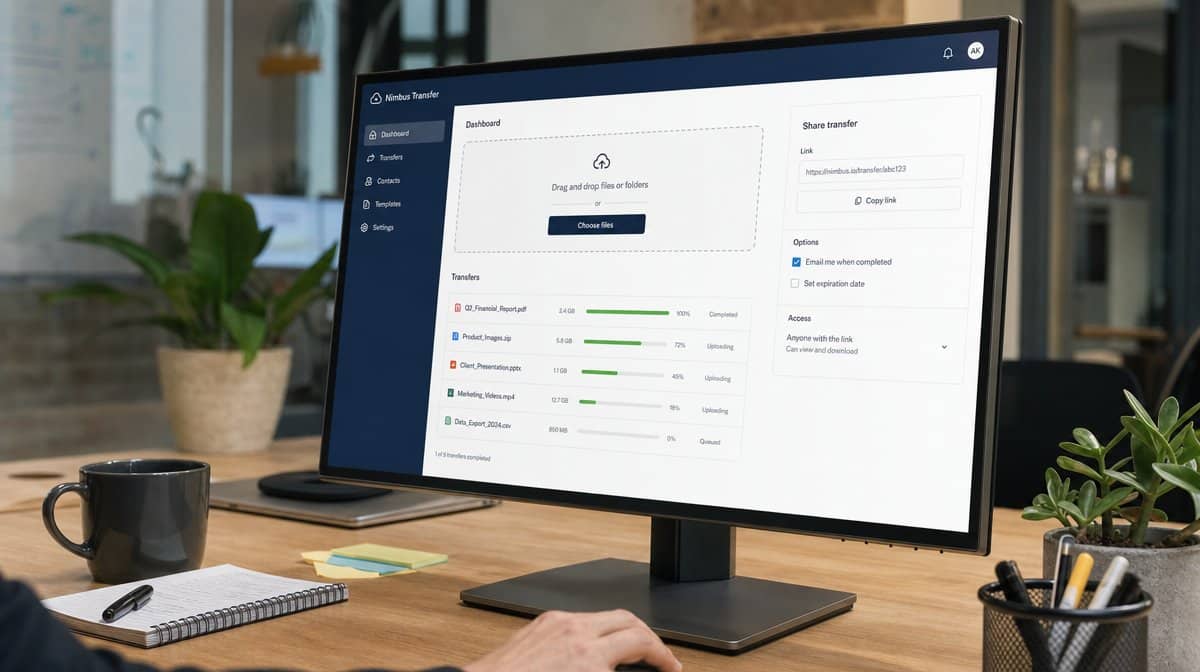
Consumer-friendly file transfer services let you send large files at one time without any software to install. Many of them offer file transfers and storage without size or transfer limits while ensuring on-time delivery. Comparison research from Comparitech on the best ways to transfer large files shows some services can send up to a 5TB file in a single transfer, which is more than enough for even the heaviest media project.
How Do You Keep Large File Transfers Secure?
Speed means nothing if the file arrives corrupted or lands in the wrong hands. Keeping files safe is the part of file transfer that most people overlook until something goes wrong. The company with the fastest and most dependable service will have file servers capable of great speed and accuracy, plus the ability to keep files together to the end-user while ensuring the strictest security.

Keeping Files Safe
There are many programs and companies that help employers ensure their files are received in the manner they intended. A dependable service confirms delivery, checks file integrity, and keeps each file intact so nothing is lost between sender and recipient. That reliability is what gives your team peace of mind, knowing every member will have instant access to the files they need to keep your work flowing flawlessly.
Encryption and Privacy
Encryption is what turns a file transfer into a private one. Providers normally offer a certain amount of data storage on either dedicated servers or cloud storage, and many pair it with encryption services to ensure privacy and a strong level of cybersecurity. When files carry financial records, customer data, or intellectual property, encryption keeps them protected in transit and at rest.
What Are the File Size and Transfer Limits?
Every method carries its own file size and transfer limits. Email stops at about 25 megabytes, cloud storage plans vary by tier, and managed file transfer or dedicated file transfer services can offer unlimited file transfers with the ability to send very large files at one time. Working with a provider that specializes in file transferring services gives your team instant access to the files they need, with dedicated servers, cloud storage, web, and FTP access all in one place.
Look for file encryption, multiple access abilities, and a storage package you can tailor to your needs. With those in place, you and your team can store and share files of all sizes and rest assured they will be sent securely, arrive complete, and be available almost immediately.
Can You Use Large File Transfer for Personal Use?
File transfer companies also offer services for personal use. Imagine having a dedicated server for your entire family to safely share photographs, family documents, programs, and more, with cloud services built in so everyone can access your family files from anywhere they happen to be. The same speed, encryption, and reliability that keep a business running can help your family stay in touch across the globe.
How Does File Transfer Fit Into Your Business Toolkit?
File transfer is one of the main business applications a modern company depends on, but it is far from the only one. As more organizations employ work-from-home team members, the web applications that keep business running efficiently have become more popular than ever. File transfer sits alongside antivirus and malware protection, sales and marketing applications, project management applications, payroll and accounting services, online banking and money transfer services, web hosting, cloud-based telephone systems, time tracking services, and instant messaging systems.
You are a professional, so let professional online tools supply you and your team with what you need to keep your business flowing smoothly and efficiently. The ability to transfer large files immediately, while ensuring the integrity and security of every one of them, is what keeps work moving whether you are a small business with just a few team members or a mega-corporation with millions.
Frequently Asked Questions
What Is the Easiest Way to Transfer a Large File?
For most people, uploading the file to a cloud storage service such as Google Drive, Dropbox, or OneDrive and sharing a link is the easiest way to transfer a large file. There is no software to install, and the recipient simply downloads the file from the link.
Why Can’t I Email a Large File?
Most email providers limit attachments to around 25 megabytes, so any file larger than that is rejected or fails to send. A dedicated file transfer method removes the size limit and delivers the file more reliably.
How Do I Transfer a Large File Securely?
Use a service that offers encryption in transit and at rest, such as a managed file transfer platform or a secure mail client. Encryption services and dedicated servers keep the file private and ensure it arrives complete and unchanged.
What Is the Largest File I Can Send?
It depends on the method. Email caps out near 25 megabytes, cloud storage varies by plan, and some file transfer services can send up to a 5TB file in a single transfer, which covers even the heaviest media projects.
Can I Use a File Transfer Service for Personal Files?
Yes. Many file transfer companies offer plans for personal use, letting your family safely share photographs, documents, and programs through dedicated servers and built-in cloud services from anywhere in the world.














