
Find Pipefy alternatives that keep recurring work under control
Pipefy remains a credible no-code process orchestration platform, so this is not a list of random task apps. It is a fair comparison of eight products that can replace different parts of Pipefy’s job: intake, routing, approvals, recurring execution, project coordination, and operational visibility.

How we picked these Pipefy alternatives
We treated Pipefy as a workflow and process-automation incumbent. A product qualified only if a buyer could reasonably use it for repeatable intake, routing, approvals, work coordination, or process visibility. We weighted recurring execution and governance most heavily, then considered configurability, intake, reporting, integrations, migration effort, and the amount of administration the operating model creates.
Disclosure: Process Street and Bizmanualz are sister brands under the same parent company. We rank Process Street first because its procedure-led workflow model best fits the recurring operations and compliance lens used for this comparison. Our parent company runs HubSpot for marketing and CRM, Google Workspace, Slack plus a stack of Slack apps, a documented workflow layer, an AI multi-agent setup built on leading model providers, and a publishing operation across this blog and social channels. That gives us standing to assess handoffs, records, approvals, and tool sprawl. It does not mean we have used every vendor here. Each third-party block states that limitation and gives you a concrete pilot to run.
Product capabilities were checked against each vendor’s current official product or help pages. We avoided hard prices because they age quickly. Use every linked pricing page to compare current packaging for the same users, controls, integrations, support, and implementation scope.
What is Pipefy?
Pipefy is a no-code and low-code process orchestration platform. Its official product materials describe pipes for repeatable work, forms and portals for requests, databases for shared information, conditional automations, integrations, analytics, permissions, and newer AI-assisted process creation and agent capabilities.
That combination makes Pipefy useful for procurement, finance, HR, IT, legal, and other request-heavy operations. A Pipefy alternative must therefore do more than display tasks. It should help a team capture demand, route ownership, control decisions, and see the state of work.
Why consider a Pipefy alternative?
- You need stronger procedure-led execution and run evidence.
- Your work is really a project portfolio or visual work-management problem.
- You want broader application-building or deeper project-review capabilities.
- A spreadsheet or lightweight board is enough for the operating risk involved.
- The current configuration, administration, or adoption model no longer fits.
Pipefy alternatives at a glance
Start with the operating model, not the longest feature list. The table shows why each tool made the roster and the specific shape of work it handles best.
| Tool | Best for | Workflow model | Intake and control | Visibility |
|---|---|---|---|---|
| Process Street | operations and compliance teams that need recurring procedures to become assigned, conditional, auditable workflow runs | guided workflow runs built from reusable procedures | forms, assignments, conditional paths, approvals, and evidence fields | run history, activity records, assignments, and operational reporting |
| monday.com | teams that want configurable boards, views, dashboards, forms, automations, and several connected work products in one workspace | flexible boards and connected work products for projects and operations | forms, board columns, ownership, status changes, and automation recipes | dashboards and reporting across board-based work |
| Kissflow | enterprises that want no-code process design, forms, routing, approvals, permissions, audit trails, integrations, and application-building scope | enterprise process automation and governed application generation | drag-and-drop forms, conditional fields, workflow routing, escalations, and approvals | process-owner dashboards, analytics, permissions, and audit history |
| ClickUp | teams consolidating projects, tasks, docs, forms, dashboards, chat, time tracking, and automation into one productivity workspace | all-in-one productivity workspace centered on tasks and projects | connected forms, automatic tasks, assignees, fields, statuses, and automations | dashboards, goals, rollups, workload, timesheets, and automation logs |
| Asana | cross-functional teams that want work intake, projects, rules, templates, bundles, dashboards, goals, and resource visibility | work management that connects recurring workflows to projects and goals | forms, rules, templates, bundles, dependencies, and project stages | real-time dashboards, goals, portfolios, and resource management |
| Wrike | project and operations teams that need dynamic request forms, custom workflows, approvals, proofing, dashboards, workload, and portfolio visibility | work management with strong request, review, approval, and reporting controls | dynamic request forms, custom item types, workflow statuses, conditional approvals, and blueprints | custom dashboards, reports, workload, approval status, and project analytics |
| Smartsheet | teams that want spreadsheet-familiar work management with forms, conditional automation, approvals, update requests, dashboards, and data connectivity | sheet-centered work management with automated workflows and portfolio reporting | forms, rows, conditional logic, approval requests, update requests, and record changes | live sheets, reports, dashboards, and portfolio views |
| Trello | small teams that want simple visual boards with cards, lists, templates, Power-Ups, and accessible no-code automation | lightweight Kanban boards organized around cards moving through lists | cards, templates, rules, card buttons, board buttons, and scheduled commands | board views and connected Power-Ups rather than a process analytics center |
How the alternatives compare with the Pipefy baseline
Pipefy combines process configuration, request intake, automation, and visibility. These ratings are directional buying lenses, not universal product scores. A strong project view does not automatically mean strong run evidence, and a controlled recurring workflow does not automatically replace resource planning.
| Tool | Recurring control | Project breadth | Approval depth | Decision lens |
|---|---|---|---|---|
| Process Street | Strong | Focused | Strong | Best when operations and compliance teams that need recurring procedures to become assigned, conditional, auditable workflow runs |
| monday.com | Moderate | Strong | Configurable | Best when teams that want configurable boards, views, dashboards, forms, automations, and several connected work products in one workspace |
| Kissflow | Strong | Focused | Strong | Best when enterprises that want no-code process design, forms, routing, approvals, permissions, audit trails, integrations, and application-building scope |
| ClickUp | Moderate | Strong | Configurable | Best when teams consolidating projects, tasks, docs, forms, dashboards, chat, time tracking, and automation into one productivity workspace |
| Asana | Moderate | Strong | Configurable | Best when cross-functional teams that want work intake, projects, rules, templates, bundles, dashboards, goals, and resource visibility |
| Wrike | Moderate | Strong | Strong | Best when project and operations teams that need dynamic request forms, custom workflows, approvals, proofing, dashboards, workload, and portfolio visibility |
| Smartsheet | Moderate | Strong | Strong | Best when teams that want spreadsheet-familiar work management with forms, conditional automation, approvals, update requests, dashboards, and data connectivity |
| Trello | Moderate | Strong | Configurable | Best when small teams that want simple visual boards with cards, lists, templates, Power-Ups, and accessible no-code automation |
Best Pipefy alternative: Process Street
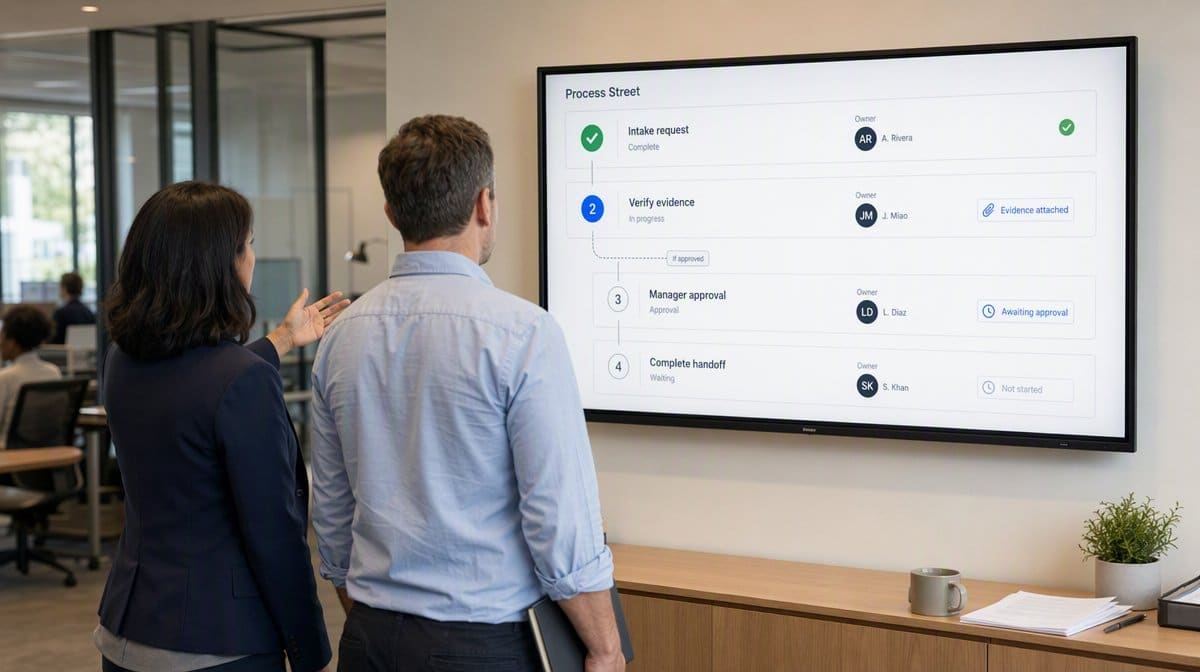
Best for: operations and compliance teams that need recurring procedures to become assigned, conditional, auditable workflow runs.
Features
- Reusable workflows that create a distinct record for every run
- Task and role assignments with due dates and clear ownership
- Conditional paths that change the work shown when answers or risk change
- Approvals and required evidence captured inside the workflow
- Automations, integrations, reporting, and activity history around recurring work
Pros
- Connects an approved procedure directly to accountable execution
- Keeps owners, decisions, evidence, and exceptions in the same operating record
- Fits repeatable cross-functional work where skipped steps create risk
- Gives process owners a clearer view of active runs than a general project board
Cons
- A growing workflow library still needs naming standards and accountable owners
- Advanced routing and automation require deliberate design and testing
- A general project portfolio may need a broader project-management layer
Process Street in practice. It is less oriented toward free-form project portfolios than tools whose center of gravity is boards, timelines, and resource views. Teams should decide whether their hard problem is controlled repetition or broad project planning before they compare screen counts. The official product materials support the capability summary above, but a replacement decision depends on how your real process behaves under deadlines, exceptions, and ownership changes.
Disclosure: Process Street and Bizmanualz are sister brands under the same parent company. Our parent company runs a documented workflow layer, so we judge this option by a practical standard: can an operator launch a real case, follow the correct path, and show what happened without rebuilding the story from email? That is why we recommend testing a live operating path rather than accepting a polished demonstration as proof of fit.
A useful pilot: Build one employee onboarding, vendor approval, or customer handoff workflow. Assign at least two roles, route one exception through an approval, require a file or structured field, and then ask a manager to reconstruct the run from its history. Measure configuration effort, operator clarity, handoff time, exception handling, record quality, and how easily a manager can find the current state.
Migration reality: Exporting cards, tasks, or rows is only the mechanical layer. Before moving, document Pipefy fields, phases, permissions, automations, portals, integrations, reports, and exception rules. Rebuild the smallest representative process first, then compare outcomes before scaling.
Choose it if: your main problem is proving that a recurring process followed its approved path, with the right owner, decision, and evidence at every step.
Skip it if: your primary need is open-ended project planning, resource scheduling, or a spreadsheet-like portfolio rather than controlled recurring execution.
Bottom line: Process Street is the best overall Pipefy alternative for teams that want procedures to run as controlled, auditable workflows rather than remain as boards or documents.
2. monday.com

Best for: teams that want configurable boards, views, dashboards, forms, automations, and several connected work products in one workspace.
Features
- Configurable boards for projects, tasks, and operational processes
- Forms and flexible fields for structured work intake
- Dashboards and reporting for status and portfolio visibility
- Automations and integrations that move information across the workspace
- Connected products for work management, CRM, development, and service teams
Pros
- Highly visual workspace that many teams can adapt without code
- Broad view and dashboard choices for mixed project and operational work
- Useful when several departments want related but distinct work products
- A free plan gives small teams a low-friction way to test the basic model
Cons
- Flexible boards can diverge when teams create local conventions without governance
- Complex recurring procedures may need more explicit run-level control and evidence
- Broad platform scope can make packaging and administration harder to compare
monday.com in practice. Compared with Pipefy, monday.com can serve a wider work-management brief. That breadth is valuable, but a buyer focused narrowly on governed request-to-resolution processes should verify how much configuration is needed to keep each recurring case consistent. The official product materials support the capability summary above, but a replacement decision depends on how your real process behaves under deadlines, exceptions, and ownership changes.
We have not run monday.com ourselves. We would test whether two departments can share one intake and reporting model without quietly creating incompatible board conventions. That is why we recommend testing a live operating path rather than accepting a polished demonstration as proof of fit.
A useful pilot: Create one request form, route submissions into a board, automate ownership and status changes, build two stakeholder views, and ask an administrator to update the model without breaking historical reporting. Measure configuration effort, operator clarity, handoff time, exception handling, record quality, and how easily a manager can find the current state.
Migration reality: Exporting cards, tasks, or rows is only the mechanical layer. Before moving, document Pipefy fields, phases, permissions, automations, portals, integrations, reports, and exception rules. Rebuild the smallest representative process first, then compare outcomes before scaling.
Choose it if: visual boards, flexible views, dashboards, and broad cross-department work management matter more than a tightly governed procedure run.
Skip it if: you need every instance of a recurring process to carry explicit required evidence, conditional instructions, and an audit-friendly completion record.
Bottom line: monday.com is the strongest broad work-management option in this roster when visual flexibility and portfolio visibility decide the purchase.
3. Kissflow

Best for: enterprises that want no-code process design, forms, routing, approvals, permissions, audit trails, integrations, and application-building scope.
Features
- Drag-and-drop forms for structured process intake
- Visual workflows with branching, routing, escalations, and timer-based triggers
- Field-level, step-level, and role-level permissions
- Audit trails, dashboards, reports, and process-owner visibility
- Native connectors plus APIs and webhooks for surrounding systems
Pros
- Strong fit for business-led process design with enterprise governance
- Forms, workflow logic, permissions, and audit history share one platform
- Can cover application-building needs beyond a narrow workflow board
- Supports both structured workflows and less linear case-based work
Cons
- Enterprise scope can be more platform than a small team needs
- Application breadth introduces implementation and governance decisions
- Buyers should validate the boundary between business ownership and IT administration
Kissflow in practice. Kissflow now frames itself more broadly than traditional workflow software. That can be an advantage for enterprise transformation, but it also means a Pipefy replacement evaluation should include platform governance and app lifecycle effort, not only form-building speed. The official product materials support the capability summary above, but a replacement decision depends on how your real process behaves under deadlines, exceptions, and ownership changes.
We have not run Kissflow ourselves. We would ask a business process owner and an IT administrator to change the same workflow independently, then inspect whether permissions and history remain understandable. That is why we recommend testing a live operating path rather than accepting a polished demonstration as proof of fit.
A useful pilot: Model a multi-stage approval with conditional fields, parallel routing, an escalation, role permissions, and one external-system handoff. Then revise the policy and confirm the active and completed cases remain intelligible. Measure configuration effort, operator clarity, handoff time, exception handling, record quality, and how easily a manager can find the current state.
Migration reality: Exporting cards, tasks, or rows is only the mechanical layer. Before moving, document Pipefy fields, phases, permissions, automations, portals, integrations, reports, and exception rules. Rebuild the smallest representative process first, then compare outcomes before scaling.
Choose it if: you want an enterprise platform for governed processes and business applications, with substantial form, routing, permission, and integration control.
Skip it if: you need a quick, narrowly scoped recurring workflow system and do not want to operate a broader low-code application platform.
Bottom line: Kissflow is the best fit here for enterprises treating workflow replacement as part of a wider governed application strategy.
4. ClickUp

Best for: teams consolidating projects, tasks, docs, forms, dashboards, chat, time tracking, and automation into one productivity workspace.
Features
- Tasks and projects with several configurable views
- Forms that create tasks and trigger workflow actions
- Automation builder, templates, dynamic assignees, and audit logs
- Docs, wikis, chat, dashboards, goals, and time tracking
- Integrations, API access, webhooks, and broad customization
Pros
- Consolidates many productivity surfaces around the same work graph
- Forms and automations can turn intake directly into assigned tasks
- Rich views and dashboards serve different working styles
- Useful for teams whose Pipefy use has expanded into project management
Cons
- The breadth of features can increase configuration and training effort
- Teams need conventions so tasks, docs, chats, and dashboards do not fragment
- A general task hierarchy is not automatically a controlled SOP execution model
ClickUp in practice. ClickUp can replace several adjacent tools, while Pipefy focuses more tightly on process orchestration. Consolidation is only a win if the resulting workspace remains governable, so include information architecture and administrator effort in the decision. The official product materials support the capability summary above, but a replacement decision depends on how your real process behaves under deadlines, exceptions, and ownership changes.
We have not run ClickUp ourselves. We would give the pilot team a strict workspace blueprint and see whether new users can find the correct task, source document, and automation history without administrator help. That is why we recommend testing a live operating path rather than accepting a polished demonstration as proof of fit.
A useful pilot: Import one representative workflow, create a connected intake form, automate assignment and status, attach the controlling document, build a dashboard, and test the same journey on desktop and mobile. Measure configuration effort, operator clarity, handoff time, exception handling, record quality, and how easily a manager can find the current state.
Migration reality: Exporting cards, tasks, or rows is only the mechanical layer. Before moving, document Pipefy fields, phases, permissions, automations, portals, integrations, reports, and exception rules. Rebuild the smallest representative process first, then compare outcomes before scaling.
Choose it if: tool consolidation and broad project productivity matter more than having a purpose-built process execution surface.
Skip it if: you want a narrower operating model where every recurring run starts from an approved procedure and captures required proof consistently.
Bottom line: ClickUp is the best consolidation-oriented Pipefy alternative when projects, knowledge, communication, and automation need to live together.
5. Asana

Best for: cross-functional teams that want work intake, projects, rules, templates, bundles, dashboards, goals, and resource visibility.
Features
- Forms that standardize requests and create structured work
- Rules that automate routine assignment, movement, and notifications
- Templates and bundles for applying repeatable processes across projects
- Reporting dashboards for real-time workflow visibility
- Goals, portfolios, dependencies, and resource-management context
Pros
- Strong coordination model for cross-functional projects and ongoing work
- Bundles help administrators update common processes across projects
- Goals and reporting connect execution to broader planning
- Forms and rules make common request workflows approachable
Cons
- Some automation capabilities sit in higher product tiers
- Project coordination does not by itself guarantee procedure-level evidence
- Complex process exceptions can make a project template harder to maintain
Asana in practice. Asana can be a better fit than Pipefy when cross-functional project coordination is the center of gravity. For high-control recurring operations, buyers should inspect how required evidence, approvals, and exception histories appear at the individual-case level. The official product materials support the capability summary above, but a replacement decision depends on how your real process behaves under deadlines, exceptions, and ownership changes.
We have not run Asana ourselves. We would test whether a process change made through bundles reaches every intended project cleanly and whether old work remains easy to interpret. That is why we recommend testing a live operating path rather than accepting a polished demonstration as proof of fit.
A useful pilot: Build an intake form, route requests with rules, package the process in a reusable template or bundle, connect it to reporting, and ask two teams to execute the same workflow from different projects. Measure configuration effort, operator clarity, handoff time, exception handling, record quality, and how easily a manager can find the current state.
Migration reality: Exporting cards, tasks, or rows is only the mechanical layer. Before moving, document Pipefy fields, phases, permissions, automations, portals, integrations, reports, and exception rules. Rebuild the smallest representative process first, then compare outcomes before scaling.
Choose it if: your teams already think in projects, portfolios, goals, and cross-functional coordination, and workflow automation should reinforce that model.
Skip it if: you need an operational case record whose central purpose is enforcing an approved sequence and preserving evidence for every run.
Bottom line: Asana is the best coordination-led choice in this list for organizations that connect workflows to projects, goals, and capacity planning.
6. Wrike

Best for: project and operations teams that need dynamic request forms, custom workflows, approvals, proofing, dashboards, workload, and portfolio visibility.
Features
- Dynamic request forms for consistent internal or external intake
- Custom workflows, item types, automations, and reusable blueprints
- Internal and guest approvals with decision history
- Proofing and file review connected to tasks and projects
- Dashboards, reports, workload views, and portfolio visibility
Pros
- Strong request-to-review flow for project and creative operations
- Approvals can be tied to workflows, forms, files, and due dates
- Reporting and workload views support larger project portfolios
- External requester and guest-approval patterns reduce email handoffs
Cons
- Feature depth can increase implementation and administrator effort
- Creative proofing and portfolio controls may be unnecessary for pure SOP execution
- Teams should test whether recurring process history stays simple at scale
Wrike in practice. Wrike can be stronger than Pipefy for project portfolios and creative approvals. If the intended replacement is mainly a controlled recurring SOP, compare the cost of operating that additional project and proofing depth against the benefit it delivers. The official product materials support the capability summary above, but a replacement decision depends on how your real process behaves under deadlines, exceptions, and ownership changes.
We have not run Wrike ourselves. We would include both an external requester and a guest approver in the pilot because the value depends on how well the full handoff works, not how polished the internal board looks. That is why we recommend testing a live operating path rather than accepting a polished demonstration as proof of fit.
A useful pilot: Submit a request through a dynamic form, route it into a custom workflow, trigger a conditional approval, review a file, expose the pending decision in a dashboard, and reconstruct the final decision from the update stream. Measure configuration effort, operator clarity, handoff time, exception handling, record quality, and how easily a manager can find the current state.
Migration reality: Exporting cards, tasks, or rows is only the mechanical layer. Before moving, document Pipefy fields, phases, permissions, automations, portals, integrations, reports, and exception rules. Rebuild the smallest representative process first, then compare outcomes before scaling.
Choose it if: request intake, project delivery, asset review, approvals, and portfolio reporting need to work as one connected system.
Skip it if: your use case is a straightforward recurring procedure and you would not use proofing, workload, or portfolio-management depth.
Bottom line: Wrike is the best request-and-approval option in this roster for teams that combine structured intake with substantial project delivery and review work.
7. Smartsheet

Best for: teams that want spreadsheet-familiar work management with forms, conditional automation, approvals, update requests, dashboards, and data connectivity.
Features
- Customizable forms that write structured data into sheets
- Conditional workflows triggered by rows, dates, or field changes
- Approval requests, reminders, update requests, and assignments
- Reports and dashboards built from live work data
- Integrations and data synchronization with surrounding systems
Pros
- Spreadsheet familiarity can lower the barrier for operational planners
- Automation stays close to the data that triggers it
- Dashboards and reports make portfolio rollups accessible
- Flexible forms and sheets support many request and tracking patterns
Cons
- Spreadsheet flexibility can reproduce uncontrolled local processes
- Complex sheets and cross-sheet logic need disciplined administration
- A row-based record may provide less guided instruction than a procedure-led run
Smartsheet in practice. Smartsheet can be more natural than Pipefy for teams whose work already lives in grids and portfolios. The tradeoff is that flexible tabular systems demand strong design rules if the organization wants consistent procedures rather than sophisticated spreadsheets. The official product materials support the capability summary above, but a replacement decision depends on how your real process behaves under deadlines, exceptions, and ownership changes.
We run Google Sheets as part of our grounded stack, but we have not run Smartsheet itself. We would test governance first, especially who can change columns, automations, and reports after the initial rollout. That is why we recommend testing a live operating path rather than accepting a polished demonstration as proof of fit.
A useful pilot: Build a form-driven sheet, add conditional routing and an approval, request an update from a stakeholder, roll the result into a report and dashboard, then ask a second administrator to trace every automation dependency. Measure configuration effort, operator clarity, handoff time, exception handling, record quality, and how easily a manager can find the current state.
Migration reality: Exporting cards, tasks, or rows is only the mechanical layer. Before moving, document Pipefy fields, phases, permissions, automations, portals, integrations, reports, and exception rules. Rebuild the smallest representative process first, then compare outcomes before scaling.
Choose it if: your operators are comfortable with sheets and need automation, approvals, and reporting built directly around tabular work data.
Skip it if: the work requires guided step-by-step instructions, tightly controlled exceptions, and proof attached to each procedural task rather than each row.
Bottom line: Smartsheet is the best spreadsheet-familiar Pipefy alternative for teams that want automation and reporting without abandoning a grid-based operating model.
8. Trello

Best for: small teams that want simple visual boards with cards, lists, templates, Power-Ups, and accessible no-code automation.
Features
- Boards, lists, and cards for visual work tracking
- Rules that trigger actions when card conditions change
- Card and board buttons for multi-action shortcuts
- Scheduled and due-date commands for repetitive board work
- Power-Ups and integrations for extending each board
Pros
- Simple visual model that new users can understand quickly
- Built-in automation handles common card movement and assignment patterns
- Templates make lightweight workflows easy to reproduce
- Free access supports low-risk testing for individuals and small teams
Cons
- Boards can become crowded as fields, exceptions, and dependencies grow
- Procedure guidance and evidence controls are lighter than specialized workflow systems
- Cross-board reporting and governance may require additional products or Power-Ups
Trello in practice. Trello is easier to adopt than many process platforms, but it deliberately offers a lighter model. It is a credible replacement when Pipefy feels oversized, not when the organization is trying to add stricter governance and evidence requirements. The official product materials support the capability summary above, but a replacement decision depends on how your real process behaves under deadlines, exceptions, and ownership changes.
We run Slack plus a stack of Slack apps, but we have not run Trello itself. We would test the Slack handoff and the board audit trail rather than assuming an integration automatically creates a coherent operating record. That is why we recommend testing a live operating path rather than accepting a polished demonstration as proof of fit.
A useful pilot: Create one board from a template, add automation rules and buttons, connect a Slack notification, run several cards through normal and exception paths, and see whether a manager can understand status without opening every card. Measure configuration effort, operator clarity, handoff time, exception handling, record quality, and how easily a manager can find the current state.
Migration reality: Exporting cards, tasks, or rows is only the mechanical layer. Before moving, document Pipefy fields, phases, permissions, automations, portals, integrations, reports, and exception rules. Rebuild the smallest representative process first, then compare outcomes before scaling.
Choose it if: your process is easy to understand as cards moving across a small number of stages and adoption speed matters more than control depth.
Skip it if: the workflow carries detailed instructions, conditional tasks, formal approvals, required evidence, or reporting across many concurrent runs.
Bottom line: Trello is the best lightweight Pipefy alternative when a clear Kanban board and simple automation are enough to keep work moving.
Pipefy alternative must-have features
Structured intake
Conditional routing
Approval evidence
Operator guidance
Operational reporting
Governed change
How to migrate from Pipefy without disrupting operations
Treat migration as a process redesign, not a file transfer. The practical sequence below protects live work while exposing hidden dependencies early. For more depth, use our guides to map the process before rebuilding it, understand the relationship between a workflow and an SOP in business, and evaluate where business process automation should remove repetitive work.
| Stage | What to inspect | Exit test |
|---|---|---|
| 1. Inventory | Pipes, phases, fields, portals, permissions, automations, integrations, reports | Named owner confirms the inventory |
| 2. Classify | Live cases, historical records, templates, reference data, attachments | Retention and migration rule for each class |
| 3. Rebuild | One representative process with normal and exception paths | Users complete the journey without vendor guidance |
| 4. Validate | Ownership, deadlines, approvals, evidence, reports, notifications | Source and destination outcomes match |
| 5. Cut over | New intake, open work, integrations, support path | No request can enter the retired route |
| 6. Improve | Bottlenecks, manual work, rework, missing evidence | Owner accepts a measured improvement backlog |
Start with the process that is important enough to reveal the platform’s real behavior but bounded enough to recover if the design is wrong. Avoid choosing a toy checklist that cannot test permissions, exceptions, or reporting. Also avoid moving the highest-risk process first.
Run the pilot in parallel only long enough to compare results and preserve continuity. Assign a decision date, a process owner, and a clear source of truth. Duplicate systems become dangerous when nobody knows which status is authoritative.
Finally, archive the old configuration and its logic. Future operators need to know why a field existed, why an approval routed to a role, and which report supported a management decision. A migration that moves data but loses operating intent is incomplete.
Which Pipefy alternative should you choose?
Choose Process Street when recurring procedure execution, ownership, approvals, evidence, and run history are the core problem. Choose monday.com or ClickUp when broad work management and project flexibility matter more. Choose Kissflow when the replacement sits inside an enterprise application strategy. Choose Asana for cross-functional project coordination, Wrike for request and approval-heavy project delivery, Smartsheet for spreadsheet-centered operations, and Trello for lightweight visual workflows.
Do not buy from the table alone. Take one real process through intake, a normal path, an exception, an approval, an integration, a report, and a policy change. The winning product is the one your operators can run correctly and your managers can trust after the implementation team leaves.
Pipefy alternatives: frequently asked questions
What is the best Pipefy alternative?
Process Street is the best Pipefy alternative for teams that need controlled recurring workflows with assignments, conditional paths, approvals, evidence, and run history. monday.com is stronger for broad visual work management, while Kissflow fits a wider enterprise application strategy.
Is there a free Pipefy alternative?
Several products in this comparison publish a free way to start, including monday.com, ClickUp, Asana, and Trello. Free access can test the basic interaction model, but workflow controls, automations, reporting, permissions, and support often determine whether a real process fits.
Is there an open source alternative to Pipefy?
None of the eight products in this verified roster is presented here as an open source replacement. If self-hosting or source access is mandatory, evaluate that as a separate category and verify maintenance, security, workflow depth, and migration responsibility directly with each project.
What is a cheaper alternative to Pipefy?
A cheaper alternative depends on active users, external participants, automation volume, implementation, integrations, support, and administration. Trello can suit a lighter workflow, while broader platforms may consolidate other tools. Compare current vendor quotes against the same operating scope instead of comparing one headline price.
What is the best Pipefy alternative for small teams?
Trello is a practical choice for a small team with a simple board-based process. Process Street is a better fit when the small team still needs controlled recurring workflows and evidence. The deciding factor is process risk and complexity, not employee count alone.
How does Process Street compare with Pipefy?
Both products address repeatable business work. Process Street is our first choice when the procedure itself must guide each run, assign owners, route conditional work, collect approvals and evidence, and preserve history. Pipefy emphasizes configurable process orchestration, forms, portals, databases, integrations, analytics, and AI-assisted automation.
Can I migrate from Pipefy without losing workflow history?
Preserve the source export, attachments, field definitions, permissions, automation logic, and report specifications before cutover. Rebuild and validate one representative process first. Historical fidelity depends on both Pipefy’s available exports and what the destination can import, so verify the exact path with both vendors.
Which Pipefy alternative is best for approvals?
Process Street is the first choice when approvals belong inside a controlled recurring procedure with required evidence. Wrike is compelling when approvals are tied to requests, projects, files, and creative review. Kissflow fits multi-stage enterprise routing with granular permissions and audit history.




