
Find the right HubSpot alternative without overpaying
The best HubSpot alternatives for most small and mid-size teams are Zoho CRM for feature breadth, Pipedrive for pipeline usability, and Freshsales for built-in sales AI, with Salesforce, Copper, monday CRM, Insightly, and Close covering more specific motions. Every one of them does the core CRM job of contacts, pipeline, automation, and reporting without the cost curve and feature surface that push teams to look past HubSpot in the first place.
Did you know that businesses waste an estimated 20 to 30 percent of their software budget on tools they underuse? CRM is one of the most common places it happens. HubSpot is one of the most complete customer platforms on the market, and we do not say that lightly: we actually run marketing and CRM on HubSpot inside our own parent company. That real usage is exactly why we know it is not the right fit for every team. Past the free tier, pricing climbs fast, the feature surface can be more than a lean ops team needs, and teams that live in a specific stack often want something simpler or cheaper.
This post walks you through the best HubSpot alternatives currently on the market, with an honest write-up of each tool (what it is, who it is best for, features, pros, and cons), followed by the must-have CRM features to check before you switch.
Did you know that businesses waste an estimated 20 to 30 percent of their software budget on tools they underuse? CRM is one of the most common places it happens. HubSpot is one of the most complete customer platforms on the market, and we do not say that lightly: we actually run marketing and CRM on HubSpot inside our own parent company. That real usage is exactly why we know it is not the right fit for every team. Past the free tier, pricing climbs fast, the feature surface can be more than a lean ops team needs, and teams that live in a specific stack often want something simpler or cheaper.
This post walks you through the best HubSpot alternatives currently on the market, with an honest write-up of each tool (what it is, who it is best for, features, pros, and cons), followed by the must-have CRM features to check before you switch.

How we picked these HubSpot alternatives. Every tool below is a real, currently supported CRM that a small or mid-size team can buy and run without a systems integrator. We scored each one on five criteria, weighted in this order: genuine CRM coverage against what HubSpot actually does, total cost at ten seats rather than headline entry price, time to a working setup, depth of the integrations the tool is bought for, and honest limits (what it does not do). Tools that only exist as an add-on to a bigger suite, or that had no public pricing, were excluded.
Why we can speak to this. Our parent company runs its own marketing and CRM on HubSpot, so this list is written from the inside of the product rather than from its feature page. Day to day our operations run on Google Workspace (Gmail, Sheets, Drive), Slack and a stack of Slack apps, and a documented workflow layer, with an AI multi-agent setup that drafts, checks, and publishes content like this post. Where a tool below touches something we genuinely run, we say so in that tool’s section. Where it does not, we say that too rather than inventing experience.
Published: August 2026. Last updated: August 2026. We deliberately do not print vendor prices on this page, because CRM pricing and packaging change often and a stale number is worse than none. Every tool links to its own live pricing page for current figures. Editorially maintained by the Bizmanualz team.
Why we can speak to this. Our parent company runs its own marketing and CRM on HubSpot, so this list is written from the inside of the product rather than from its feature page. Day to day our operations run on Google Workspace (Gmail, Sheets, Drive), Slack and a stack of Slack apps, and a documented workflow layer, with an AI multi-agent setup that drafts, checks, and publishes content like this post. Where a tool below touches something we genuinely run, we say so in that tool’s section. Where it does not, we say that too rather than inventing experience.
Published: August 2026. Last updated: August 2026. We deliberately do not print vendor prices on this page, because CRM pricing and packaging change often and a stale number is worse than none. Every tool links to its own live pricing page for current figures. Editorially maintained by the Bizmanualz team.
What is CRM software?
CRM (customer relationship management) software is the system of record for your contacts, deals, and customer communication. It stores every account, tracks every conversation, and shows you where each deal sits in the pipeline. HubSpot bundles CRM with marketing, sales, and service software in one platform.
A HubSpot alternative is any tool that covers the CRM job, and often the sales or marketing job, at a different price point, complexity level, or focus. The goal is to match the tool to how your team actually works instead of paying for a full platform you only partly use. If you are still mapping the wider stack, start with what software you actually need to run a business and buy the CRM into that picture rather than around it.
A HubSpot alternative is any tool that covers the CRM job, and often the sales or marketing job, at a different price point, complexity level, or focus. The goal is to match the tool to how your team actually works instead of paying for a full platform you only partly use. If you are still mapping the wider stack, start with what software you actually need to run a business and buy the CRM into that picture rather than around it.
CRM software benefits
- One source of truth for every contact, deal, and conversation.
- Automated follow-up so leads do not slip through the cracks.
- Pipeline visibility and forecasting for the sales team.
- Reporting that ties activity to revenue.
- Integrations with the tools you already run: email, calendar, Slack, and your workflow layer.
HubSpot alternatives compared
The short version: Zoho CRM is the best all-round HubSpot alternative for small and mid-size teams, Pipedrive wins on rep adoption, Salesforce on configurability, Copper for Google Workspace teams, and Close for outbound calling. The table compares all eight on the dimensions that actually decide a CRM switch.
| CRM | Best for | Standout strength | Setup effort | Marketing depth vs HubSpot |
|---|---|---|---|---|
| Zoho CRM | SMBs that want most of HubSpot’s capability for less | Broadest feature coverage per dollar | About a week to configure well | Strong for the price, below HubSpot |
| Pipedrive | Sales teams that stopped updating their last CRM | Pipeline usability and rep adoption | Live in a day or two | Thin, add-ons required |
| Salesforce | Complex processes with a named admin | Unlimited configurability and ecosystem | Weeks, and ongoing admin | Deep, at enterprise cost |
| Freshsales | Teams that want useful sales AI on a budget | Built-in scoring and assistive AI | Live in a few days | Moderate, light analytics |
| Copper | Teams living in Gmail, Sheets, and Drive | Runs inside the Gmail sidebar | Live in a day | Weakest on this list |
| monday CRM | Teams already working in monday.com boards | Visual, flexible board-based pipelines | Fast to start, needs an owner | Moderate, general-purpose |
| Insightly | Services teams that sell and then deliver | CRM plus project delivery in one record | Under a week | Basic campaign tooling |
| Close | High-velocity outbound and calling teams | Native calling, SMS, and sequences | Live in a day or two | Effectively none by design |
Best HubSpot alternative: Zoho CRM

Zoho CRM is the alternative we would hand most small and mid-size teams first. It covers the large majority of what HubSpot does at a fraction of the cost, and it sits inside a broad suite (mail, projects, books, desk) you can grow into.
Best for: SMBs that want most of HubSpot’s capability without HubSpot’s price.
Best for: SMBs that want most of HubSpot’s capability without HubSpot’s price.
Features
- Sales pipeline and workflow automation
- Built-in analytics and dashboards
- Email, telephony, and social integration
- Deep Zoho app ecosystem
- Generous, genuinely usable free and low-cost tiers
Pros
- Excellent value for the feature set
- Scales into a full business suite
- Strong automation on affordable plans
Cons
- Busier interface than HubSpot
- Steeper first-week learning curve
- Best value only if you adopt more of the Zoho ecosystem
Zoho CRM is the closest thing on this list to a like-for-like HubSpot replacement at a small-business budget. You get pipeline management, workflow automation, email and telephony, dashboards, and a free edition for very small teams, with paid editions billed per user per month across several tiers. Check the linked pricing page for current numbers. The trade you are making is interface polish for feature breadth.
In practice the decision comes down to whether you will adopt more of the Zoho suite. The value compounds when mail, projects, books, and desk share one contact record. Use only the CRM and you have a cheaper CRM with a busier interface. Adopt three or four Zoho apps and you have most of an operating system for a small business for what one HubSpot hub costs.
Migration is manageable. Zoho imports HubSpot contact, company, and deal exports directly and maps custom properties without scripting. Budget a week of configuration before you judge it, because the out-of-the-box defaults are noisier than HubSpot’s and most of the complaints about Zoho are really complaints about an unconfigured Zoho.
In practice the decision comes down to whether you will adopt more of the Zoho suite. The value compounds when mail, projects, books, and desk share one contact record. Use only the CRM and you have a cheaper CRM with a busier interface. Adopt three or four Zoho apps and you have most of an operating system for a small business for what one HubSpot hub costs.
Migration is manageable. Zoho imports HubSpot contact, company, and deal exports directly and maps custom properties without scripting. Budget a week of configuration before you judge it, because the out-of-the-box defaults are noisier than HubSpot’s and most of the complaints about Zoho are really complaints about an unconfigured Zoho.
Choose it if: you want the broadest capability per dollar and you will spend a week configuring it properly.
Skip it if: your team judges software on interface polish, or you need HubSpot-grade marketing automation working on day one.
Skip it if: your team judges software on interface polish, or you need HubSpot-grade marketing automation working on day one.
Bottom line: The best all-round HubSpot alternative for small and mid-size teams that value capability per dollar over polish.
Check out the pricing plan for Zoho CRM.
Pipedrive
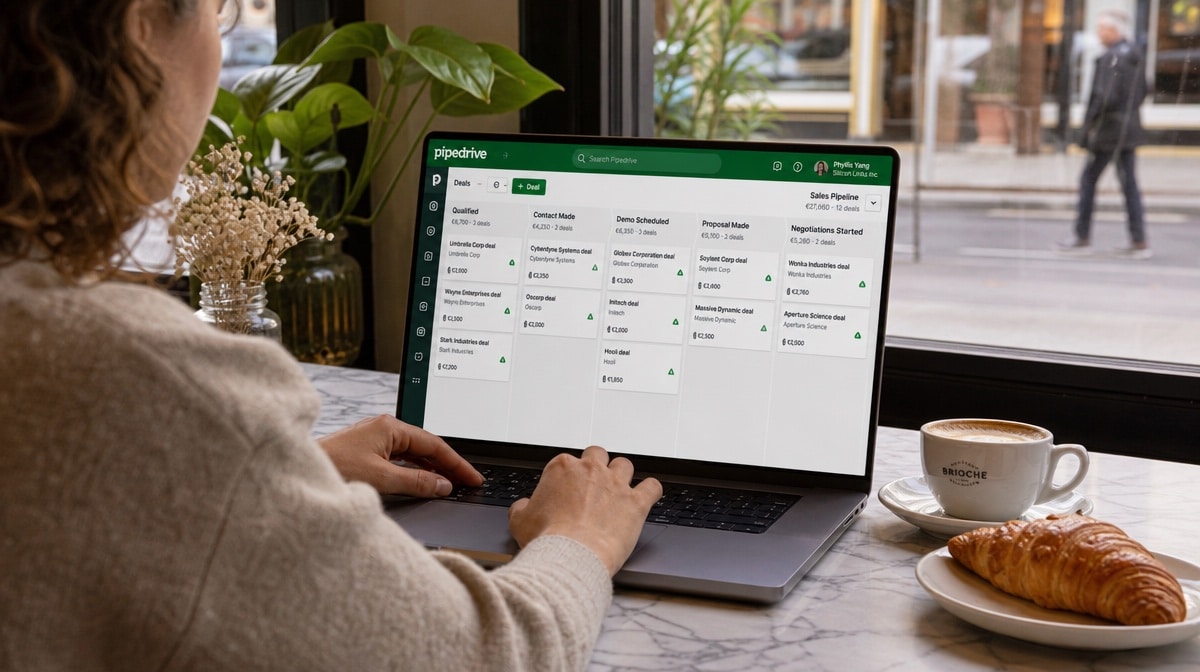
Pipedrive is a sales-first CRM built around a clean, visual, drag-and-drop pipeline. It deliberately does less than HubSpot, which is the point: less to configure, faster for reps to actually use.
Best for: Outbound and inside-sales teams focused on moving deals through stages.
Best for: Outbound and inside-sales teams focused on moving deals through stages.
Features
- Visual drag-and-drop pipeline
- Activity reminders and email sync
- Simple, readable reporting
- Marketplace of integrations
Pros
- Extremely easy for reps to adopt
- Fast setup
- Focused on the sales motion
Cons
- Light on marketing automation
- Reporting is basic next to HubSpot
- Add-ons needed for full functionality
Pipedrive is the CRM to pick when your problem is adoption rather than features. It is built around one screen, the pipeline, and everything else is arranged to keep reps updating deals instead of administering a system. Teams that abandoned a heavier CRM because nobody kept it current tend to stick with this one.
The cost of that focus is real. Marketing automation is thin, reporting is functional rather than analytical, and several things HubSpot bundles (documents, campaigns, projects, lead enrichment) are paid add-ons here, which narrows the price gap once you add two or three. Price the add-ons you will actually use before you compare headline numbers.
Pipedrive integrates well rather than doing everything itself, so plan on a separate email marketing tool if you run campaigns. It also rewards teams that have decided how they sell before they buy: if you are rethinking the motion itself and not just the tooling, our take on whether agile works for sales teams is a useful companion read.
The cost of that focus is real. Marketing automation is thin, reporting is functional rather than analytical, and several things HubSpot bundles (documents, campaigns, projects, lead enrichment) are paid add-ons here, which narrows the price gap once you add two or three. Price the add-ons you will actually use before you compare headline numbers.
Pipedrive integrates well rather than doing everything itself, so plan on a separate email marketing tool if you run campaigns. It also rewards teams that have decided how they sell before they buy: if you are rethinking the motion itself and not just the tooling, our take on whether agile works for sales teams is a useful companion read.
Choose it if: your reps stopped updating your last CRM and you want the shortest path from deal to closed.
Skip it if: campaign reporting and marketing automation are a core reason you are on HubSpot today.
Skip it if: campaign reporting and marketing automation are a core reason you are on HubSpot today.
Bottom line: The highest-adoption CRM on this list, and the weakest marketing side of it.
Check out the pricing plan for Pipedrive.
Salesforce

Salesforce is the enterprise-standard CRM with near-unlimited configurability. It is the right call when your process is complex enough to justify a dedicated admin.
Best for: Larger orgs with complex processes and admin resources.
Best for: Larger orgs with complex processes and admin resources.
Features
- Deep customization and the AppExchange ecosystem
- Advanced reporting and forecasting
- Strong Slack integration
- Enterprise-grade security and controls
Pros
- Models almost any sales process
- Huge ecosystem and talent pool
- Scales to enterprise complexity
Cons
- Expensive
- Needs admin resources to run well
- Overkill for a small team
Salesforce is the right answer when your sales process is genuinely complex, not simply when your company is large. Custom objects, validation rules, territory models, forecasting hierarchies, and multi-step approvals can all be modelled precisely, and the AppExchange covers almost any integration you will ever need.
It also carries a real operating cost that pricing pages do not show. Salesforce assumes an owner: someone who administers permissions, page layouts, flows, and releases. Teams that buy it without that person end up with an expensive contact database and a quiet migration two years later. The honest test is whether you can name the admin before you sign.
We run our own day-to-day operations in Slack, and Salesforce owns Slack, which shows in how tightly deal alerts, channel-based account rooms, and approvals thread into it. If your team already lives in Slack the way ours does, weigh that integration depth as a genuine productivity lever rather than a checkbox feature.
It also carries a real operating cost that pricing pages do not show. Salesforce assumes an owner: someone who administers permissions, page layouts, flows, and releases. Teams that buy it without that person end up with an expensive contact database and a quiet migration two years later. The honest test is whether you can name the admin before you sign.
We run our own day-to-day operations in Slack, and Salesforce owns Slack, which shows in how tightly deal alerts, channel-based account rooms, and approvals thread into it. If your team already lives in Slack the way ours does, weigh that integration depth as a genuine productivity lever rather than a checkbox feature.
Choose it if: you have a complex process, a named admin, and a multi-year horizon.
Skip it if: nobody will own configuration, or you need to be live within two weeks.
Skip it if: nobody will own configuration, or you need to be live within two weeks.
Bottom line: The most configurable CRM available, and the only one here that needs a dedicated owner to be worth the money.
Check out the pricing plan for Salesforce.
Freshsales
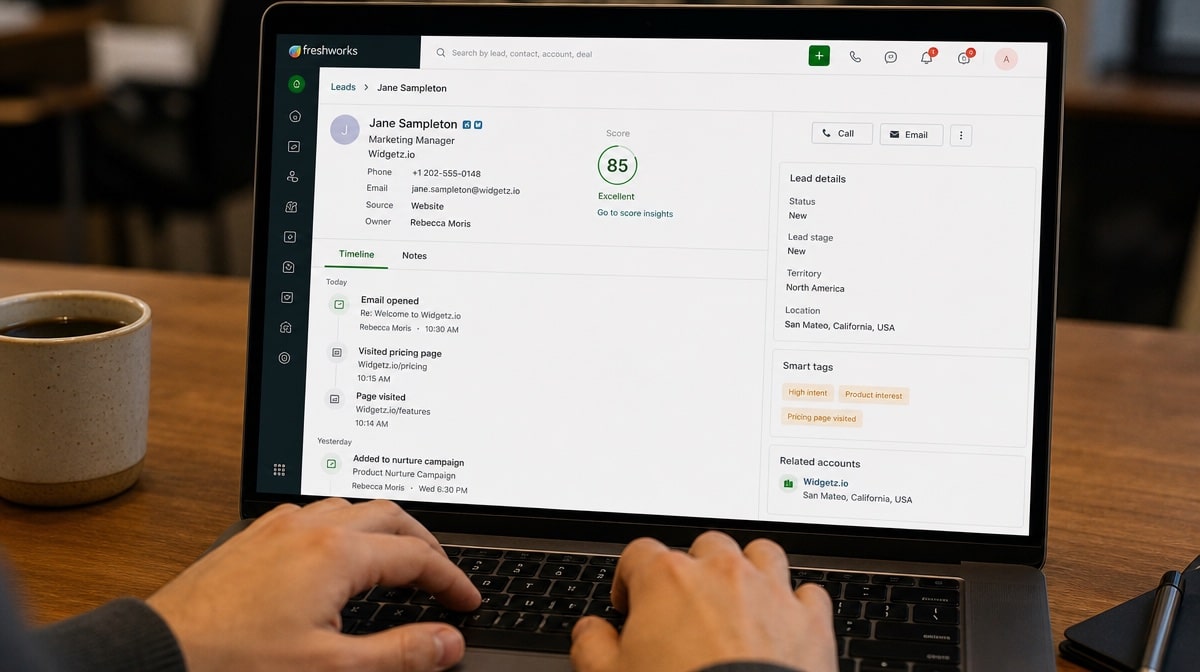
Freshsales (from Freshworks) is a modern CRM with built-in lead scoring and assistive AI, aimed at teams that want smart sales features without enterprise pricing.
Best for: Teams that want AI-assisted selling on a budget.
Best for: Teams that want AI-assisted selling on a budget.
Features
- AI-based contact and deal scoring
- Built-in phone and email
- Visual pipeline and automations
- Low-cost entry tier
Pros
- Good price-to-feature ratio
- Quick to set up
- Helpful built-in AI
Cons
- Lighter marketing analytics than HubSpot
- Ecosystem smaller than Zoho or Salesforce
Freshsales sits deliberately in the middle of this list. It gives you AI contact and deal scoring, built-in phone and email, and a clean visual pipeline at entry pricing that sits closer to Pipedrive than to Salesforce, billed per user per month with a discount for annual terms.
Its real strength is that the assistive AI is useful without configuration. Scoring, next-best-action prompts, and activity summaries work off your existing data from the first week rather than after a data-science project. Its weakness is analytics depth: if your current HubSpot reports are the reason you are hesitating to move, Freshsales will feel thin by comparison.
The wider Freshworks suite (support, marketing, ITSM) exists behind it, so the same ecosystem reasoning that applies to Zoho applies here on a smaller scale. Buy it for the sales tooling, and treat the suite as upside rather than as the justification.
Its real strength is that the assistive AI is useful without configuration. Scoring, next-best-action prompts, and activity summaries work off your existing data from the first week rather than after a data-science project. Its weakness is analytics depth: if your current HubSpot reports are the reason you are hesitating to move, Freshsales will feel thin by comparison.
The wider Freshworks suite (support, marketing, ITSM) exists behind it, so the same ecosystem reasoning that applies to Zoho applies here on a smaller scale. Buy it for the sales tooling, and treat the suite as upside rather than as the justification.
Choose it if: you want AI-assisted selling that works out of the box on a small-team budget.
Skip it if: deep custom reporting or heavy marketing analytics are non-negotiable.
Skip it if: deep custom reporting or heavy marketing analytics are non-negotiable.
Bottom line: The best value on this list for teams that want useful sales AI without an enterprise contract.
Check out the pricing plan for Freshsales.
Copper

Copper is a CRM that lives inside Gmail and Google Workspace, so logging a deal never means leaving your inbox.
Best for: Teams whose whole day already happens in Gmail, Sheets, and Drive.
Best for: Teams whose whole day already happens in Gmail, Sheets, and Drive.
Features
- Works directly in the Gmail sidebar
- Auto-captures contacts and emails
- Google Calendar and Drive sync
- Pipeline and task management
Pros
- Zero context-switching for Google-native teams
- Fast, familiar setup
- Clean interface
Cons
- Tied to the Google ecosystem
- Less powerful outside Workspace
- Fewer marketing features
Copper’s entire premise is that a CRM should not be a separate destination. It runs in the Gmail sidebar, auto-captures contacts and threads from your inbox, and syncs Google Calendar and Drive, so logging activity happens while you work rather than after it. Copper is billed per seat per month and positions above the budget end of this list, so treat it as a Google-native premium rather than a cost play.
A large share of our own parent company’s daily operations runs in Google Workspace: Gmail for everything client-facing, Sheets as the working surface for most reporting, and Drive as the document system of record. So we can say from experience that the context-switching cost Copper removes is real, and that it is the single most underrated reason CRMs go stale in Google-native teams.
The counterpoint is just as real. Everything Copper does well depends on you staying inside Google, it is the weakest tool here for outbound marketing, and if your company ever moves to Microsoft 365 the product’s core advantage disappears overnight. It is a deliberate bet on your stack, not a hedge.
A large share of our own parent company’s daily operations runs in Google Workspace: Gmail for everything client-facing, Sheets as the working surface for most reporting, and Drive as the document system of record. So we can say from experience that the context-switching cost Copper removes is real, and that it is the single most underrated reason CRMs go stale in Google-native teams.
The counterpoint is just as real. Everything Copper does well depends on you staying inside Google, it is the weakest tool here for outbound marketing, and if your company ever moves to Microsoft 365 the product’s core advantage disappears overnight. It is a deliberate bet on your stack, not a hedge.
Choose it if: your whole team already lives in Gmail, Sheets, and Drive and your CRM keeps going stale.
Skip it if: you are not committed to Google Workspace, or marketing automation matters more than logging speed.
Skip it if: you are not committed to Google Workspace, or marketing automation matters more than logging speed.
Bottom line: The best CRM for Google-native teams, and a poor choice for anyone else.
Check out the pricing plan for Copper.
monday CRM
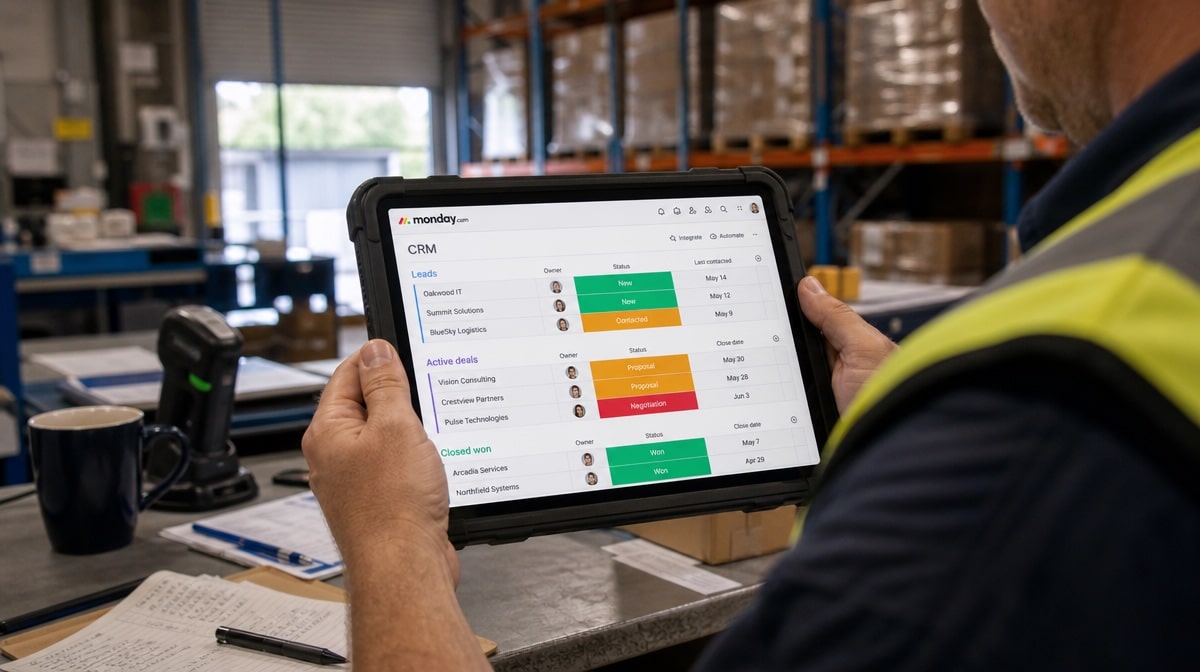
monday CRM is the CRM layer built on monday.com’s colorful board interface, for teams that already think in boards.
Best for: Visual, workflow-minded teams.
Best for: Visual, workflow-minded teams.
Features
- Highly visual, customizable pipelines
- Flexible automations
- Cross-team views and dashboards
- Broad integrations
Pros
- Intuitive for board-based teams
- Flexible beyond just CRM
- Easy to customize without code
Cons
- Can get pricey as you add seats and features
- Less sales-specific depth than Pipedrive
- Configuration sprawl if unmanaged
monday CRM is the CRM layer built on monday.com’s board interface, billed per seat per month with a minimum seat count that catches small teams out, so check the linked pricing page before you plan a budget. If your team already runs projects on boards, the CRM inherits a mental model everyone knows, and that is a genuine adoption advantage no feature list captures.
The flexibility that makes it easy also makes it easy to get wrong. Without someone owning the board structure you end up with parallel pipelines, duplicated status columns, and automations firing against stale views. It is also less sales-specific than Pipedrive: you can build a sequence-driven outbound motion on it, but you will be assembling it rather than switching it on.
Treat it as a work platform that does CRM rather than a CRM that happens to look like boards. Teams that already pay for monday.com for project work get the strongest deal here, because the CRM extends a tool they have already adopted.
The flexibility that makes it easy also makes it easy to get wrong. Without someone owning the board structure you end up with parallel pipelines, duplicated status columns, and automations firing against stale views. It is also less sales-specific than Pipedrive: you can build a sequence-driven outbound motion on it, but you will be assembling it rather than switching it on.
Treat it as a work platform that does CRM rather than a CRM that happens to look like boards. Teams that already pay for monday.com for project work get the strongest deal here, because the CRM extends a tool they have already adopted.
Choose it if: your team already works in monday.com boards and wants sales in the same place.
Skip it if: you need deep sales-specific tooling, or nobody will own how the boards are structured.
Skip it if: you need deep sales-specific tooling, or nobody will own how the boards are structured.
Bottom line: The most natural CRM for existing monday.com teams, and an odd first purchase for anyone else.
Check out the pricing plan for monday CRM.
Insightly

Insightly pairs CRM with built-in project delivery, so the handoff from won deal to delivered work stays in one system.
Best for: Services and agency teams that sell then deliver.
Best for: Services and agency teams that sell then deliver.
Features
- Contact and pipeline management
- Built-in project tracking
- Workflow automation
- Reporting across sales and delivery
Pros
- Deal-to-delivery in one tool
- Good fit for services businesses
- Reasonable pricing
Cons
- Less marketing depth than HubSpot
- Interface feels dated to some teams
Insightly is the pick when the deal is only half the job. It carries CRM and project delivery in one system, so a won opportunity converts into a project with its tasks, milestones, and owners already attached, and the record of what you sold sits beside the record of what you delivered.
That is a narrower promise than HubSpot’s, and it is the right narrow promise for agencies, consultancies, and services businesses where the sales-to-delivery handoff is exactly where things break. If your post-sale work currently lives in a separate project tool that nobody reconciles against the CRM, this is the structural fix.
Marketing depth is the trade. Campaign tooling is basic next to HubSpot, and parts of the interface feel dated against newer products. That matters less than it sounds if the reason you are switching is delivery continuity rather than demand generation.
That is a narrower promise than HubSpot’s, and it is the right narrow promise for agencies, consultancies, and services businesses where the sales-to-delivery handoff is exactly where things break. If your post-sale work currently lives in a separate project tool that nobody reconciles against the CRM, this is the structural fix.
Marketing depth is the trade. Campaign tooling is basic next to HubSpot, and parts of the interface feel dated against newer products. That matters less than it sounds if the reason you are switching is delivery continuity rather than demand generation.
Choose it if: you sell and then deliver, and the handoff between the two keeps breaking.
Skip it if: demand generation is your bottleneck and delivery already runs cleanly elsewhere.
Skip it if: demand generation is your bottleneck and delivery already runs cleanly elsewhere.
Bottom line: The best deal-to-delivery CRM here, and a weak choice if marketing is the problem you are solving.
Check out the pricing plan for Insightly.
Close

Close is a CRM built around calling and emailing at volume, tuned for high-velocity inside sales.
Best for: SDR and inside-sales teams making many touches per day.
Best for: SDR and inside-sales teams making many touches per day.
Features
- Built-in calling and SMS
- Email sequences
- Activity-focused reporting
- Predictable pipeline views
Pros
- Excellent for outbound volume
- Fast, focused workflow
- Strong communication tooling
Cons
- Narrow by design
- Not built for marketing
- Premium price for the focus
Close is built for volume. Calling, SMS, and email sequences are native rather than bolted on, the interface is arranged around the next touch instead of the record, and reporting measures activity as closely as pipeline. Close is billed per user per month, with a low solo-operator tier and a meaningfully higher team tier, so price it at the seat count you will actually run.
For a team making fifty to a hundred touches a day, that arrangement compounds. Fewer clicks per call, no separate dialler to reconcile, and sequences that a rep can adjust without asking an admin. Most CRMs treat outbound as a module; Close treats it as the product.
It is deliberately narrow, and that is the honest warning. There is effectively no marketing automation, and if your motion is inbound and content-led rather than outbound and call-led, you will pay a premium for tooling you never open.
For a team making fifty to a hundred touches a day, that arrangement compounds. Fewer clicks per call, no separate dialler to reconcile, and sequences that a rep can adjust without asking an admin. Most CRMs treat outbound as a module; Close treats it as the product.
It is deliberately narrow, and that is the honest warning. There is effectively no marketing automation, and if your motion is inbound and content-led rather than outbound and call-led, you will pay a premium for tooling you never open.
Choose it if: you run high-velocity outbound and calling is your main channel.
Skip it if: your pipeline comes from inbound content and you need marketing tooling alongside the CRM.
Skip it if: your pipeline comes from inbound content and you need marketing tooling alongside the CRM.
Bottom line: The strongest outbound CRM on this list, and the narrowest tool on it.
Check out the pricing plan for Close.
Pair your CRM with a process layer
A CRM tells you where a deal is. It does not run the repeatable work around the deal: customer onboarding, the sales-to-delivery handoff, compliance sign-offs, and the SOPs your team follows every time. We use documented, repeatable workflows internally for exactly this reason, and Process Street is built for it, with recurring checklists, approval steps, conditional logic, and AI-assisted process automation that sit alongside your CRM rather than replacing it. Whichever CRM you choose above, put a documented process layer around it so the work after the sale stays consistent.
We still run HubSpot ourselves, and for an all-in-one marketing-plus-CRM platform it is hard to beat. But best is about fit, and any tool above can be the better call for a specific team shape and budget.
We still run HubSpot ourselves, and for an all-in-one marketing-plus-CRM platform it is hard to beat. But best is about fit, and any tool above can be the better call for a specific team shape and budget.
CRM must-have features
Contact and pipeline management
The core of any CRM: a clean record for every contact and a visual pipeline you can actually read at a glance.
Automation and workflows
Automated follow-up, task creation, and stage rules so nothing depends on someone remembering to do it. We lean on this heavily ourselves: our own content and reporting run through documented workflows and an AI multi-agent setup rather than someone remembering, and the same principle applies to a pipeline. If you are deciding what to automate first, our guide to how automation can help your business is the place to start.
Email and communication tracking
Two-way email sync, automatic logging, and, for sales teams, calling built into the record.
Reporting and forecasting
Dashboards that tie activity to revenue and let you forecast the quarter with real numbers.
Integrations
Native connections to the tools you already run: email, calendar, Slack, and your process and workflow layer.
Permission controls and sharing
Role-based access so reps see their pipeline, managers see the team, and sensitive records stay restricted.
Customization
Custom fields, stages, and objects so the CRM matches your sales process instead of forcing you into someone else’s.
Mobile access
A real mobile app, not a cramped browser view, for the people selling away from a desk.
Data import and migration
A clean path to move contacts, deals, and history off your current tool without losing the record.
Pricing that scales with you
Clear per-seat pricing and a real free or low-cost entry tier so cost tracks value as you grow.
HubSpot alternatives: frequently asked questions
What is the best HubSpot alternative?
Zoho CRM is the best all-round HubSpot alternative for most small and mid-size teams. It covers the large majority of what HubSpot does, including pipeline management, workflow automation, and reporting, at a fraction of the cost. Pipedrive is the better pick if rep adoption is your real problem.
Is there a free HubSpot alternative?
Yes. Zoho CRM has a free edition for up to three users that covers contact management, follow-up reminders, and basic workflow automation. HubSpot itself also has a free CRM tier, so if cost is the only issue, confirm you have outgrown the free tier before you migrate anywhere.
What is a cheaper CRM than HubSpot for a small team?
Freshsales and Zoho CRM are usually the cheapest credible options, both billed per user per month with entry tiers well below HubSpot’s paid hubs. Compare total cost at ten seats rather than the entry price, because add-ons and tier jumps are where HubSpot alternatives quietly close the gap.
Are there open source HubSpot alternatives?
Yes, projects such as SuiteCRM and EspoCRM are open source and self-hostable. None are on this list because self-hosting shifts security patching, backups, and uptime onto your team. That is a reasonable trade only if you already run infrastructure and have someone who owns it.
How hard is it to migrate off HubSpot?
For contacts, companies, and deals it is straightforward: HubSpot exports to CSV and every tool here imports it with field mapping. The hard part is what does not export cleanly, mainly marketing automation, email templates, and reporting history. Rebuild those deliberately rather than expecting a like-for-like transfer.
Zoho CRM vs HubSpot: which is better?
HubSpot is better if you want marketing, sales, and service in one polished platform and can afford it. Zoho CRM is better if you want comparable capability for less and will invest a week in configuration. Most teams that switch are buying back budget, not gaining features.
Which HubSpot alternative is best for a Google Workspace team?
Copper. It runs inside the Gmail sidebar and syncs Google Calendar and Drive, so activity gets logged while you work instead of afterwards. We run a large share of our own operations in Google Workspace, so we can vouch that the context-switching it removes is the main reason CRMs go stale.
Do you lose marketing automation if you leave HubSpot?
Usually yes, at least partly. Honest answer: no tool on this list matches HubSpot’s marketing automation. Zoho and Freshsales come closest, Pipedrive and Close are not close. If campaigns drive your pipeline, budget for a separate email marketing tool and price that into the comparison.
Is HubSpot still worth paying for?
Often, yes. We still run our own marketing and CRM on HubSpot because the all-in-one platform earns its cost when marketing and sales genuinely share one system. It stops being worth it when you are paying platform pricing for tooling only one team uses.
Compare more tools on the software alternatives hub, where every Bizmanualz comparison page is grouped by category.




