
Choose compliance workflow tools your auditors will accept
The best compliance workflow tools are Process Street for recurring procedures that must be evidenced, Pipefy for request-driven compliance intake, Vanta for security certification, Qualio for validated document control, and AuditBoard for internal audit programmes, with Kissflow, Nintex, ProcessMaker, Smartsheet, and Workiva covering broader or more specialised needs. All ten do the core job of running a regulated process the same way every time and leaving proof that it happened.
Did you know that most compliance findings are not caused by teams doing the wrong thing, but by teams being unable to prove they did the right thing? The work gets done and the evidence lives in somebody’s inbox. That is the gap these tools exist to close: they turn a written procedure into a live process that assigns the steps, enforces the order, captures the evidence in place, and leaves a dated record of every run.
This post compares the best compliance workflow tools currently on the market, with an honest write-up of each one (what it is, who it suits, features, pros, and cons), followed by the must-have features to check before you commit to any of them.
Did you know that most compliance findings are not caused by teams doing the wrong thing, but by teams being unable to prove they did the right thing? The work gets done and the evidence lives in somebody’s inbox. That is the gap these tools exist to close: they turn a written procedure into a live process that assigns the steps, enforces the order, captures the evidence in place, and leaves a dated record of every run.
This post compares the best compliance workflow tools currently on the market, with an honest write-up of each one (what it is, who it suits, features, pros, and cons), followed by the must-have features to check before you commit to any of them.

How we picked these compliance workflow tools. Every tool below is a real, currently supported platform that a compliance team can buy and run. We scored each one on five criteria, weighted in this order: whether it produces a defensible audit trail as a by-product of the work, how well it handles recurring procedures against one-off requests, how quickly a non-technical owner can get a real process live, the depth of the integrations it is actually bought for, and honest limits (what it does not do). Tools that only exist as a module inside a larger suite, and tools with no independent compliance use case, were excluded.
Why we can speak to this. Bizmanualz has published policy and procedure content for decades, and our parent company runs the same problem internally at software scale: our operations run on Google Workspace (Gmail, Sheets, Drive), Slack and a stack of Slack apps, HubSpot for marketing and CRM, and a documented workflow layer, with an AI multi-agent setup that drafts, checks, and publishes content like this post. Where a tool below touches something we genuinely run, we say so. Where it does not, we say that too rather than inventing experience.
Disclosure. Process Street, our top pick, is a sister brand of our parent company. We have ranked it first because recurring, evidenced procedures are the single most common compliance workflow need, and it is the fastest route to that outcome. The write-up states its real limits, and every alternative here is a genuine option we would recommend for the cases where it fits better.
Published 26 August 2026. Last updated 26 August 2026. We do not print vendor prices, because they change faster than this page does; each tool links its own live pricing page. Editorially maintained by the Bizmanualz team.
Why we can speak to this. Bizmanualz has published policy and procedure content for decades, and our parent company runs the same problem internally at software scale: our operations run on Google Workspace (Gmail, Sheets, Drive), Slack and a stack of Slack apps, HubSpot for marketing and CRM, and a documented workflow layer, with an AI multi-agent setup that drafts, checks, and publishes content like this post. Where a tool below touches something we genuinely run, we say so. Where it does not, we say that too rather than inventing experience.
Disclosure. Process Street, our top pick, is a sister brand of our parent company. We have ranked it first because recurring, evidenced procedures are the single most common compliance workflow need, and it is the fastest route to that outcome. The write-up states its real limits, and every alternative here is a genuine option we would recommend for the cases where it fits better.
Published 26 August 2026. Last updated 26 August 2026. We do not print vendor prices, because they change faster than this page does; each tool links its own live pricing page. Editorially maintained by the Bizmanualz team.
What is compliance workflow software?
Compliance workflow software turns a written procedure into a live, trackable process. It assigns each step to a person, enforces the order they happen in, collects the evidence at the point the step is done, and stores a dated record of the whole run. The record is the point: it is what converts work that was done into compliance you can demonstrate.
The category overlaps with general workflow tools, business process management suites, quality management systems, and security compliance automation, which is why the list below spans all four. If you are still framing the wider problem, start with what compliance management actually involves and buy the tool into that picture rather than around it.
The category overlaps with general workflow tools, business process management suites, quality management systems, and security compliance automation, which is why the list below spans all four. If you are still framing the wider problem, start with what compliance management actually involves and buy the tool into that picture rather than around it.
Compliance workflow software benefits
- Every run of a procedure follows the same steps in the same order
- Evidence is captured as the work happens, not reconstructed later
- Overdue and stalled work is visible weeks before it becomes a finding
- Approvals and segregation of duties are enforced, not assumed
- Audit preparation becomes an export rather than a project
- Procedure changes are versioned, so you can show what was in force when
Compliance workflow tools compared
The short version: Process Street is the best all-round compliance workflow tool for recurring evidenced procedures, Pipefy wins on request intake, Nintex and ProcessMaker on enterprise process modelling, Qualio on validated document control, Vanta on security certification, AuditBoard on audit programmes, and Workiva on regulated reporting. The table compares all ten on the dimensions that actually decide the choice.
| Tool | Best for | Standout strength | Time to first live process | Audit trail strength |
|---|---|---|---|---|
| Process Street | Recurring procedures that must be evidenced | Turns a written SOP into a tracked, repeatable run | Live the same day | Per-run audit trail built in |
| Pipefy | Request-driven compliance intake | Kanban pipes with mandatory fields per phase | Days | Per-phase records and SLA timers |
| Kissflow | Multi-department no-code workflow | One platform across finance, HR, and compliance | Weeks | Generic engine, you supply the controls |
| Nintex | Enterprise process automation at scale | Mapping, automation, documents, and RPA in one suite | Months, partner-led | Repository plus automation, Microsoft-deep |
| ProcessMaker | Formally modelled regulated processes | BPMN 2.0 modelling with process versioning | Weeks to months | Model itself is versioned and auditable |
| AuditBoard | Internal audit and SOX programmes | Controls, testing, and issues as native objects | Weeks, programme-led | Audit lifecycle evidence, board-ready reporting |
| Qualio | Validated quality environments | Controlled documents, training records, and CAPA | Weeks, migration-led | Document revision and training evidence |
| Smartsheet | Teams leaving compliance spreadsheets | Spreadsheet familiarity with real approvals | Days | Depends on how you structure the sheet |
| Vanta | Security certifications such as SOC 2 | Continuous automated technical control testing | Weeks | Continuous evidence from connected systems |
| Workiva | Regulated filings and reporting | Linked data keeps every figure consistent | Months, programme-led | Full change history on reported data |
Best compliance workflow tool: Process Street

Process Street is a no-code workflow platform built around recurring, checklist-driven processes. Every run of a procedure creates its own auditable record, which is exactly the shape compliance work needs: the same steps, every time, with evidence that they happened.
Best for: Teams that run the same regulated procedure over and over and need proof each run was completed correctly.
Best for: Teams that run the same regulated procedure over and over and need proof each run was completed correctly.
Features
- Recurring checklist workflows with per-run records
- Conditional logic that hides or reveals steps by answer
- Approvals and role-based task assignment
- Form fields that capture evidence inside the step
- Reporting on overdue, stalled, and completed runs
Pros
- Fastest route from a written SOP to a live, tracked process
- Audit trail is a by-product of doing the work, not extra admin
- Non-technical owners can build and change workflows themselves
Cons
- Checklist-shaped, so it is not a fit for free-form project work
- Deep enterprise BPMN modelling is not what it is built for
- Heavy document control needs a dedicated system alongside it
Process Street sits in the gap most compliance teams actually live in: the procedure is already written down somewhere, and the problem is that nobody can prove it was followed. Turning that document into a template means every execution becomes a dated, assignable, completable record with the answers captured in-line.
Where it beats the heavier platforms is time to value. A team can lift an existing procedure into a template and run it the same afternoon, without a consultant, an integration project, or a process modelling exercise. Where it loses is at the far end of complexity: if your compliance obligation genuinely needs BPMN modelling, a validated document control system, or continuous technical control monitoring, you will want one of the specialists further down this list beside it.
The honest operating cost is discipline rather than money. The platform only produces a clean audit trail if people run the workflow instead of doing the work off to the side and ticking boxes afterwards. Teams that succeed with it make the workflow the place the work happens.
Where it beats the heavier platforms is time to value. A team can lift an existing procedure into a template and run it the same afternoon, without a consultant, an integration project, or a process modelling exercise. Where it loses is at the far end of complexity: if your compliance obligation genuinely needs BPMN modelling, a validated document control system, or continuous technical control monitoring, you will want one of the specialists further down this list beside it.
The honest operating cost is discipline rather than money. The platform only produces a clean audit trail if people run the workflow instead of doing the work off to the side and ticking boxes afterwards. Teams that succeed with it make the workflow the place the work happens.
Choose it if: your compliance load is recurring procedures and you need consistent execution plus evidence without adding admin.
Skip it if: your obligation is dominated by validated document control, technical control monitoring, or regulatory filings.
Skip it if: your obligation is dominated by validated document control, technical control monitoring, or regulatory filings.
Bottom line: The best all-round starting point for compliance workflow: fastest path from a written procedure to a repeatable, evidenced process.
Check out the pricing plan for Process Street.
Pipefy

Pipefy is a no-code process management tool built around kanban-style pipes, where each request moves through defined phases with required fields at every gate. It suits request-driven compliance work more than scheduled procedures.
Best for: Compliance requests that arrive from elsewhere in the business and must be triaged, reviewed, and closed.
Best for: Compliance requests that arrive from elsewhere in the business and must be triaged, reviewed, and closed.
Features
- Kanban pipes with mandatory fields per phase
- Intake forms that start a process from a request
- SLA timers and phase-level due dates
- Conditional routing and automation rules
- Database records shared across pipes
Pros
- Very quick to model an intake-to-resolution process
- Visual board makes bottlenecks obvious at a glance
- Strong form and field validation at each gate
Cons
- Recurring scheduled procedures are a weaker fit than requests
- Reporting is functional rather than deep
- Automation rules get hard to reason about as pipes multiply
Pipefy is the right shape when compliance is reactive. Access requests, vendor reviews, incident reports, and policy exceptions all arrive unpredictably, need routing to the right reviewer, and have to close with a record. A pipe models that cleanly, and the mandatory-fields-per-phase design means nothing advances without the evidence attached.
Against a checklist-first tool it wins on intake and triage and loses on scheduled recurring work. Against a full BPM suite it wins on speed and loses on modelling depth and governance. The board metaphor is the honest signal here: if your compliance calendar is the driver rather than an inbox, this is not the natural fit.
We have not run Pipefy ourselves, so treat this as an assessment rather than operator experience. The things we would check before buying are how phase-level SLA reporting rolls up for an auditor, and how quickly the automation rules become opaque once you are past a handful of pipes.
Against a checklist-first tool it wins on intake and triage and loses on scheduled recurring work. Against a full BPM suite it wins on speed and loses on modelling depth and governance. The board metaphor is the honest signal here: if your compliance calendar is the driver rather than an inbox, this is not the natural fit.
We have not run Pipefy ourselves, so treat this as an assessment rather than operator experience. The things we would check before buying are how phase-level SLA reporting rolls up for an auditor, and how quickly the automation rules become opaque once you are past a handful of pipes.
Choose it if: most of your compliance work arrives as requests that need triage, review, and a closed record.
Skip it if: your load is scheduled recurring procedures on a compliance calendar.
Skip it if: your load is scheduled recurring procedures on a compliance calendar.
Bottom line: The strongest pick for request-driven compliance work where intake and triage matter more than recurrence.
Check out the pricing plan for Pipefy.
Kissflow

Kissflow is a broader no-code work platform that bundles process workflows, case management, project boards, and internal apps. Compliance teams use it when the workflow tool has to serve several departments at once.
Best for: Mid-market organisations standardising workflows across finance, HR, and compliance on one platform.
Best for: Mid-market organisations standardising workflows across finance, HR, and compliance on one platform.
Features
- Drag-and-drop process and form builder
- Case management for non-linear work
- Internal app builder on shared data
- Role-based access and approval chains
- Analytics across processes
Pros
- One platform covers several departments, not just compliance
- Genuinely no-code for business owners of a process
- Case management handles work that does not fit a straight line
Cons
- Broader surface means more to configure and govern
- Compliance-specific features are generic rather than purpose-built
- Value depends on adoption beyond the compliance team
Kissflow is a platform bet rather than a compliance tool. The pitch is that finance approvals, HR onboarding, and compliance reviews all run in one place with shared data and one access model, which is a real advantage when the alternative is four disconnected tools and a spreadsheet holding them together.
The trade is that nothing in it is compliance-specific. There is no built-in control library, no regulatory content, no validated document control. You get a very capable generic workflow engine and you supply the compliance thinking. For teams whose obligations are internal-policy shaped rather than externally certified, that is usually enough.
We have not run Kissflow ourselves. What we would test is whether ownership of a process really can sit with the business team rather than drifting back to IT, because a platform this broad only pays back if the departments each maintain their own workflows.
The trade is that nothing in it is compliance-specific. There is no built-in control library, no regulatory content, no validated document control. You get a very capable generic workflow engine and you supply the compliance thinking. For teams whose obligations are internal-policy shaped rather than externally certified, that is usually enough.
We have not run Kissflow ourselves. What we would test is whether ownership of a process really can sit with the business team rather than drifting back to IT, because a platform this broad only pays back if the departments each maintain their own workflows.
Choose it if: you want one no-code platform for workflows across several departments and compliance is one of them.
Skip it if: you need purpose-built compliance features rather than a generic engine you configure yourself.
Skip it if: you need purpose-built compliance features rather than a generic engine you configure yourself.
Bottom line: The best multi-department platform play if compliance workflow is one of several problems you are solving at once.
Check out the pricing plan for Kissflow.
Nintex

Nintex is an enterprise process automation suite covering process mapping, workflow automation, document generation, and robotic process automation, with deep roots in Microsoft environments.
Best for: Enterprises standardising regulated processes across a Microsoft 365 and SharePoint estate.
Best for: Enterprises standardising regulated processes across a Microsoft 365 and SharePoint estate.
Features
- Process mapping and a central process repository
- Workflow automation across Microsoft 365 and SharePoint
- Document generation and e-signature
- RPA for legacy systems without APIs
- Process intelligence and analytics
Pros
- Covers mapping, automation, and documents in one suite
- Very strong inside a Microsoft-centric estate
- RPA reaches systems that have no modern integration
Cons
- Enterprise scope and enterprise implementation effort
- Usually needs a named owner or partner to run well
- Overkill for a team that just needs procedures executed consistently
Nintex is what you buy when the compliance problem is genuinely enterprise: dozens of regulated processes, several systems of record, and a requirement that the map of how work is supposed to happen stays connected to how it actually runs. The process repository plus automation combination is the real differentiator, because most tools give you one or the other.
Its centre of gravity is Microsoft. If your documents live in SharePoint and your identity is in Entra, the integration depth is hard to match. If they do not, a large part of what you are paying for is not working for you, and a lighter tool will do more of the job for less.
We have not run Nintex ourselves. The realistic cost to plan for is implementation rather than licensing: this is a suite that rewards a named internal owner, and teams that buy it without one tend to end up using a fraction of it.
Its centre of gravity is Microsoft. If your documents live in SharePoint and your identity is in Entra, the integration depth is hard to match. If they do not, a large part of what you are paying for is not working for you, and a lighter tool will do more of the job for less.
We have not run Nintex ourselves. The realistic cost to plan for is implementation rather than licensing: this is a suite that rewards a named internal owner, and teams that buy it without one tend to end up using a fraction of it.
Choose it if: you are automating many regulated processes across a Microsoft estate and you have an owner to run the platform.
Skip it if: you need a handful of procedures executed consistently and nothing more.
Skip it if: you need a handful of procedures executed consistently and nothing more.
Bottom line: The enterprise suite pick when process mapping, automation, and documents have to live together at scale.
Check out the pricing plan for Nintex.
ProcessMaker

ProcessMaker is a BPM platform built on the BPMN 2.0 standard, aimed at organisations that need formally modelled, versioned processes rather than lightweight checklists.
Best for: Regulated organisations that must model, version, and govern processes to a formal standard.
Best for: Regulated organisations that must model, version, and govern processes to a formal standard.
Features
- BPMN 2.0 process modelling and execution
- Process versioning and controlled change
- Screen and form builder for each task
- Decision engine for rules-heavy routing
- API-first architecture for embedding
Pros
- Formal, standards-based modelling that survives an audit
- Version control over process change itself
- Handles genuinely complex branching and rules
Cons
- BPMN is a skill, so business owners rarely self-serve
- Slower to first working process than checklist tools
- More platform than a small compliance team needs
ProcessMaker earns its place when the regulator, or your own quality system, cares about the process model and not just the outcome. BPMN gives you a formal, portable description of how work is supposed to flow, and versioning means you can show exactly which model was in force when a given case ran. That is a genuinely different claim from a checklist tool.
The cost of that rigour is accessibility. BPMN diagrams are not something a compliance manager casually edits between meetings, so process change tends to route through a small group of modellers. That is fine when change is rare and controlled, and it is a bottleneck when the business wants to iterate.
We have not run ProcessMaker ourselves. Before committing we would map how many of your processes actually need formal modelling, because most organisations find the honest answer is a minority of them, and the rest are better served by something lighter.
The cost of that rigour is accessibility. BPMN diagrams are not something a compliance manager casually edits between meetings, so process change tends to route through a small group of modellers. That is fine when change is rare and controlled, and it is a bottleneck when the business wants to iterate.
We have not run ProcessMaker ourselves. Before committing we would map how many of your processes actually need formal modelling, because most organisations find the honest answer is a minority of them, and the rest are better served by something lighter.
Choose it if: your processes must be formally modelled, versioned, and governed to a recognised standard.
Skip it if: you want business owners maintaining their own workflows without specialist modelling skills.
Skip it if: you want business owners maintaining their own workflows without specialist modelling skills.
Bottom line: The pick when formal BPMN modelling and process version control are non-negotiable requirements.
Check out the pricing plan for ProcessMaker.
AuditBoard

AuditBoard is a connected risk platform built for internal audit, SOX, risk, and compliance teams, where the workflow is the audit lifecycle itself rather than a general business process.
Best for: Internal audit and SOX teams managing controls, testing, and issue remediation.
Best for: Internal audit and SOX teams managing controls, testing, and issue remediation.
Features
- Control libraries mapped to frameworks
- Test plans, evidence requests, and workpapers
- Issue tracking through to remediation
- Risk registers linked to controls
- Reporting built for audit committees
Pros
- Purpose-built for audit and SOX, not adapted to it
- Control-to-risk-to-issue linkage is native
- Reporting speaks the language the board expects
Cons
- Not a general workflow tool for the wider business
- Enterprise-oriented in both scope and commitment
- Overlaps with tools you may already own if audit is small
AuditBoard is the specialist answer to a specific question: how does an internal audit function run its own workflow. Control libraries, test plans, evidence requests, and issue remediation are first-class objects rather than fields you configure into a generic tool, and that shows most in reporting, where the output is already shaped for an audit committee.
It is not competing with the general workflow platforms on this list so much as sitting beside them. Plenty of organisations run their operational procedures in a workflow tool and their audit lifecycle in something like AuditBoard, and that split is usually the right one rather than a failure to consolidate.
We have not run AuditBoard ourselves. The question we would push on is scale: this is built for a real audit function, and a two-person compliance team will get more from a lighter workflow tool plus a well-kept control spreadsheet than from a platform they cannot staff.
It is not competing with the general workflow platforms on this list so much as sitting beside them. Plenty of organisations run their operational procedures in a workflow tool and their audit lifecycle in something like AuditBoard, and that split is usually the right one rather than a failure to consolidate.
We have not run AuditBoard ourselves. The question we would push on is scale: this is built for a real audit function, and a two-person compliance team will get more from a lighter workflow tool plus a well-kept control spreadsheet than from a platform they cannot staff.
Choose it if: you have a real internal audit or SOX function and its lifecycle is the workflow you need to manage.
Skip it if: you want one tool for general business procedures as well as audit.
Skip it if: you want one tool for general business procedures as well as audit.
Bottom line: The specialist choice for internal audit and SOX teams, best used alongside a general workflow tool rather than instead of one.
Check out the pricing plan for AuditBoard.
Qualio

Qualio is a quality management system aimed at life sciences and other validated industries, where document control, training records, and CAPA workflows are the compliance obligation.
Best for: Life sciences and regulated manufacturers that need validated document control and training evidence.
Best for: Life sciences and regulated manufacturers that need validated document control and training evidence.
Features
- Controlled document lifecycle with e-signature
- Training assignment and completion records
- CAPA, deviation, and change control workflows
- Supplier and audit management
- Validation support for regulated environments
Pros
- Document control and training evidence are purpose-built
- Designed around the standards regulated manufacturers are held to
- Removes most of the manual evidence assembly before an inspection
Cons
- Narrow: outside regulated quality it is the wrong tool
- Rigid by design, which frustrates teams wanting flexibility
- You are buying a QMS, not a general workflow platform
Qualio answers the version of compliance where the artefact matters as much as the action. In a validated environment you have to show which revision of a procedure was effective on a given date, who was trained on it, and that the training happened before the work did. General workflow tools can approximate that. A QMS does it natively.
The narrowness is the feature. Controlled documents, training records, CAPA, and change control are the whole job, and the rigidity that annoys a marketing team is precisely what an inspector is looking for. Trying to use it as a general workflow platform for the rest of the business is a predictable mistake.
We have not run Qualio ourselves. What we would validate first is the fit between its document lifecycle and your existing SOP library, because migrating a controlled document set is the part of these projects that consistently takes longer than planned.
The narrowness is the feature. Controlled documents, training records, CAPA, and change control are the whole job, and the rigidity that annoys a marketing team is precisely what an inspector is looking for. Trying to use it as a general workflow platform for the rest of the business is a predictable mistake.
We have not run Qualio ourselves. What we would validate first is the fit between its document lifecycle and your existing SOP library, because migrating a controlled document set is the part of these projects that consistently takes longer than planned.
Choose it if: you operate in a validated industry and document control plus training evidence is the obligation.
Skip it if: your compliance work is internal policy rather than externally validated quality.
Skip it if: your compliance work is internal policy rather than externally validated quality.
Bottom line: The right call for validated quality environments, and the wrong one for general business workflow.
Check out the pricing plan for Qualio.
Smartsheet
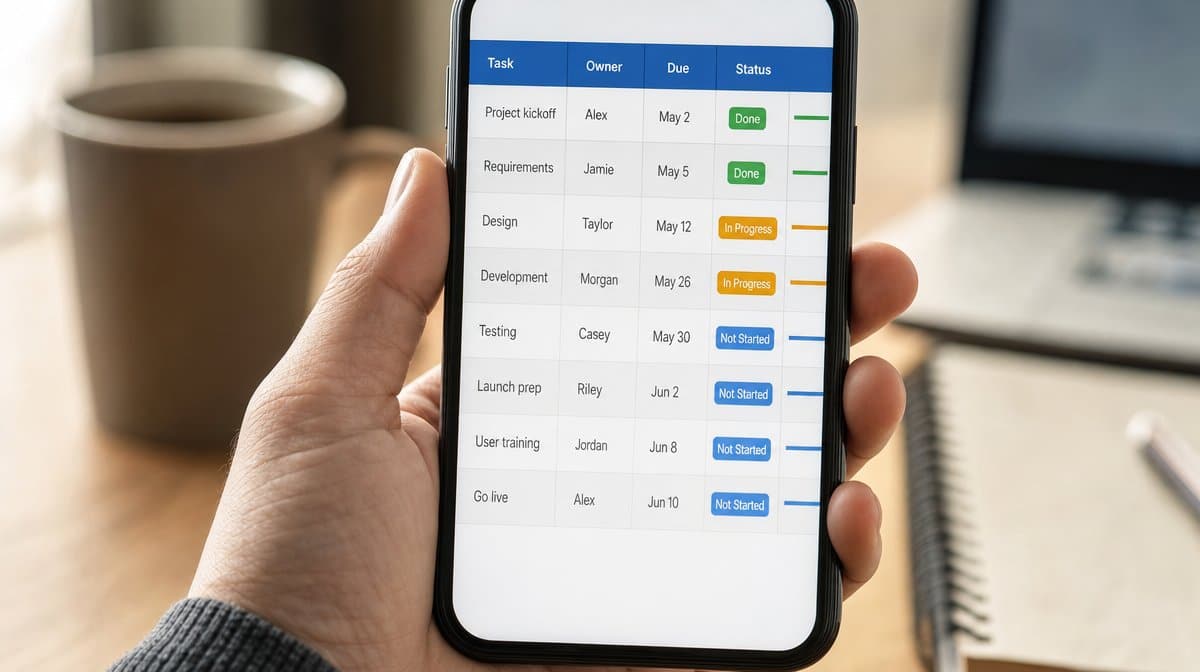
Smartsheet is a grid-first work management platform that many compliance teams reach for because it looks like the spreadsheet they are trying to leave, with approvals, automation, and permissions added on top.
Best for: Teams graduating off compliance spreadsheets who want familiarity plus real controls.
Best for: Teams graduating off compliance spreadsheets who want familiarity plus real controls.
Features
- Familiar grid interface with real automation
- Approval and update request workflows
- Row-level and sheet-level permissions
- Dashboards and portfolio roll-ups
- Forms for structured intake
Pros
- Almost no learning curve for spreadsheet-native teams
- Automation and approvals without leaving the grid
- Roll-up dashboards across many trackers
Cons
- Grid thinking encourages the spreadsheet habits you are escaping
- Audit trail is weaker than a purpose-built compliance tool
- Governance depends heavily on how well sheets are structured
Smartsheet is the pragmatic middle step. Most compliance functions are not migrating from nothing, they are migrating from a shared spreadsheet, and the failure mode of a big platform purchase is that the spreadsheet quietly survives alongside it. Smartsheet wins adoption because it does not ask anyone to think differently on day one.
The same familiarity is the risk. A grid invites you to model a process as rows, and rows do not enforce sequence, ownership, or evidence the way a workflow does. Teams that get real value from it impose structure deliberately: locked columns, required approvals, and automation that moves things rather than just notifying people.
We have not run Smartsheet for compliance ourselves. Our own experience of the underlying pattern is with spreadsheets in Google Workspace, which is where most of this work starts, and the lesson transfers directly: the tool does not fix the process, it just makes a good process cheaper to run and a bad one easier to see. If you are still deciding between approaches, our explainer on the difference between workflow management and process management is worth reading before you pick a tool.
The same familiarity is the risk. A grid invites you to model a process as rows, and rows do not enforce sequence, ownership, or evidence the way a workflow does. Teams that get real value from it impose structure deliberately: locked columns, required approvals, and automation that moves things rather than just notifying people.
We have not run Smartsheet for compliance ourselves. Our own experience of the underlying pattern is with spreadsheets in Google Workspace, which is where most of this work starts, and the lesson transfers directly: the tool does not fix the process, it just makes a good process cheaper to run and a bad one easier to see. If you are still deciding between approaches, our explainer on the difference between workflow management and process management is worth reading before you pick a tool.
Choose it if: you are moving off compliance spreadsheets and adoption is the biggest risk to the project.
Skip it if: you need a strong, purpose-built audit trail from the first day.
Skip it if: you need a strong, purpose-built audit trail from the first day.
Bottom line: The easiest migration path off spreadsheets, provided you impose the structure the grid will not impose for you.
Check out the pricing plan for Smartsheet.
Vanta

Vanta automates security compliance by connecting to your cloud, identity, and device systems and continuously testing whether technical controls are in place, rather than asking a human to attest that they are.
Best for: Software companies pursuing SOC 2, ISO 27001, or similar security certifications.
Best for: Software companies pursuing SOC 2, ISO 27001, or similar security certifications.
Features
- Continuous automated control monitoring
- Integrations with cloud, identity, and device management
- Policy templates and employee acceptance tracking
- Security training and access review workflows
- Evidence collection for auditor review
Pros
- Evidence is gathered continuously instead of before an audit
- Dramatically shortens first-time certification timelines
- Failures surface when they happen, not months later
Cons
- Scope is security compliance, not general workflow
- Only as good as the systems it can integrate with
- Automated checks can create a false sense of completeness
Vanta represents a genuinely different model. Instead of a workflow that produces evidence when a person runs it, it connects to the systems themselves and tests the control continuously. For technical controls such as encryption at rest, access reviews, and endpoint protection, that is strictly better than a checklist, because the check is the real state of the system rather than someone’s assertion about it.
The limit is equally clear. Anything that cannot be observed through an integration falls back to a manual attestation, and those manual items are where most of the actual risk sits. Treating a green dashboard as complete coverage is the mistake to avoid, and it is easy to make.
We have not run Vanta ourselves. The area we would scrutinise is the manual half: how the platform tracks the controls it cannot test automatically, because that is where a security compliance programme is genuinely won or lost.
The limit is equally clear. Anything that cannot be observed through an integration falls back to a manual attestation, and those manual items are where most of the actual risk sits. Treating a green dashboard as complete coverage is the mistake to avoid, and it is easy to make.
We have not run Vanta ourselves. The area we would scrutinise is the manual half: how the platform tracks the controls it cannot test automatically, because that is where a security compliance programme is genuinely won or lost.
Choose it if: you are pursuing a security certification and most of your controls live in cloud systems.
Skip it if: your compliance obligations are operational or documentary rather than technical.
Skip it if: your compliance obligations are operational or documentary rather than technical.
Bottom line: The clear pick for security certification, and not a substitute for operational compliance workflow.
Check out the pricing plan for Vanta.
Workiva

Workiva is a connected reporting and compliance platform used for regulatory filings, ESG reporting, and SOX, built around linked data so a number changed once updates everywhere it appears.
Best for: Public companies and large organisations producing regulated reports and filings.
Best for: Public companies and large organisations producing regulated reports and filings.
Features
- Linked data across documents and spreadsheets
- Controlled collaboration with full change history
- Regulatory filing and reporting formats
- SOX and internal control management
- ESG and sustainability reporting
Pros
- Linked data removes an entire class of reporting error
- Change history and permissions built for regulated reporting
- One platform across filings, SOX, and ESG
Cons
- Aimed at large regulated organisations, priced accordingly
- Not a workflow tool for day-to-day operational procedures
- Requires disciplined data structure to pay off
Workiva solves the reporting end of compliance rather than the doing end. Its core idea, linked data, addresses the failure everyone in regulated reporting recognises: the same figure appears in a filing, a board pack, and a spreadsheet, someone updates one of them, and the mismatch is found by an auditor. Link the source once and that class of error stops existing.
That focus means it is a poor substitute for an operational workflow tool. It will not run your vendor onboarding or your monthly control procedure. Large organisations typically run both, with the workflow platform producing the operational evidence and Workiva assembling it into what has to be filed.
We have not run Workiva ourselves. The prerequisite we would check is data discipline, because linked reporting only delivers when there is agreement on which system holds the source of truth for each number, and that is an organisational problem rather than a software one.
That focus means it is a poor substitute for an operational workflow tool. It will not run your vendor onboarding or your monthly control procedure. Large organisations typically run both, with the workflow platform producing the operational evidence and Workiva assembling it into what has to be filed.
We have not run Workiva ourselves. The prerequisite we would check is data discipline, because linked reporting only delivers when there is agreement on which system holds the source of truth for each number, and that is an organisational problem rather than a software one.
Choose it if: you produce regulated filings or reports where the same data must stay consistent across many documents.
Skip it if: your need is running and evidencing operational procedures.
Skip it if: your need is running and evidencing operational procedures.
Bottom line: The reporting-end specialist for regulated filings, and a complement to an operational workflow tool rather than a replacement.
Check out the pricing plan for Workiva.
There is no single winner across all ten, because compliance is not one job. If your obligation is recurring procedures that have to be executed consistently and evidenced, start with a checklist-driven workflow tool and add a specialist only when a specific requirement forces it. If your obligation is a security certification, validated document control, an audit programme, or regulated filings, buy the specialist for that and keep a general workflow tool underneath it for everything else.
The mistake we see most often is buying the heaviest platform first. Implementation stalls, the spreadsheet survives, and two years later the organisation has both. Start with the process you run most often, get it live and evidenced, and let the next purchase be driven by a gap you have actually hit.
The mistake we see most often is buying the heaviest platform first. Implementation stalls, the spreadsheet survives, and two years later the organisation has both. Start with the process you run most often, get it live and evidenced, and let the next purchase be driven by a gap you have actually hit.
Compliance workflow tools must-have features
Repeatable process templates
A written procedure you can turn into a template and run over and over, so every execution follows the same steps in the same order rather than depending on who picked up the work.
Automatic audit trail
A timestamped record of who did what, when, and what they entered, produced as a by-product of doing the work. If someone has to assemble the evidence afterwards, it is not an audit trail. For the wider picture of where this fits, see our guide to what compliance management actually involves.
Approvals and role-based permissions
Named approvers, segregation of duties, and permissions that stop the person doing the work from also signing it off. This is the control an auditor tests first.
Conditional logic
Steps that appear or disappear based on earlier answers, so one workflow can cover several regulatory scenarios without becoming a document nobody reads to the end.
Automation and scheduling
Recurring runs that start themselves, reminders that chase overdue steps, and rules that route work onward without a person remembering. We lean on this pattern heavily ourselves: our own publishing and reporting run through documented workflows and an AI multi-agent setup rather than someone’s memory. Our overview of what a CEO should know about workflow automation tools covers where to start.
Evidence capture inside the step
Form fields, file uploads, and signatures collected at the moment the step is completed, not attached to an email later. Evidence gathered away from the work is evidence that goes missing.
Reporting on overdue and stalled work
A view of what is late, what is stuck, and what never started. Compliance failures are almost always visible as stalled work weeks before they become findings.
Integration with the systems you already run
Connections to your identity provider, storage, and communication tools, so the workflow reaches the systems where the work actually happens instead of becoming a parallel universe.
Version control over the procedure itself
The ability to show which version of a procedure was in force on a given date, and what changed when. Regulators ask about process change as often as they ask about process execution.
Ownership a non-specialist can hold
The person responsible for a procedure should be able to change it without raising a ticket. Workflows that only IT can edit stop reflecting reality within a quarter.
Compliance workflow tools: frequently asked questions
What are the best compliance workflow tools?
Process Street is the best all-round compliance workflow tool for teams running recurring procedures that must be evidenced. Pipefy is stronger for request-driven work, Vanta for security certification, Qualio for validated document control, and AuditBoard for internal audit programmes.
What is a compliance workflow tool?
A compliance workflow tool turns a written procedure into a repeatable process that assigns tasks, enforces the order of steps, captures evidence as the work happens, and leaves a dated record of each run. The record is what turns completed work into demonstrable compliance.
Is there a free compliance workflow tool?
Several platforms on this list offer free or trial tiers suitable for a single small process, and general work tools can be pressed into service at no cost. The honest limit is that free tiers rarely include the permissions, approvals, and retained history an auditor will want to see.
What is a cheaper alternative to enterprise compliance software?
A no-code workflow platform is usually the cheaper route. Enterprise suites price for process modelling, RPA, and platform governance you may not need. If your obligation is running procedures consistently and proving it, a lighter workflow tool covers it for a fraction of the commitment.
Are there open source compliance workflow tools?
Yes. Camunda, Activiti, and Flowable are established open source BPM engines, and several document management systems have open source editions. The trade is real: you take on hosting, upgrades, and security yourself, and that maintenance burden is itself something auditors ask about.
What is the best compliance workflow tool for small teams?
A no-code checklist-driven platform such as Process Street, because a small team cannot absorb an implementation project. The test is whether one person can lift an existing procedure into the tool and run it the same week without external help.
Do compliance workflow tools replace a document management system?
No, and this is the most common misunderstanding. Workflow tools prove that work was done. Document management systems prove which version of a policy was in force and who was trained on it. Regulated organisations generally need both, connected to each other.
How do compliance workflow tools help with audits?
They convert evidence gathering from a project into a by-product. Because each run of a procedure is timestamped, assigned, and captured as it happens, preparing for an audit becomes exporting records that already exist rather than reconstructing months of activity from email and memory.
Can spreadsheets work as a compliance workflow tool?
For a short time, and then they stop. A spreadsheet cannot enforce the order of steps, cannot prove who did what and when, and gets copied. Most teams only discover the gap during an audit, which is the worst moment to find out that a tracker is not an audit trail.
If your shortlist includes configurable GRC platforms, compare these LogicGate alternatives for procedure execution and audit evidence against this workflow-tool list before you buy.
Compare more tools on the software alternatives hub, where every Bizmanualz comparison page is grouped by category.




