
How Do You Format a Policies and Procedures Manual?

The appearance and format of your policies and procedures statements are just as important as the organization and content of the policy and procedure manual. If you format your policies and procedures in a way that is appealing to the eye and that emphasizes the importance of the statements, they are more likely to be taken seriously and used on a regular basis by your employees. How do you format a policies and procedures manual?
Procedure Manuals Communicate Information
It is important to remember that the true objective of a business manual is to disseminate information in a timely and efficient manner and not to “impress” the reader with intricate headings or fancy printing techniques. The simplest policy and procedures manual format is often the best.
A simple standard operating procedure template can be used as a common manual format, which also allows for the most time and cost effective manner for production and maintenance of the business manual. It may be best to avoid temptations such as, detailed corporate logos in headings, two sided copies, odd sized paper patterns, expensive and restrictive binding techniques, etc.
Procedure Manual Design

The first aspect of learning how to format a policies and procedures manual is the design. You should be able to determine the estimated length and usage of your Policy and Procedure Manual by reviewing the preliminary listing of company policies and procedures with all personnel assigned to each section.
The guidelines presented here and from your own organization’s needs will determine the format of your policy and procedure statements and how you will organize the manual into sections.
Production of business policy statements on a single-side, standard size paper medium provides for easy reproduction of the business manual by high-speed copiers. Use of single-side printing also provides for easy updating of the manual with changes by allowing for one or two pages to be replaced without affecting the order or sequence of the manual.
Sections should be used to separate functional areas or departmental sections for ease in finding a specific statement. It may also be appropriate to move to a completely online policy management system like onpolicy provides. Moving everything online reduce paper, speeds up distribution, and provides electronic acknowledgement from each employee.
Procedure Manual Style

The second aspect of your policy and procedures manual format is its style. The style and mechanics of writing policy and procedures include the paper, typestyle and print quality.
Paper
Some organizations use color to designate different manuals, forms, memos, etc. While color can create a pleasing appearance, it sometimes becomes too restrictive and may complicate photocopying or printing. Further, sometimes colors do not provide adequate contrast from the ink color for ease in reading. Nothing is better than black ink on white paper.
The grade of paper is usually not important since the manual is for internal purposes only and is not intended as a public relations effort. Regular 20-pound copy paper is adequate for single-sided printing. A heavier weight paper with greater opacity may be necessary if two-sided printing is used.
Typestyle
Avoid unusual artwork or type styles. These can be difficult to read and/or reproduce over a long period of time. You should strive for consistency in the overall appearance of the entire policy manual regardless of what area or department originates the statements by selecting a common typewriter element or word processing typestyle font. Courier 10, Elite, 12-point times roman and 12-point roman are common typestyles used by many business machines and word processing software packages.
Print Quality

Avoid using small print, photocopy reductions, all-capital print or fancy script styles whenever possible as these are tiresome and difficult to read. Adequate margins should be provided on the page. Recommended margins are a 1″ top and bottom margin with a 1″ left and right mirror margins plus a 1/2″ gutter margin (for three-hole punching or binding of your manual) when printed.
Format a Policies and Procedures Manual
The policy and procedures manual format and appearance are as important as the organization and content. An office manual format that is appealing to the eye and emphasizes the importance of the policy and procedure statements contained, is more likely to be taken seriously and used by your employees to accomplish their jobs.
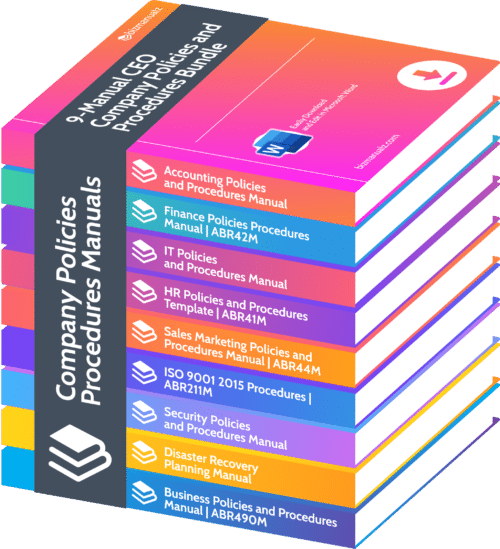
Download Free Policies and Procedures to see how easy it is to edit MS Word Templates to build your own policy and procedure manual, quickly and easily.


Leave a Reply