««Blog Home

Dan Davison's Blog Posts

It’s about the customer. I’ve been pushing that message with large corporations and closely held technology companies at least since the 1980’s. At that time I was a young trade journalist in New York covering companies like Thermo Electron, Cisco and Apple. It was then I first witnessed how some companies could get it so right, and others, so wrong. What distinguished them? As a business trade reporter it seemed to me it was their willingness and ability to listen to their customers and fashion their strategies and products on what they heard. Later, living the dream in a stint on a Silicon Valley Startup team, I learned how tough real listening—and following through on what you hear—can be. Since that day my mission has been to make listening easier. Sales and Marketing, Value Proposition, Customer Quality, they all start with listening. They all start with humility.

Bizmanualz On-Line: Reader Module Launching Monday August 16, 2010

Posted on 08-13-2010

We would like to thank those of you who participated in our initial round of testing Bizmanualz On-Line.

Bizmanualz OnPolicy is a software service in which quality professionals, departments heads and managers can review, approve and release controlled documentation as required by ISO and other compliance standards.

Recently Bizmanualz issued free trial and test instances of the Editor module. On Monday, August 16th, Bizmanualz will release the Bizmanualz OnPolicy Reader module, a companion web site which automatically displays and organizes all documents released by the Editor module.

Starting Monday, log-in will occur through the Reader module. If you are currently testing the software, you will receive an email with your new link. Your old deep-link will still get you into the editor module. After Monday, we recommend that all users log in using the new link and discard their old link.

Within the reader module, editors will be required to click on an “editor module” button to get into the work flow features that they are currently using. JAVA will load as it has been doing when entering the editor module. The reader module on the other hand does not require JAVA.

Additional Release notes:

A. Only released documents appear in the reader module.
To release documents, click on the editor button in the reader module and use the work flow features.
Test software comes loaded with sample procedures and user help files. Only help files are “released” and therefore appear in the reader module. Any documents released through the Editor module will show up in their respective folders.

B. All readers and editors must have a user name and password.
To create or edit user name and password: Go to the Admin > User tab in the editor module. Enter all the required information.  Select reader and/or editor privileges when you add a user.
Current users will not have to reset their user names or passwords.
Right now as we test the software, editors will have to supply their user name and password a second time to move from the reader module to the editor module. Only one-log-in will be required of editors in the next release.

C. Single point of entry
By having editors log in through the reader module, we are providing a single point for all users to log-in. Sending editors through the reader module will give them easy access to the same view that all employees see, providing editors with an easy way to see what has been released and to see exactly what non-editor (readers) see. We will provide short-cuts to help editors move between the modules in the next release.

D. Your account will NOT lose data as a result of this transition.

E. Unlimited number of users
For now, we have removed the cap on the number of users you may create.
Go to Admin > Users and click the ‘add’ button in the editor module. Add as many users as you want.
When we begin charging for the software, a large but not unlimited number of authenticated readers will be able to log on, even at the introductory price point.

F. Two user-help documents are affected. The log-in instructions have been updated to reflect the new log-in procedure via the reader module. Also, a new use-case has been added that shows basic operation of the reader module.

New reader module home screen.

New reader module home screen.

G. System will be unavailable Aug 14-15th. You may not be able to log in during the transition while we make the changes described above. Most of the changes will occur over the weekend (August 14-15). Help files will be updated in all existing instances on Monday August 16, 2010. All service will be restored by Tuesday.

H. Response time has improved. As mentioned in a previous release note, we moved the test server you are using to an off-site SAS 70 Type II compliant location. Response time has been greatly improved. Please let us know how fast the server is working for you.

Thank you again for your assistance and feedback as we move this product to market.

We will contact all existing users after the transition for a walk-through and to gather your impressions of the software and the new reader module. Free accounts are issued so that we can gain your input. We reserve the right to cancel your access if we cannot get your feedback.

Pleaes let us know if you have questions or additional comments.

sales@bizmanualz.com

Policy Management Software FAQs

Posted on 07-10-2010

We are currently testing our new policies and procedures document compliance software, and plan to release it for customer testing in the near future. Potential testers have been asking a number of questions. Here are questions, and the answers:

Is your policy management software accessed as a service over the Internet (Software as a Service – SaaS) or must your policy solution be installed on your computers?

Bizmanualz policy management software is in fact a ‘software-as-a-Service’ available as a subscription over the Internet. The first time a user accesses the service, a small amount of code loads on the client machine in about 30 seconds, similar to when using GoToMeeting or any number of on-line services. The user never is required to install, launch or maintain any software.

Can we upload our existing documents into the system?

You can upload all your existing documents into the system, and open them, so long as your local machine has the software that was used to create the document. For example, MS WORD documents are can be uploaded. In fact, Bizmanualz publishes the world’s most complete set of pre-written policies and procedures, all in MS WORD format. Any policies and procedures template that you buy from us comes pre-loaded in the software. We keep the templates up to date; but we don’t change any documents that you save, upload or change, even if the document started as a Bizmanualz template.

Are documents easy to update?

Documents are edited in their native software on your local machine; they are saved to our server. Our system tracks and controls all document revisions so everyone accesses the latest version. It’s easy to roll back to a previous version if necessary.

Are employees or other users notified when a policy changes or is updated?

Notifications of policy changes are sent by e-mail to policy document authors and ‘followers.’  Administrators and document authors can assign ‘follower’ rights to any user for any document. Users can independently follow any document to which they have permission. Followers receive e-mail notifications of all policy changes. There are also announcement and action item screens within the policy management software that can be used to communicate information about documents.

Can multiple users access policies and procedures at the same time?

Yes, any number of users can access your policy and procedure documents. If two people work on the same document at the same time, their work will be saved (but not released) as two separate drafts. Built-in compliance workflow assures that only one draft can be released, so there are never multiple releases of the same policies and procedures document floating around.

How do you price your policy management software? Do you charge by the seat, or do you sell one license for the whole organization?

We charge per seat. Released policy and procedure documents are published to a web-based reader module which can be viewed by anyone you want. Typically, that would include all your employees and your auditors if you have a formal quality system.

We have an Intranet for reading our documents on-line. How does your software work with Intranets?

If you already have an intranet or a document publishing platform (SharePoint for example) and want to keep using it, our editor module can ftp documents to your existing publishing platform so that user’s viewing habits don’t have to change. But your editors and document managers would benefit from using our editor module for policy and procedure document control, workflow, version control, notifications, etc. while your general employee population would continue to read documents as they’re doing now.

Can I assign different levels of access to users and documents?

We offer a full access control at the document, user and department level. That is, all users assigned to, for example, the accounting department can be granted permission to all accounting procedures with a global command. Additional restrictions can be placed on individuals within a department. Access privileges can also be set at the document level.

Is your policy management software compliant with my quality management or document control requirements?

Yes, the Bizmanualz policy management software is consistent with the document control requirements of all ISO quality management systems, government and industry standards and regulations.

“How Do We Get to ‘Best Practices’ Faster?”, Asks a Bizmanualz Reader

Posted on 02-04-2010

This week, I responded to an e-mail from a Bizmanualz reader who asked the simple question: How do we get to best practices faster? They wanted to know how best to use our products and services to address feedback from their sales department — that their processes are too long and, therefore, hamper sales. Bizmanualz will engage to whatever extent suits a customer’s need and budget. There are three options to choose from:

  1. Buy whatever of our published products that you think you need or that we might recommend;
  2. Start with our introductory process optimization services (outlined below); or
  3. Buy the CEO series and contact me to buy two days of training to help you get started on your own.

Get coaching and personal service with our process review (option #2). Current pricing is shown in our shopping cart. Contact me for this service:

Review your current process. What are you doing now, and what do you want to improve? Here, we clarify your current work process so that we can measure improvement.

Compare your current process to Bizmanualz best-practice processes. No need to re-create processes when we already have them. We will update your processes to our best practices, saving you the trouble and expense of doing it yourself. Streamlined process maps are simple to understand and easy to implement.

Define the goals of your improvement and provide a roadmap for implementing change. Some example improvement goals:

  1. Simplify the process so that they will be used by employees;
  2. Increase the number of sales leads from the level identified in the current state; and/or
  3. Increase the number of leads converting to sales or other desirable actions, such as signing up for a newsletter, obtaining a sample product, or requesting contact.

When you employ Bizmanualz to lead your improvement project, we customize a process for you from our extensive library of best-practice processes. Best practices are included. This saves you time and money on research and development. Our approach is to identify incremental improvements that involve and can be sustained by your current staff. Improvements are realistic, achievable, and sustainable so they’re achieved consistently and benefits add up fast.

Process Implementation Phase

I’ve described the process review engagement where the scope and pace of improvement is set.  Implementing the improvements is the next phase.

In the follow-on process implementation phase, Bizmanualz processes are delivered in all the formats — with the checklists and forms — that your people will use to follow through and practice the improvement. For the do-it-yourself-er, most of the process map formats and examples discussed here are described in a recent Bizmanualz article and commentary series, starting with “What is a Process Map?.

A Bizmanualz quality consultant, with supporting quality engineers, writers, and communications professionals, will customize maps, job aids, and other tools for your project.  Read about the types of process maps and other tools we deliver on our site. The do-it-yourself-er can also read about project management tools and use them to manage their own project.

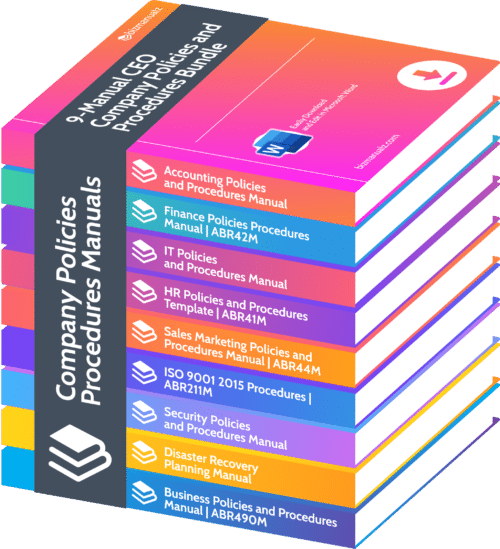
Anyone can comb through our manuals-product web site and select individual policies, procedures, and forms manuals or they can choose collections such as the CEO Company Policies and Procedures set.  Most CEO Series customers will benefit from a day or two of training and review, where we’ll introduce your employees to the books and tools in the CEO series and show them how to get started.

Contact me, Dan Davison, for more information about training to use the CEO series product.  Do you have comments? How can we help? Please write to me directly, or leave your comments below.

Thank you.

We Asked You to Talk Back…And You Have!

Posted on 11-12-2009

You may have noticed that on some of our web pages, Bizmanualz is soliciting your feedback in “Talkback” dialog boxes. On our consulting pages, we invite you to share your “Toughest Process Challenges” and your “Training and Communicating Challenges“.

img_1134

By prompting you with the right kinds of questions in the right places, we hope to gain a better understanding of your wants and needs and how we can help.  Your responses will help us update our web site so that it better addresses the issues and questions on your mind.

Some of your questions invite engagement — great!  That’s exactly what we’re looking for! We ask only that you limit yourself to one question per web page and give us your name and e-mail address so we can begin a dialogue.  That’s it! You can tell us what you think without leaving the page…even without scrolling.

To date, your input has been instructive and has helped us improve our site. Some of you have continued to correspond with us by e-mail; we plan to add more Talkback dialog boxes on more pages to serve you even better.

Here’s a list of talkback questions and links as of this week (we’ll update the blog with new Talkback links as we add them):

Consulting Services main page:
What is your toughest process challenge?

Procedure review page in the consulting section:
What is your primary documentation difficulty?

Process implementation page in the consulting section:
How do you train and communicate with your team?

Process optimization in the consulting section:
What is your toughest process challenge?

Thank you for sharing what’s on your mind with Bizmanualz.  For those of you who haven’t yet taken part, check out a recent Talkback inquiry on a process training question and our response, taken from case studies.  And, tell your friends and business associates about us!

How Do You Train and Communicate With Your Team?

Posted on 11-10-2009

We received an inquiry recently on our process implementation page, where we ask: ‘How do you train and communicate with your team?’ A reader from a large school district wrote in using one of our new ‘Talkback‘ links saying that their district is in the midst of many changes. The district faces many communications and training challenges, especially when introducing new information technology for employees. The reader went on to ask, ‘How do large companies communicate and prepare training for organizational change or implementation?’

Will Employees Skip Training When A Customer Calls?

Though a school district may be an extreme example, it shares practical challenges similar to many geographically dispersed organizations where employees work independently. Teachers may work at dozens of locations. Culturally, teachers work independently most of the time and are highly self-directed. Every teacher answers to many customers–classroom parents–to whom they must be responsive. Daily schedules are rigid, driven by the defined length and periods of the school day. Non-class in-service training and meeting time is scheduled long in advance.

Any organization with a distributed workforce that works directly with customers faces similar training challenges. Does your workforce travel? Do your employees manage customer relationships in the field? Would your field employees skip training if a customer calls? Think: field sales, field service, field engineering, route delivery. For many such organizations, in-person group training is probably not practical.

 If training Is Not Practical, What Do You Do?

But training is still essential. For example, your route sales and delivery professionals across the Americas require training on a new ordering system. As in the case of teachers in a school district, their workdays are prescribed by customer’s strict time constraints. Any time available for training needs to be measured in tens of minutes. Further complicating matters, every employee’s availability is different.  And by the nature of their work and work culture, they operate independently.

Clearly, building a training program based on inflexible, one-size-fits all classroom training isn’t going work. But self-paced user-driven independently administered training would work. So video content was developed in three to 10-minute bites that employees could access at any time. The information was organized so that students could approach the training either sequentially, or as needed during the day.  Materials and delivery were customized to work with the limited mobile bandwidth and small screens employees had.

A technology partner configured an on-line “campus” web site, complete with quizzes and completion-tracking built in so that the corporation knew who had been exposed to the material, and had demonstrated proficiency. Compliance metrics helped the company roll-out new features and capabilities at times when metrics indicted likely acceptance by workers.

Do You Have a Distributed Training Challenge?

If your corporation, school district or other organization employs independent workers and you are budgeting for a training solution, contact Bizmanualz for a demonstration. While the content can be custom-developed for your organization, you will benefit by sharing the on-line infrastructure, which today is hosting proprietary video training for several large, distributed organizations.

With an understanding of your needs, your content can be developed and hosted in an on-line campus customized for you. Just as Bizmanualz has the largest library of pre-written policies and procedures, we can provide an existing on-line campus so that you don’t have to re-create the wheel.

Call us at (314) 863-5079 x18, e-mail Sales@bizmanualz.com or use the ‘Talkback’ dialog on our Training and Roll-Out page.

How Can Simplifying Procedures Prepare You for Growth?

Posted on 10-29-2009

Simplifying procedures is a great way to save money and at the same time prepare for growth. By simplifying your procedures, you can cut waste with confidence that you are not cutting essential value-added services customers want to buy. Simplifying procedures prepares your company for growth because it streamlines your operations, documents them, and thus makes it much easier to replicate your operations at another location.

A new operation based on proven procedures is easier to manage because you can evaluate its performance against known metrics. And should the metrics indicate a need for adjustments-typical when rolling out a new location-staff will have procedures in place to affect needed changes. This significantly reduces the risk of opening a new location.

If you want to learn more about how you can save money and prepare for growth, check out our consulting pages. We can help you simplify procedures faster and more efficiently than you can do it yourself because we are continuously writing, publishing, deploying and updating policies and procedures. Our latest procedures represent lessons learned by our thousands of world-wide customers. Developed according to international ISO standards, Bizmanualz procedures move you further, faster. Save time. Why reinvent the wheel?

Check out our consulting pages. Or call me right now. Bizmanualz can help you save money and grow today. Contact: Dan Davison, Vice President Sales & Marketing, Bizmanualz, Inc. tel. (314) 863-5079 x23, Dan@Bizmanualz.com.

What to Expect When You Ask Bizmanualz for A Policies and Procedures Proposal

Posted on 10-26-2009

Among the top ten reasons that managers give for why their company’s policies and procedures don’t work is that “Employees don’t use them.” When procedures aren’t used, you may wonder why you bothered writing them. Did you waste your time? When procedures are written but not used, lessons that have been learned are forgotten. Mistakes that were corrected on paper long ago are made over and over again. Continuous improvement gives way to continuing problems and waste.

Waste costs money.  Yet, when organizations don’t follow their own core procedures, it’s hard for them to know what works and what doesn’t, so improvement evades them. They risk quality problems and customer disappointment. Customers may defect to competitors. Revenue may suffer.

When even core procedures are not used, you risk not complying with health, safety, and environmental regulations. That can endanger employees and gain unfavorable notice from auditors and regulators, further distracting you from using best practices and making continuous improvements.

Why aren’t your policies and procedures used?

When we hear employees say that procedures are getting in their way rather than helping, we usually find that procedures are too numerous, too long, poorly written, hard to follow, and/or hopelessly complex.  Writing and development problems are the chief reason that policies and procedures suffer such deficiencies. (See our web site for several articles explaining how to avoid and overcome procedure writing and development problems.)

How Bizmanualz Estimates Your Policies and Procedures Project

When companies come to Bizmanualz with poorly written policies and procedures, we typically recommend reducing and simplifying what they have today. Typically, we can cut from 30% to 60% of their documentation load, reducing the cost and complexity which at the same time lessens employees’ objections.

We can recommend an approach for your policies and procedures improvement project based on your answers to the following questions:

  • How many procedures do you have today within the scope of the improvement project?
  • Send us two or three sample procedures in MS WORD or PDF format. Let us know what format you want for the final procedures.
  • What industry are you in?
  • List the countries in which the procedures will be used. List each of the languages into which the procedures need to be translated (if any).
  • Who is the lead regulator for your industry in each of the countries where the procedures will be used? Provide a link to the regulator’s web site and on-line regulations if available. List any other regulators that are likely to review or audit your procedures.
  • Mention any quality standards that you are using or plan to use within 24 months.

Pictures and Graphics Help Bridge Cultural Gaps

If the procedures will be used in more than one country, we typically recommend replacing text with graphics, illustrations and pictures. Graphics are interpreted more consistently across cultures, which drives uniform interpretation and more consistent usage of procedures.

Page for page, graphics are more expensive to produce than written material. But a single graphic may eliminate a lot of pages of written material, mitigating the cost of development.  Most companies consider investment in graphics worth-while because:

  • Procedures are used more consistently
  • Compliance improves
  • Injuries and work disruptions decrease.

Your Budget Considerations:

If Your Budget is Less than $10,000 US:

At budget levels less than $10,000 US, we would typically recommend training for your in-house procedure-writers on how to write more effective procedures. The training is similar to our Well-Defined Processes training, but emphasizes authoring procedures. After the training, your in-house team rather than Bizmanualz would apply the principles and update your procedures. Depending on the experience level of your procedure-writing team, more than one training event may be required.

If Your Budget is $10,000 to $30,000:

At budget levels above $10,000, Bizmanualz relieves your team from the production responsibilities, and provides the man-hours and expertise to update your procedures more quickly than most companies can train and do it on their own. At budget levels in this range, Bizmanualz:

  • Evaluates the content and format of each of your existing procedures within the scope of the project
  • Provides you with our written critique
  • Provides a visual storyboard outlining the specific changes
  • Drafts the procedures for your review
  • Completes the graphics and reviews them with you
  • Provides one revision to text and graphics, incorporates your comments
  • Completes and delivers the procedures.

Projects above $30,000 are larger projects in scope; they might require deployment in more than one location, translation, optimization, or a lot of information graphics.

Larger projects may include procedure implementation of your procedures with your employees to make sure that they perceive value and use the procedures.  This may include additional buy-in training for your in-house procedures team on how to build and maintain support for your policies and procedures project.  You may need other communications tools such as job aids or videos that are not strictly considered procedures, but which nonetheless help workers apply the procedures consistently.   Process procedures optimization may require implementing lean, ISO or quality systems.

You can control the scope and budget of your project by:

  • Controlling the number of procedures
  • Working in phases, and reducing the scope of the current phase.
  • Creating fewer language translations and limiting the number of geographies where the new procedures will be used.
  • Using fewer graphics and more text.

If you would like Bizmanualz to estimate your policies and procedures project, please send us the information listed above under ‘How we Estimate Your Policies and Procedures Project.’ Don’t forget to send us samples of your current procedures. We will recommend an improvement approach that will increase compliance, safety and communication.

Contact: Dan Davison, Dan@bizmanualz.com, tel. (314) 863-5079 x23, Bizmanualz, Inc.

Picking the Right Procedures for Retail Applications

Posted on 10-22-2009

Bizmanualz received an inquiry this week from a reader about implementing Standard Operating Procedures (SOPs) for a retail hardware store.  Specific areas of interest include the sales floor, warehouse, delivery, and retrieval of inventory.

hardware_store

While responding to this inquiry, I realized we might make it easier for some of our customers to select their Bizmanualz products by industry application: by identifying the core processes that drive each type of business, Bizmanualz can recommend specific policies and procedures that address to those processes.

We can help our customers by sharing what we know about how and when our procedures are used.  Today, I’ll share with you our response to the hardware retailer:

What About Sales Floor Procedures?

In section 430 of our Accounting Policies and Procedures manual (Revenue Procedures), the following procedures apply to their situation:

  • REV101, Sales Order Entry
  • REV102, Point-Of-Sale Orders
  • REV104, Sales Order Acceptance
  • REV107, Sales Tax Collection

What About Warehouse Procedures?

In section 440 of the Accounting Procedures manual (Purchasing), these procedures apply:

  • PUR101, Vendor Selection
  • PUR102, General Purchasing
  • PUR104, Receiving and Inspection

Delivery Procedures?

Also in section 440 of the Accounting manual, we have:

  • PUR105, Shipping and Freight Claims

Inventory Procedures?

In section 420, Inventory & Asset Procedures, we offer:

  • INV101, Inventory Control
  • INV102, Inventory Counts
  • INV103, Fixed Asset Control
  • INV105, Fixed Asset Capitalization & Depreciation

In addition to the processes the retailer asked about, we suggested he consider using procedures from section 410 (Cash) to address acceptance of payment from customers:

  • CSH101, Cash Drawers And Credit Cards
  • CSH102, Cash Receipts And Deposits
  • CSH103, Problem Checks
  • CSH107, Bank Account Reconciliations

The Bizmanualz “Accounting Policies, Procedures, and Forms” manual contains all of the procedures mentioned above — and much more — and sells for $595. It’s available on our web site. As the hardware store retailer suggested, “Why reinvent the wheel?”

Our Bizmanualz Customer Service specialist suggested our Business Sampler volume, which sells for $695.  The Business Sampler includes procedures, by category, that complement the Accounting processes/procedures — Human Resources, Sales and Marketing, Shipping, Security, Computers and Networks, and other operational and support areas.

See Chris Anderson’s article this week on the top ten business processes.  It relates processes to procedures in our lineup of manuals, helping you select the right products for your needs.

Stay tuned for more articles that will help you pick the right product to accomplish the process and procedure job at hand.

Going to Work for Your Parents: Transitioning into the Family Business

Posted on 10-14-2009

More than one son or daughter of a company founder has been coaxed into the family business in the years before dad’s retirement. Dad wants to back away from the business. “Planning for a graceful exit”, he says. “And”, he continues, “You are the heir to the company business.” Dad says that he realizes that it will take some time to transition out and transition you in.

From your corporate experience, you will bring new ideas to the family business like concepts about intellectual property and compliance. In the corporate world, key inventions, know-how, customer lists, and the like are documented, managed within information systems, and counted as assets.

Similarly, those corporations mitigated risk through auditing to compliance standards and then sustaining compliance through development of clearly written procedure manuals. Documentation was coupled with staff training which reinforced comliance with the procedures. At the corporation, decisions were arrived at in working groups, with key functions in the company agreeing on how they would support a change. New technology? Has Engineering approved the design? Has Legal protected the intellectual property? Has Marketing positioned the change in the marketplace. Has Sales introduced the concept to key customers and provided them with a beta product to evaluate? Eventually, change was adopted and enforced by the chain of command.

Arriving at the family business, you may find a troubling lack of documentation of core know-how, and a lack of internal controls and cross-checks you were accustomed to in a public company, at least since passage of the Sarbanes-Oxley Act (SOX) law. But when you bring up lax controls with your father, he may shrug it off. You start to realize that he is the center of everything at the company. The company was built on his great invention and know-how. He personally manages all the key accounts. He watches over the books and bank balances.  He is the company’s knowledge management system. When he does delegate, it is usually to loyal, trusted staff, whom also are approaching retirement. It begins to dawn on you that your presence may be the first tangible sign of “succession planning” within the family business.

You begin to realize that the company is designed around your father. Separating the business knowledge from your father will be something like surgery. Is he even sincere about backing off? And if he is, you’re not sure that filling his central role is what’s best for the future of the company.

So you’re left with this realization: How do you capture the business processes, policies, and procedures from your father. And how do you do so without draining the personality out of the business?

Sell Progress as a Retirement Plan for Dad

So if you’re that son or daughter stepping into the family business, you probably realize by now that if you want the business to grow profitably and continue as a leader in its markets after dad leaves, he can’t remain the personification of all company know-how, relationships and control. He has to gradually entrust the essence of his company to your efforts to document policies, procedures, systems and controls. And your job, as it’s shaping up, is like a cruise director that can organize all the right get-togethers, but can’t make anyone come to them.

Deep down, you know this. Trying to fill your dad’s shoes is not the way to go. And you couldn’t do it anyway, because you’re not your dad and not one of the employees would pretend that you were.

But first things first. You sense that your first customer for this change is your dad and other family currently with hands-on control of the closely held business. You’re going to have to sell it to them on the idea of replacing personalities with process.

So, how do you sell something to your father that he never embraced? And why would employees accept any policy or process so long as your dad is still there at the center of everything? They can always just ask him, right?

There is no easy answer to this. Clearly it’s a journey of small steps for everyone. Your job will be twofold: helping employees develop and adopt policies, processes and controls that will govern their work lives; and coaxing your dad to encourage decisions to be made by consulting policies instead of him. Work with employees to develop policies and controls and they will support them. Then work with your dad to accept policies, procedures and controls as codification of his way of doing things that have made the company successful.

This is the hard work of business succession planning. You face the task of transplanting your dad’s way of doing things into the people and processes of the company. Bit by bit, the man can be separated from the company, and the company will continue to function successfully.

What Business Buyers Are Looking For

Buyers will look to see if the founder is separable from the business. Replacing the key man with policies, procedures and systems transforms the company in the eyes of potential buyers into an asset that can sustain and grow without the founder. Will sales dry up or key know-how vanish when the founder clears out of the corner office? If they will, the company can’t compete in the buyer’s mind with other buying opportunities where the intangible assets of the company have been corporatized into the documentation, policies, procedures and systems of a company.

How will buyers know? In their due diligence, buyers will look to see if the company has up-to-date procedure manuals. They will look at HR and accounting compliance and evaluate the company’s vulnerability to legal trouble should allegations of harassment, fraud or abuse arise. What is the risk that management attention and capital will be tied up in law suits, allowing competitors to pull ahead? Buyers will talk to employees and observe how decisions are made. They will observe the operation and size up the viability of the company without the founder.

Your Leadership Style Should Build on Your Strengths

If our Baby-Boomer parents counted on hard work to get ahead, we Millennials have learned that they also have to work smarter. They have learned that they don’t have to make all the decisions. Millenials built careers on the leverage of teams, systems and controls, and relied less on a personal hard-driving style like their parents did. As the next in line, your leadership style nurtures continuous improvement: You expect those closest to the work to make decisions and act on them. You have more patience for mistakes than inaction or constant checking-in with the boss. Examine your leadership style, and how you lead differently than your dad. Work to your strengths.

The Management Layer - a Mirror for Dad’s Management Style

Of course leading a transition will take some time. Will you have enough? As if you were a buyer sizing up the compnay, you should also size up the risk of challenge.

One indicator of how serious dad is about ceding management of the company, is the approach taken by his management staff in place today. They have had many years to develop patterns of work and action in response to your dad’s leadership style. Is the management independent-minded? Are they making real decisions, and acting on them? Or do they complain and shrug their shoulders about what they would like to do, but cite dad’s lack of support. Do they get in line with dad as quickly as possible?

Is the management staff fundamentally weak and simply implementing whatever dad wants, or is the management commitment there for it to work? Are they proactive and focused on meaningful change? Does every decision have to go through dad, or are there policies and procedures in place to govern decision making? In short, do managers manage or do they react to dad?

So above, in broad terms, we have laid out the challenge — can you perform the transplant surgery without cutting out the heart of the business? But we have not gotten into specifics about what you do in HR, what you do in accounting, in procurement, sales, marketing, etc. Describing development of policies and procedures in each function of the business will be addressed in a series of future articles, one per function.

Jerry Sweas contributed to this article jerry.sweas@comcast.net.

Are You Implementing ISO 9001 QMS in Your Company?

Posted on 09-20-2009

We have heard from several customers about the need for implementing ISO in their unique organizational settings.  Based on this feedback, we are currently developing an ISO QMS implementation guide with tools applicable in different business settings, including service organizations. It will augment our existing ISO 9001 QMS Procedures Manual, and will help answer questions like  ‘How do I get started?’ and ‘How do I roll out ISO in my company?’

As a publisher and professional services firm (not a manufacturer), we have seen benefits from implementing quality methods. We have clear metrics that we measure regularly and are always looking to improve our measurements or come up with better metrics. It is our belief that an implementation guide will provide practical implementation steps to organizations that want to work on their own with little or no help from consultants.

The initial release of the implementation guide, scheduled to be released in the first quarter of 2010, will include the planning, design and implementation tools we have used for our clients–and for ourselves–to become ISO-certified. We are also adding some additional tools and explanatory materials prepared specially for the implementation kit. The tool sets incorporate knowledge amassed over almost ten years of research, use, deployment at client sites, and publication of quality policies and procedures. Check out our recent article & blog series on process maps and current series on project management for more insights into what will be included in the implementation kit.

More companies will benefit from continuous improvement

ISO has helped Bizmanualz cultivate the belief and practice of continuous improvement. By using the “Plan – Do – Check – Act” methods on which most quality systems are built, we have focused on improving underlying processes and avoiding problems in the future. Our process orientation reinforces teamwork: we’re all in this together to improve the process that will create ever-better, sustainable results not only for our customers. By releasing the tools that we ourselves use  internally and for clients, we aim to help other organizations implement quality systems with equal structural support.

The ISO implementation kit will be as easy-to-use and self-explanatory as possible. To support this goal, we are developing a test program in which we will work with selected companies to test and use our implementation kit. If your organization has immediate plans to implement or improve its ISO or related quality system, please contact us through the Bizmanualz website or by commenting below this post. We will provide the implementation product at no charge for test customers in exchange for regular phone reports and occasional access to your facility so that we can learn from your use of the product.

For now I can recommend our ISO 9001 QMS Manual. While it is written from a manufacturing perspective, the principles, as well as many of the specific policies, procedures and forms, can be generalized for a service business. And it has been recently updated to conform with the ISO 9001:2008 standard.

Are you implementing a quality program at your organization? What will be your first step? How will you get started? What do you think should be in our implementation guide? Would you like to try the guide and let us know how to make it better? Leave a comment below or contact me directly at  dan@bizmanualz.com .

Best Deal - Save 62%!
Contact Us